How to fill in billing and shipping address
Делать покупки в США с доставкой в Россию и другие страны – это легко и быстро. Оформление займет минимум времени: сделайте всего несколько простых шагов.
- Выбирайте и оплачивайте товар в онлайн-магазине США (если у вас есть карта иностранного банка);
- Оформляйте доставку на адрес мейлфорвардинговой компании;
- После получения на склад оформляйте доставку в Россию (либо нужную другую страну).
У многих покупателей возникают вопросы при заполнении адресов, так как их два вида:
- Shipping address – фактический адрес, куда будет доставлен заказ.
- Billing address – адрес, к которому привязана ваша банковская карта (т.е. фактический адрес владельца карты).
Если трудностей с заполнением шиппинг адреса (shipping address) не возникает – необходимо лишь заполнить все поля аналогично образцу выданного персонального адреса в кабинете каждого клиента у нас на сайте, то с заполнением биллинг адреса (billing address) могут возникнуть вопросы и трудности. Именно о специфике заполнения адресов и пойдет далее речь.
Пример заполнения шиппинг адреса (shipping address) в американских магазинах (вы можете посмотреть в личном кабинете):
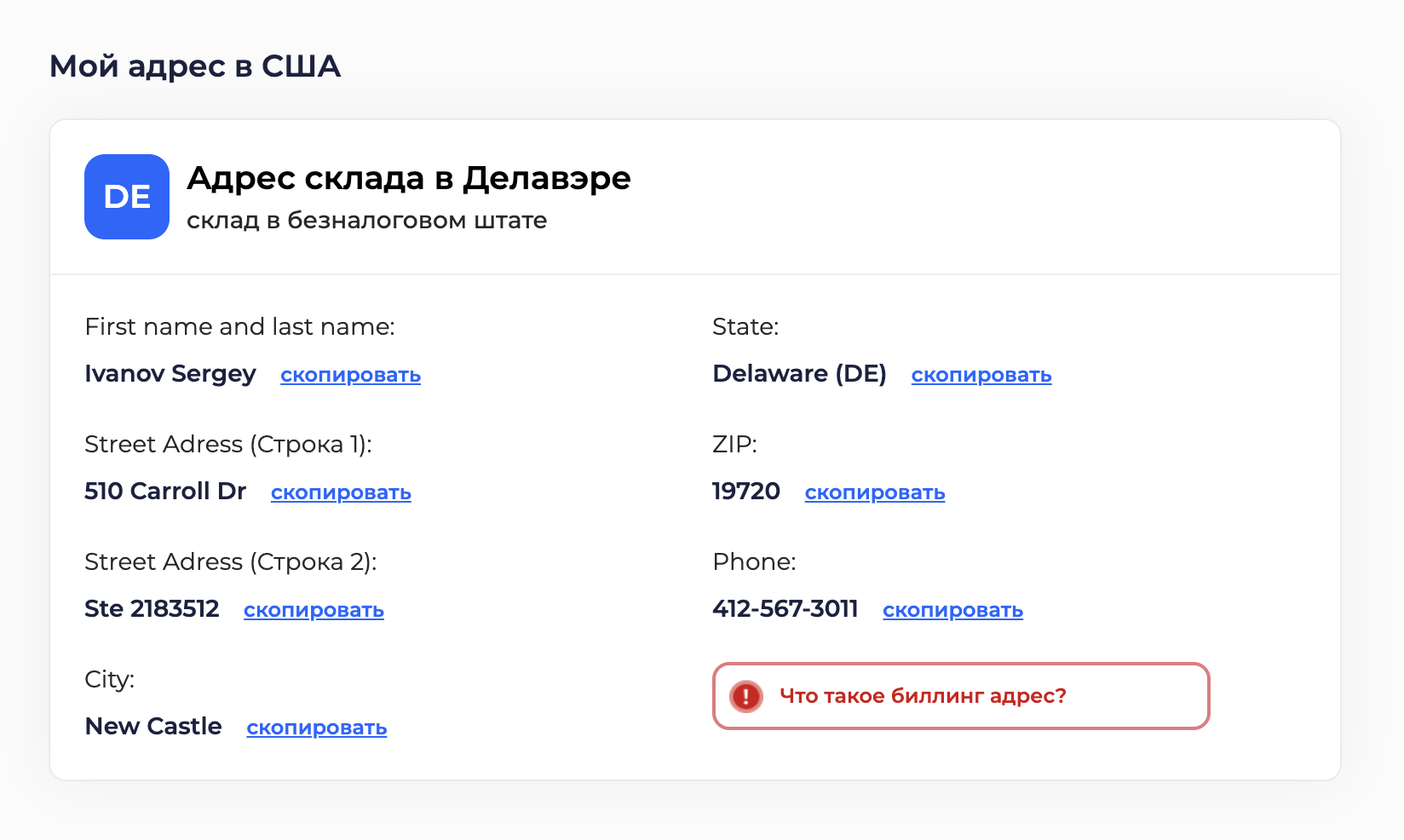
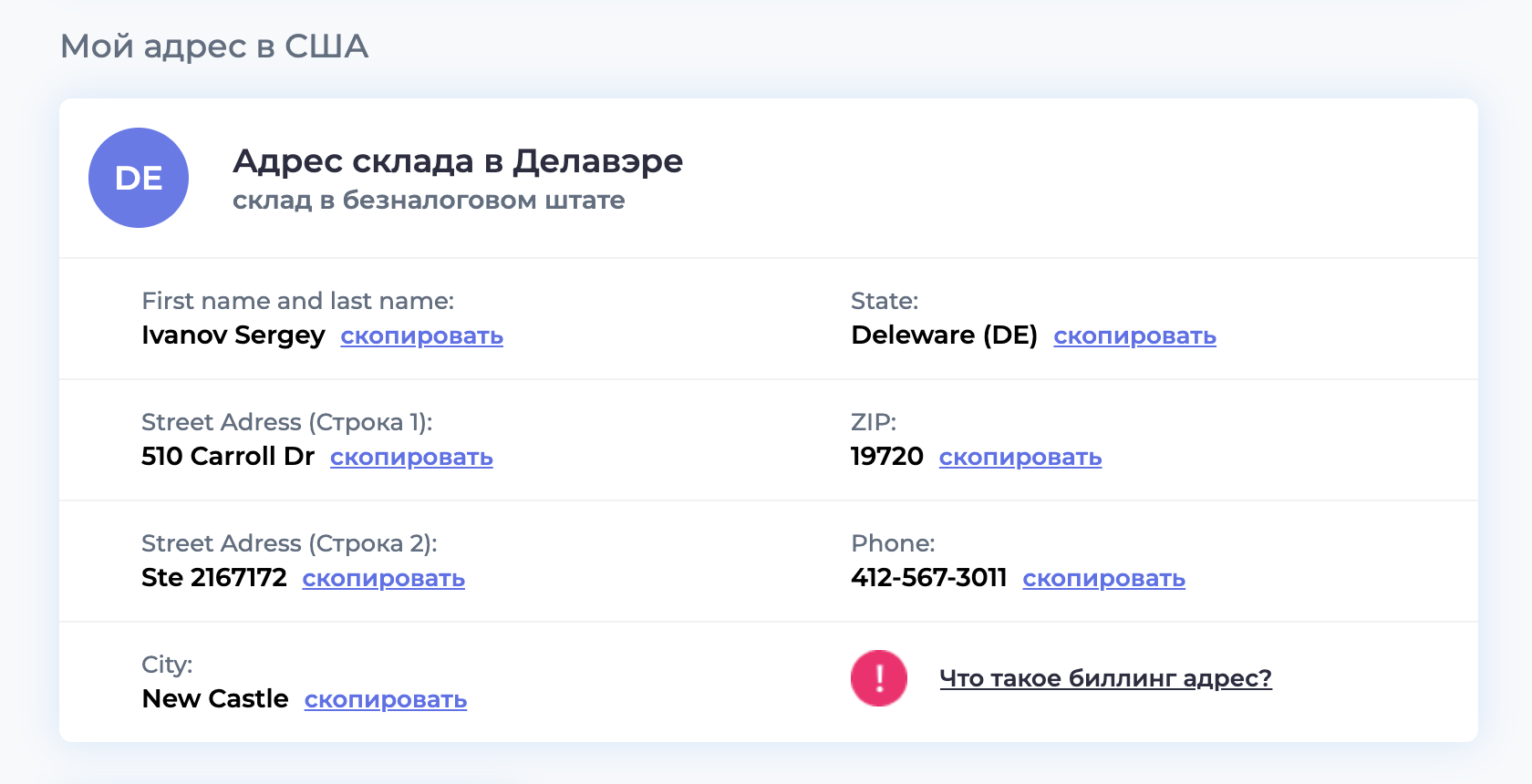
А для заполнения billing address (биллинг адреса) необходимо взять адрес, указанный в банковском договоре на выпуск карты. Если карта виртуального типа, то необходимо пользоваться тем адресом, который указан в банковском договоре на открытие личного счета.
Итак, всего существует три варианта заполнения billing address (биллинг адреса), рассмотрим каждый из них:
Заполнение реального billing address (биллинг адреса) в американском магазине
Указывать реальный российский billing address при заказах в американских интернет-магазинах в 2025 году стало крайне затруднительно и часто приводит к отказу в оплате. Но если все же магазин предусматривает эту возможность, то не стоит ею пренебрегать. Как пример, возьмем магазин Amazon:
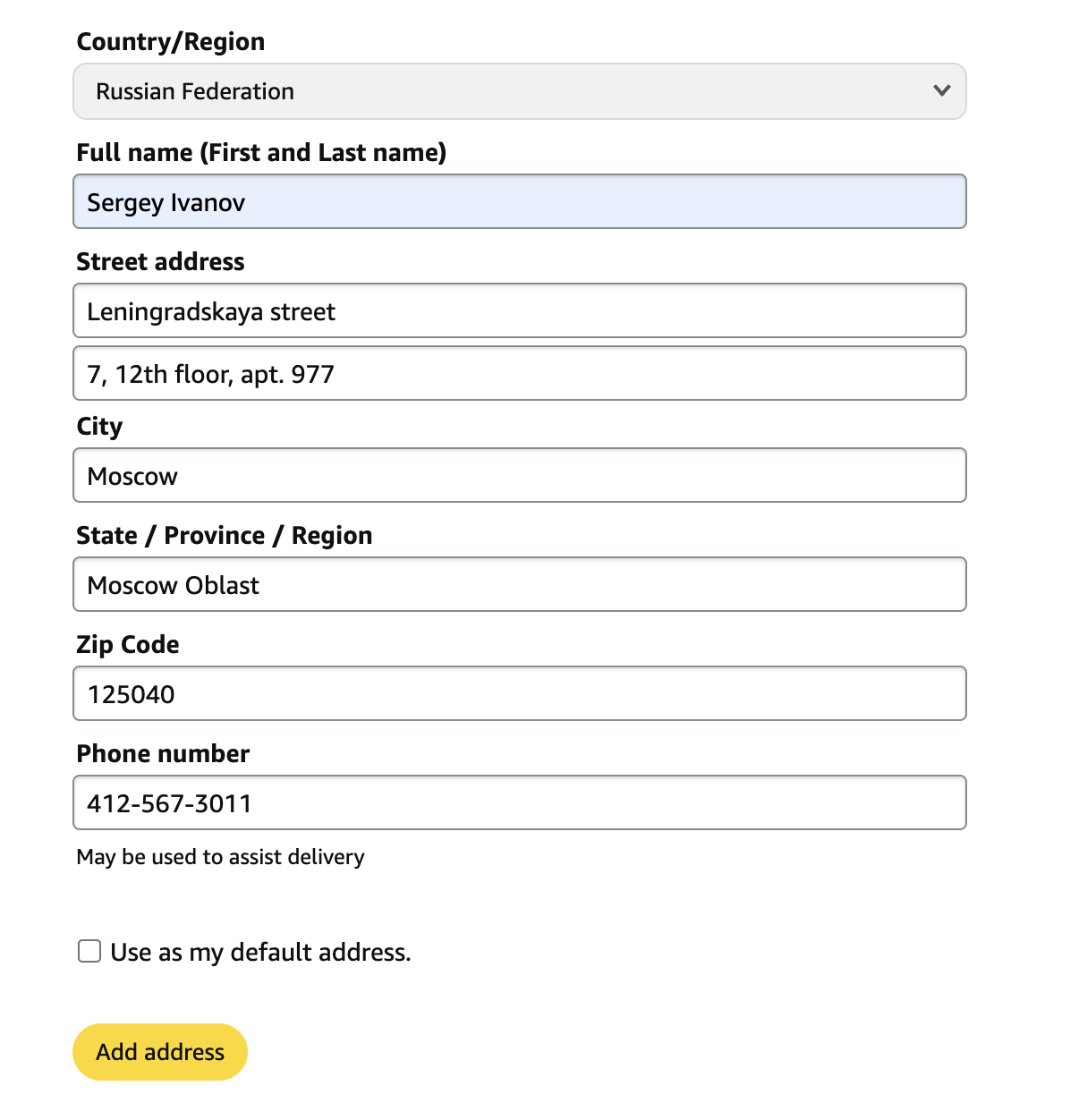
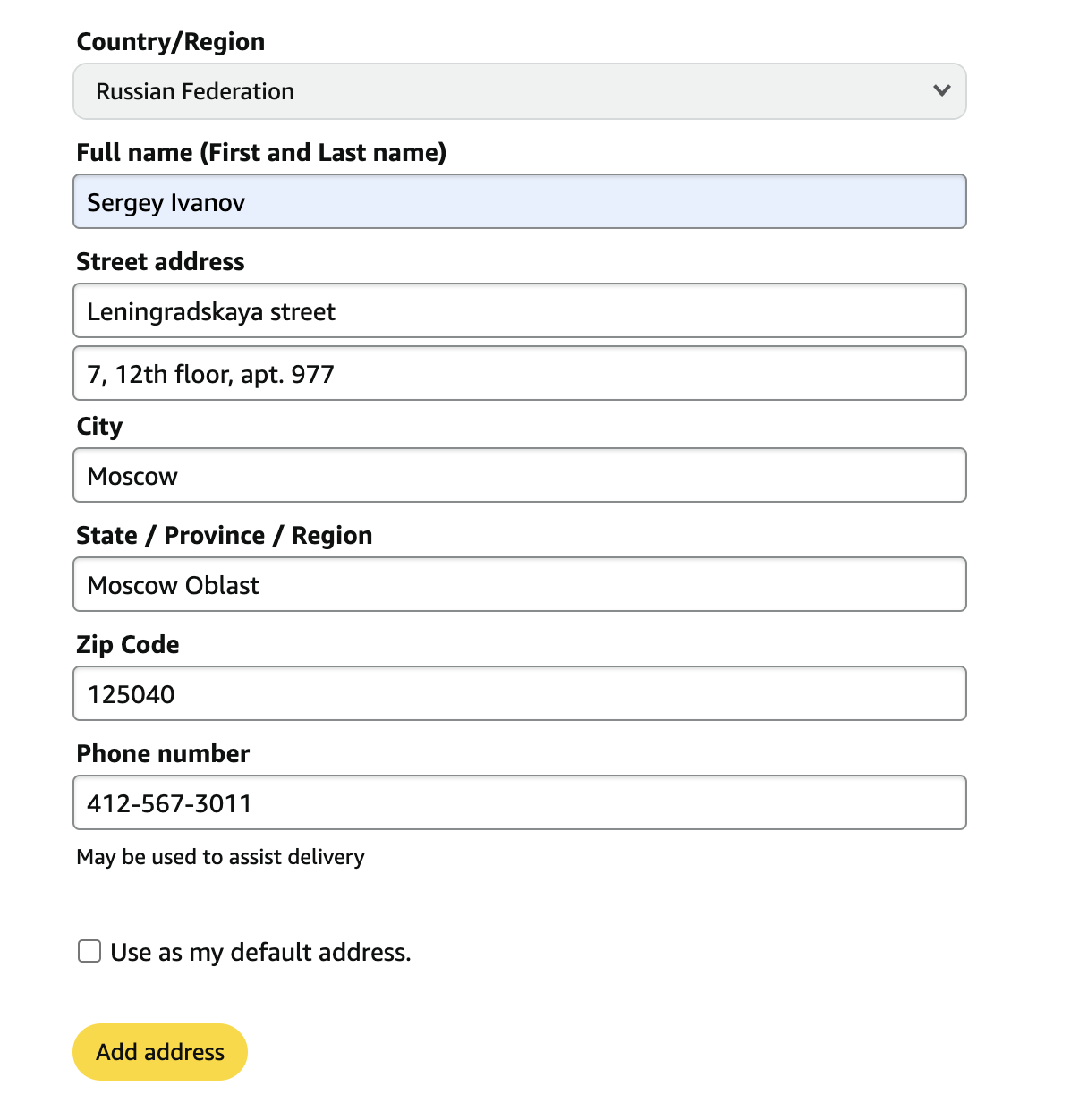
Все поля заполняются с указанием реального адреса – страны, города, области, индекса и улицы с номером дома. Единственный момент – всегда стоит указывать в контактном номере телефона американский, который выдан нами.
Заполнение billing address (биллинг адреса) смешанного типа в американском магаз
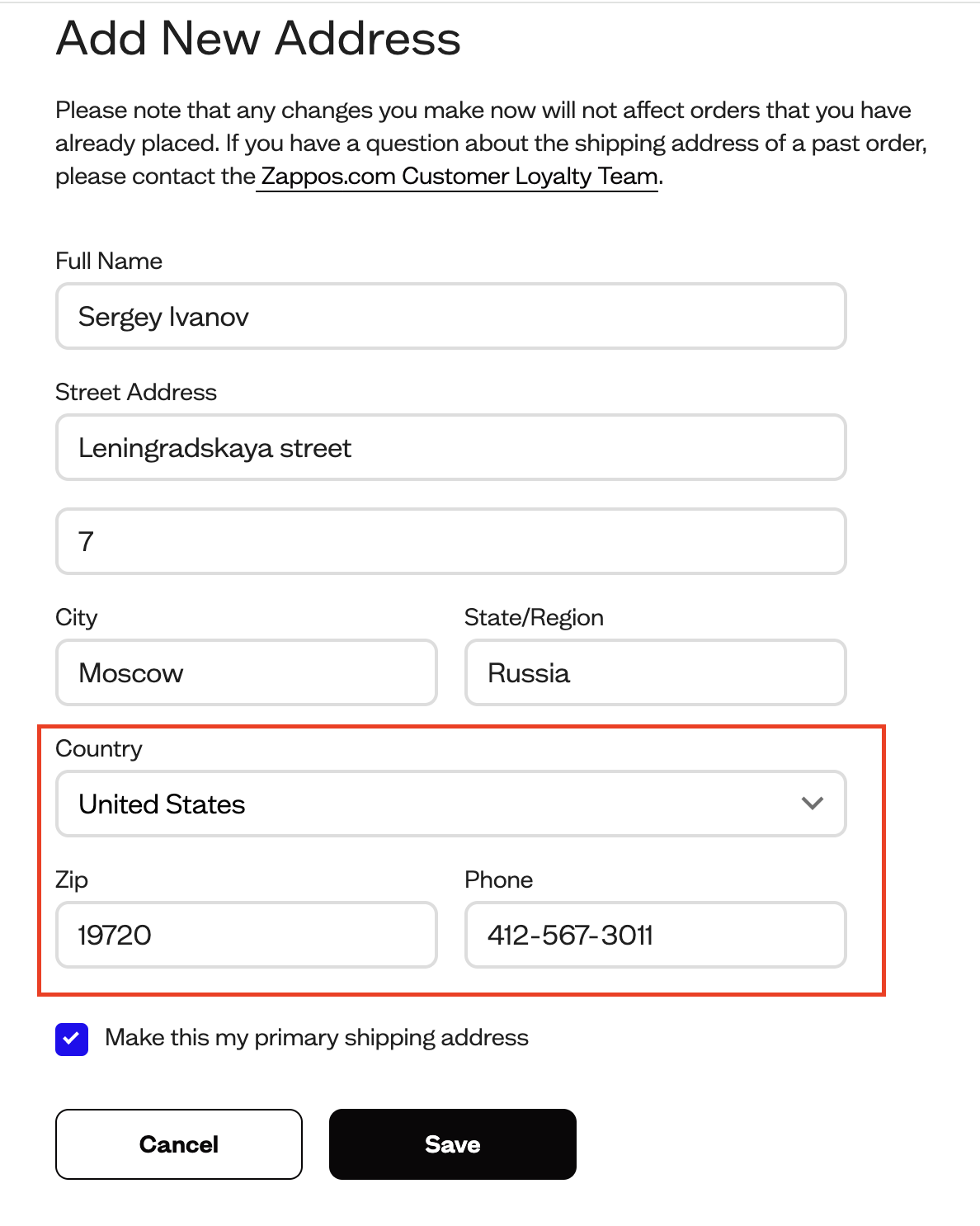
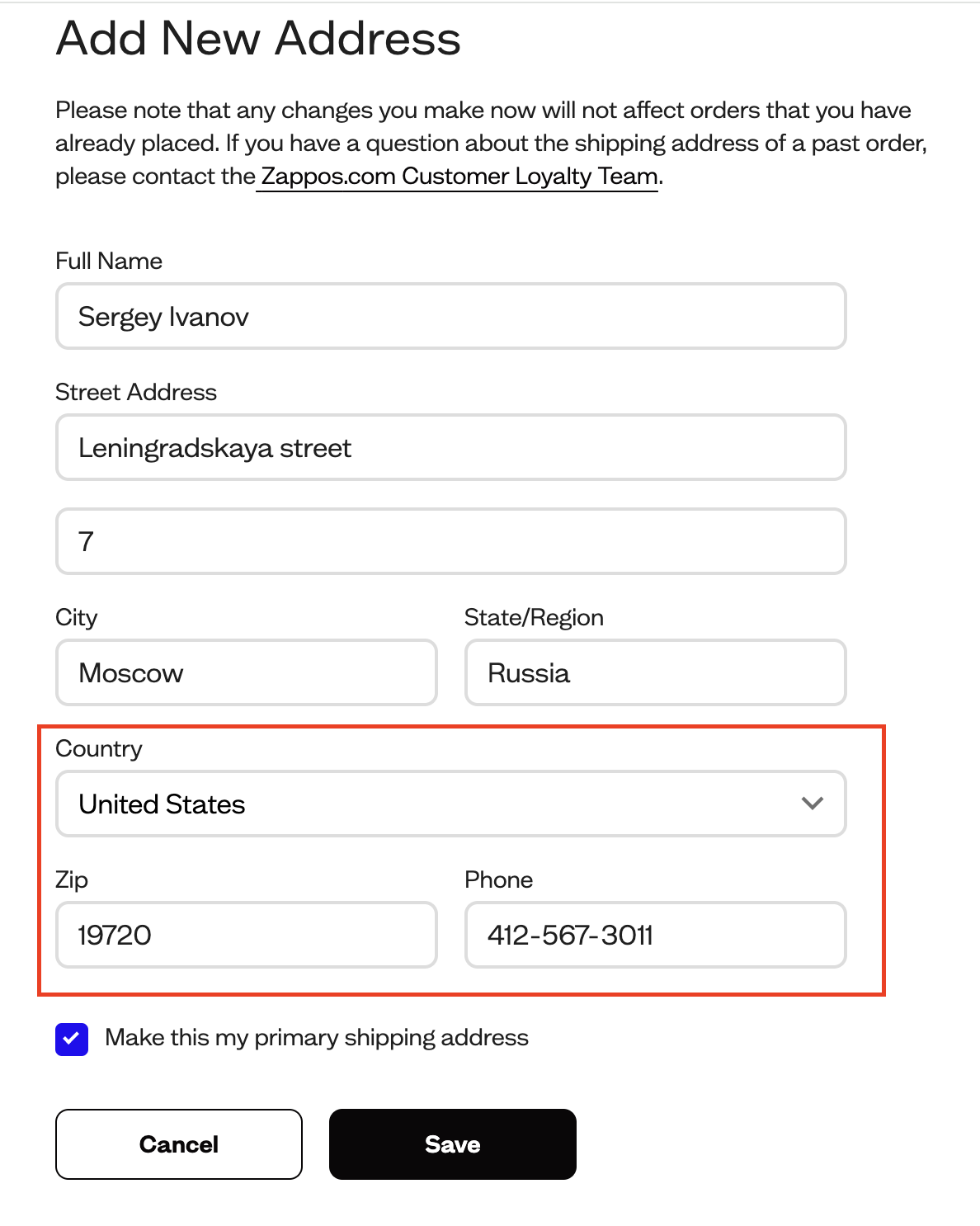
Если адресная книга магазина не предусматривает в списке наличие Российской Федерации либо нужной покупателю страны, указывается billing address (биллинг адреса) смешанного типа. В таком случае: страна и штат указываются американские, все остальные данные – реального вашего биллинг адреса. Если есть возможность указать штат российский - лучше так и сделать. Чем больше данных будет совпадать с реальным биллинг адресом – тем лучше.
Как пример возьмем магазин Zappos:
Указание шиппинг адреса (shipping address) вместо billing address (биллинг адреса)
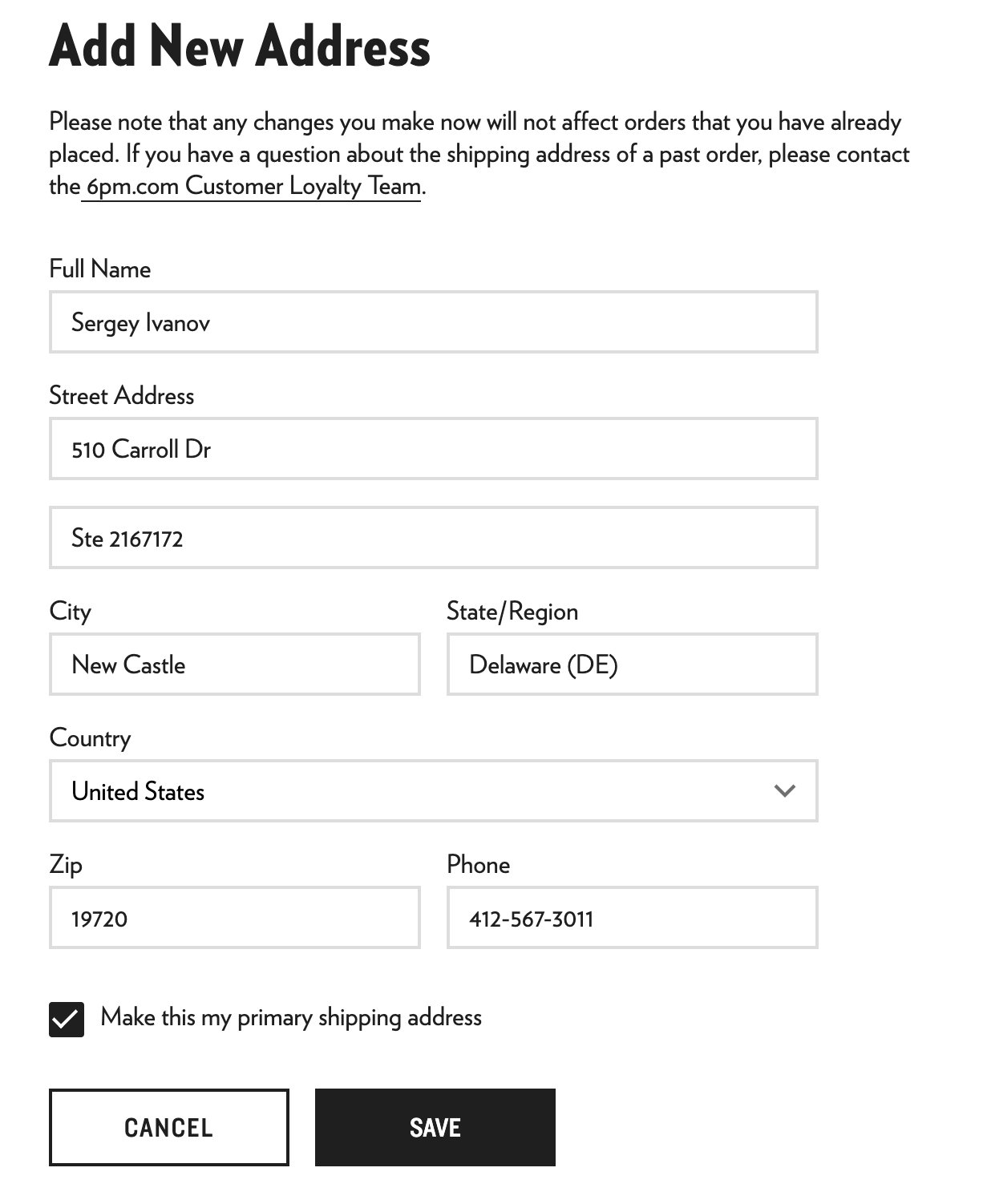
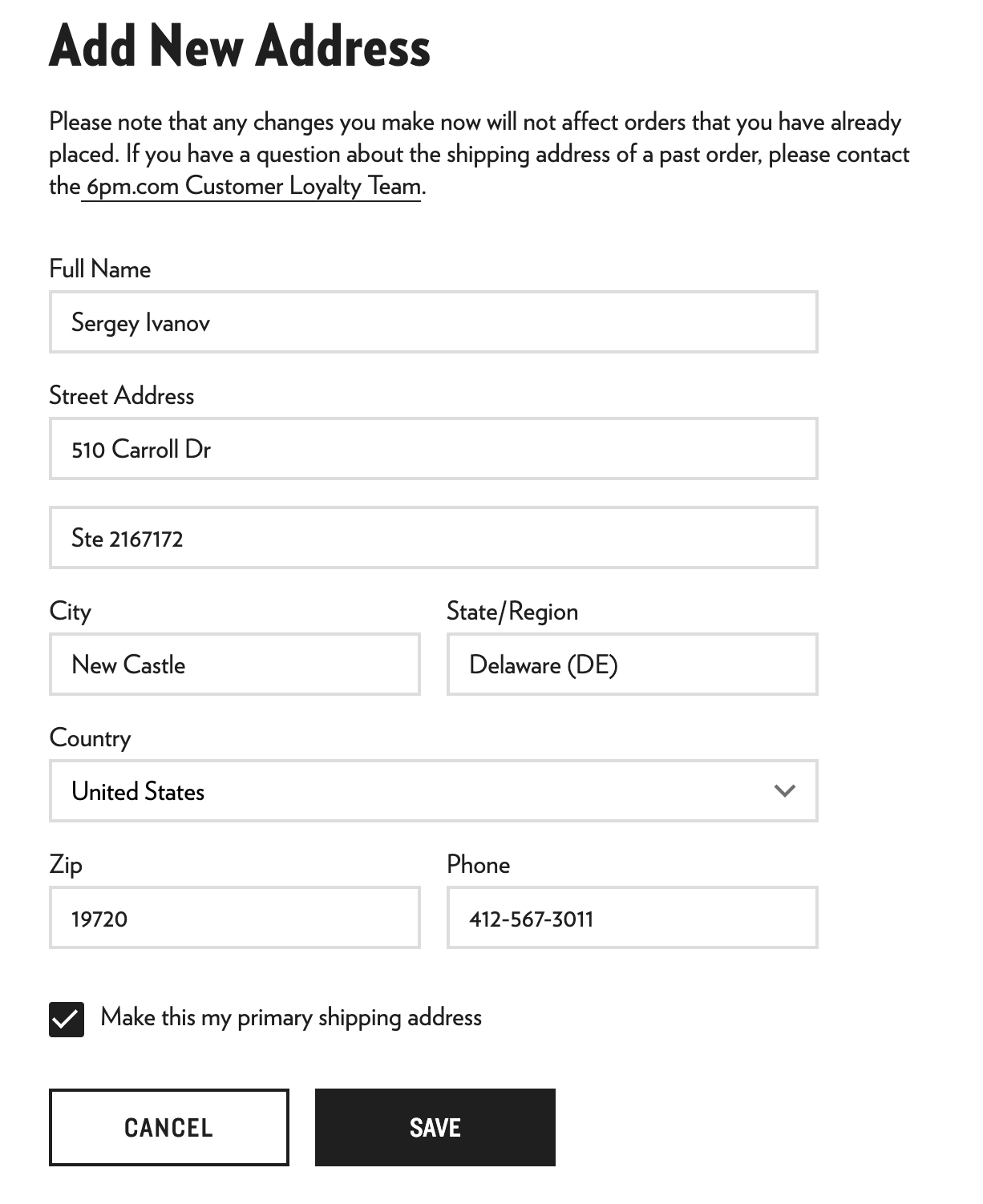
Такой вариант также может быть и вполне может пройти успешно при оформлении заказа. В таком случае все данные заполняются аналогично адресу доставки, но стоит быть готовым и к тому, что магазин может запросить верификацию данных (прислать скан банковского договора), либо и вовсе – отменит заказ.
Рассмотрим на примере сайта 6 p.m.:
Обратите внимание, что ситуации, когда карта иностранная, а billing address – российский, встречается все чаще, особенно у тех, кто пользуется зарубежными банками (например, из Казахстана, Грузии, Турции, Кыргызстана и т.п.), но живет в России.
Как действовать в ситуации, если у вас иностранная карта, но вы живете в России:
- Указать тот billing address, который привязан к карте по данным банка (даже если это Турция, Казахстан и т.д.).
- При этом не указывать Россию, если это не адрес, зафиксированный в банке.
- Стараться, чтобы страна карты и страна в billing address совпадали.
Если магазин не принимает страну, где зарегистрирована ваша карта (например, Грузию), можно попробовать смешанный вариант:
- Указать США как страну.
- Вписать реальный адрес (улица, город) из банковского договора – даже если это Россия.
Мы рекомендуем использовать первые два варианта заполнения биллинг адреса для заказов в интернет-магазинах США (варианты 1 и 2), и лишь при отмене заказа можно попробовать записать биллинг адрес как шиппинг (вариант 3), для некоторых магазинов принципиально важно их совпадение.