For beginners

FAQ

We'll show you how to shop at US online stores.
FAQ

Pick a topic:

Where to start PayPal Cashback on purchases (cashback) Useful Purchases with buyers Independent purchases

Where to start

7 Simple Steps to Shopping Abroad

How to Start Shopping in the USA – 7 Simple Steps to International Shopping!

America is the main market in the world. Here you can find everything, and at the lowest prices. But if you don’t have relatives or friends in the USA, buying goods in this country is no longer as profitable. Shipping goods to Russia directly is currently impossible due to sanctions, so our service will be an excellent solution. Save on purchases and get all the best deals in Prostobox!
What is a purchasing agent in America?

A purchasing agent in America is a company with its own warehouse that can accept your goods at its address, then process the package and forward it to Russia. It is also called a “mail forwarder,” from mail forward – to forward mail. 

If you have friends or relatives in America, you can also ask them for similar help. Have your packages delivered to their address, and they will forward them to you in Russia. This way you can also save money. But there are pitfalls: it’s unlikely that someone will be interested in regularly helping you without compensation. They may also live in a state that charges tax (from 2% to 15% in the USA), so you’ll end up paying more for your purchases.

Similar delivery services from the USA to Russia are also offered by agents on forums. They simply live in America and don’t mind earning a little extra. In this case you act entirely at your own risk. And you generally have to pay more than when working with large companies that can reduce prices through shipping volumes and even run their own delivery services with the most favorable rates.

In the end, forwarding companies save you several hundred or even thousands of rubles on every shipment from America to Russia. Plus they provide additional services and make the whole process faster.

How it works:

  • you register on the website;

  • receive your personal virtual address in the USA (free);

  • enter this address on store websites as the shipping address;

  • packages arrive at the warehouse and appear in your personal account;

  • you choose how to ship them to Russia or other CIS countries and specify the destination (you can do this in advance to speed up the process and get even better rates);

  • pick up the package at the specified pickup point or parcel locker in a few days.

As you can see, the process is simple and requires no time or effort. You simply order packages to a US address instead of a Russian one. And the savings are very substantial. Even if you shop in the USA only once or twice a year, a good agent from America to Russia will give you several dozen dollars in “profit,” not to mention that in many stores it’s simply impossible to make a purchase without a US address.

Why do you need an agent for shipping from the USA?

  • Low shipping rates (see our “Calculator”);

  • Free package receiving and storage, free removal of extra boxes;

  • Purchases are made using an address in a tax-free state, so you pay 0% sales tax instead of 2–15% for regular Americans;

  • A reliable agent from the USA takes responsibility for delivery and the condition of your cargo – this is not a corporation or a government agency;

  • Additional services (packaging for especially fragile items, product photos, functionality checks for equipment, arranging returns to the store);

  • Some agents (for example, Pochtoy.com) purchase items in stores themselves; these companies employ professional buyers who buy goods with their own cards so you don’t have to do it yourself. All you need to do is top up your balance in your personal account with a ruble card.

  • Package insurance;

  • Significantly faster delivery times;

  • A mail forwarder lets you “become an American” in the eyes of the store, which is useful, for example, when joining a loyalty or rewards program for customers;

  • Access to promotions and discounts that are usually available only to Americans.

There are many advantages to ordering through agents for shipping goods from the USA. And with Prostobox there are even more. After all, we are the first low-cost carrier for deliveries from American stores. With us, shipping is even faster and more affordable. Prostobox is the cheapest agent from the USA, yet our delivery speed is higher than everyone else’s, and we also have many promotions with great prices, for example on iHerb. We also have short guides for your first purchase: here. 


What is an intermediary for purchases in America?

Package Forwarding Service from the USA to Russia

America is the world’s leading market. Everything is available here, and at the lowest prices. But if you have no relatives or friends in the USA, buying goods from this country becomes far less advantageous. Direct shipping of goods to Russia is currently impossible due to sanctions, so our service offers an excellent solution. Save money on your purchases and take advantage of the best deals in Prostobox!

What is a shopping proxy in America?

A proxy in America is a company with its own warehouse that can receive your goods at its address, then process the package and forward it to Russia. It is also called a “mail forwarder”, from mail forward – to forward mail. 

If you have acquaintances or relatives in America, you can also ask them for similar help. Have your packages delivered to their address and ask them to forward them to you in Russia. This way you can also save money. However, there are some pitfalls: a person is unlikely to regularly help you without payment. They may also live in a state that charges tax (from 2% to 15% in the USA), so you will end up paying more for your purchases.

Similar delivery services from the USA to Russia are also offered by intermediaries on forums. They simply live in America and do not mind earning a little extra. Here you act entirely at your own risk. You will typically pay more than when working with large companies that can reduce prices due to shipping volumes and even operate their own delivery services with the most favorable rates.

In the end, forwarding companies save you several hundred or even thousand rubles on every shipment from America to Russia. They also provide additional services and make the entire process faster.

How it works:

  • you register on the site;

  • receive your personal virtual address in the USA (free);

  • enter this address on store websites as the shipping address;

  • packages arrive at the warehouse and appear in your personal account;

  • you choose a shipping method to Russia or other CIS countries and specify the destination (you can do this in advance to speed up the process and get even better shipping rates);

  • collect the package at the specified pickup point or parcel locker within a few days.

As you can see, the process is simple and requires no time or effort. You simply order packages to a US address instead of a Russian one. The savings are very substantial. Even if you shop in the USA only once or twice a year, a good forwarder from America to Russia will provide you with several dozen dollars in “profit”, not to mention that purchasing in many stores is simply impossible without a US address.

Why do you need a forwarder for deliveries from the USA?

  • Low shipping prices (see our “Calculator”);

  • Free package receiving and storage, free removal of excess boxes;

  • Shopping uses an address in a tax-free state, so you pay 0% VAT instead of 2–15% for regular Americans;

  • A reliable forwarder from the USA takes responsibility for delivery and the condition of your cargo, unlike a corporation or government agency;

  • Additional services (packaging for fragile items, product photos, functionality checks for electronics, returns processing);

  • Some forwarders (for example, Pochtoy.com) purchase items from stores themselves; these companies employ professional buyers who purchase goods with their own cards, so you do not need to do it yourself. All you have to do is top up your balance in your personal account using a ruble card.

  • Package insurance;

  • Significantly faster package delivery;

  • A mail forwarder lets you “become an American” in the eyes of the store, which is useful, for example, when joining a bonus or loyalty program;

  • Ability to use promotions and discounts that are usually available only to Americans.

There are many advantages to ordering through package forwarders from the USA. And there are even more with Prostobox. After all, we are the first low-cost delivery service from American stores. With us, delivery becomes even faster and even more affordable. Prostobox is the cheapest forwarder from the USA, while our delivery speed is higher than that of all others, and we also have many promotions with great prices, for example, on iHerb. We also have short guides for your first purchase: here. 

Virtual address in the USA for purchases

Maybe you've heard that for shopping in America you need your own «virtual address» in the USA. But what is it and how does it work? How do you get them? And are there virtual addresses that are better than others? We'll explain!

What is a virtual address in the USA

American stores often restrict shipping outside the USA – including to protect their own interests. For example, Apple, Nike,  Adidas and other brands do not sell to foreigners or even block access to their site without a VPN. After the introduction of sanctions, most brands completely stopped working with customers from Russia.

Ordering through Prostobox is advantageous: you pay the same price as Americans, without overpaying for delivery. All you need is to get a free virtual address in the USA. This is your personal address for shopping, which allows you to buy on the same terms as locals: with domestic discounts, promotions, and often with free shipping across the country.

Who provides this virtual address in the USA? Intermediary companies, so-called mail forwarders. They have their own warehouse in the States, one of the cells of which will now be your new «American home». Your parcels from American online stores will arrive at this warehouse address. And the intermediary company will then forward them to Russia. Since this is their specialization, such delivery is usually much cheaper than shipping by standard means from the store itself. These companies work specifically with the CIS market, they offer several delivery options, they have additional useful services, they insure the parcel, and overall the process turns out to be very simple and convenient.

How to use a virtual address

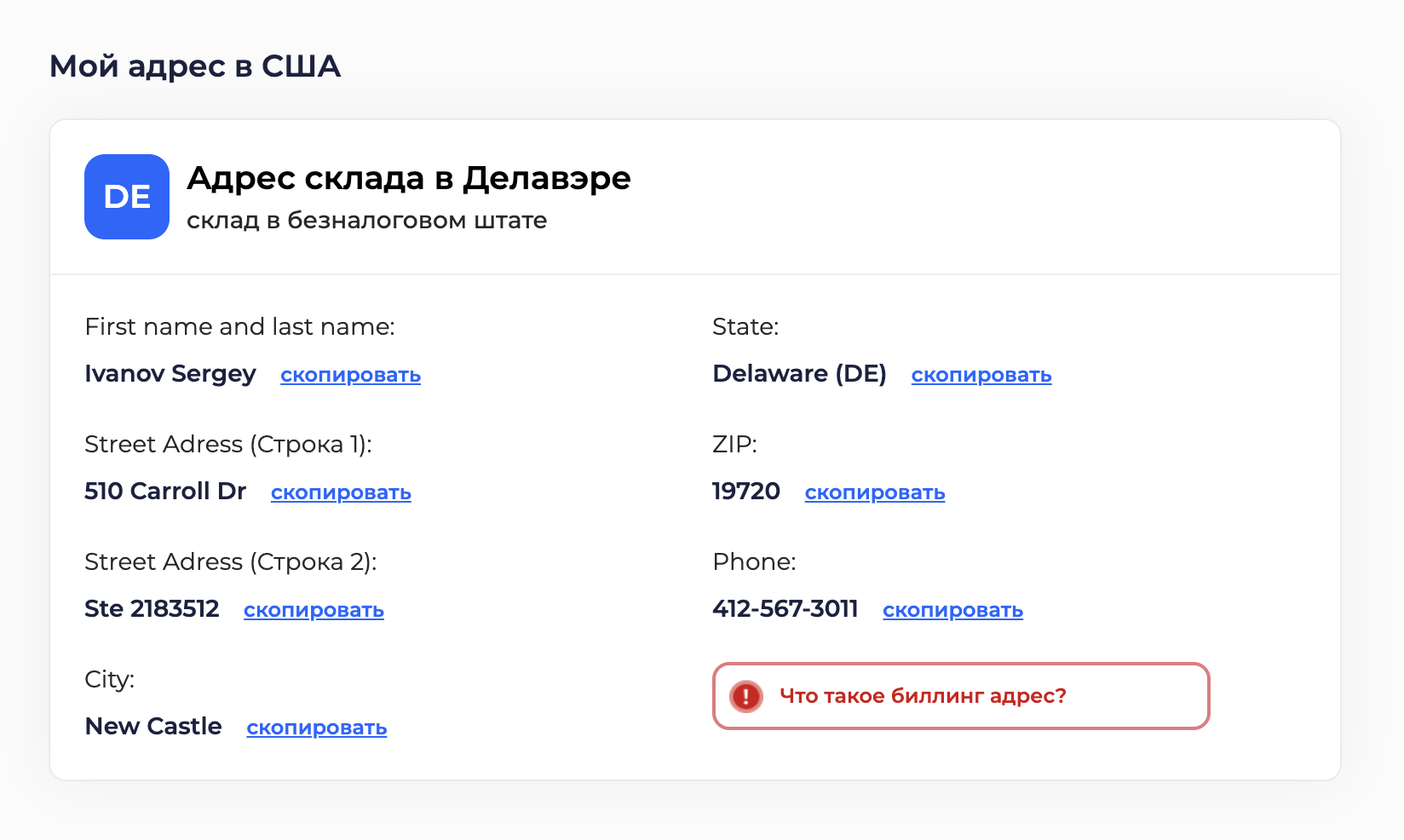
To begin with – you need to have one! You can get an address in the USA from a mail forwarder company. Just register on the website, and you will see it in your personal account. Your address consists of:

  • state;
  • city;
  • street and house address;
  • ZIP code;
  • phone (some stores accept only American);
  • STE number (or ID number, this is your identifier with the forwarder company itself, allowing it to distinguish you from other clients).

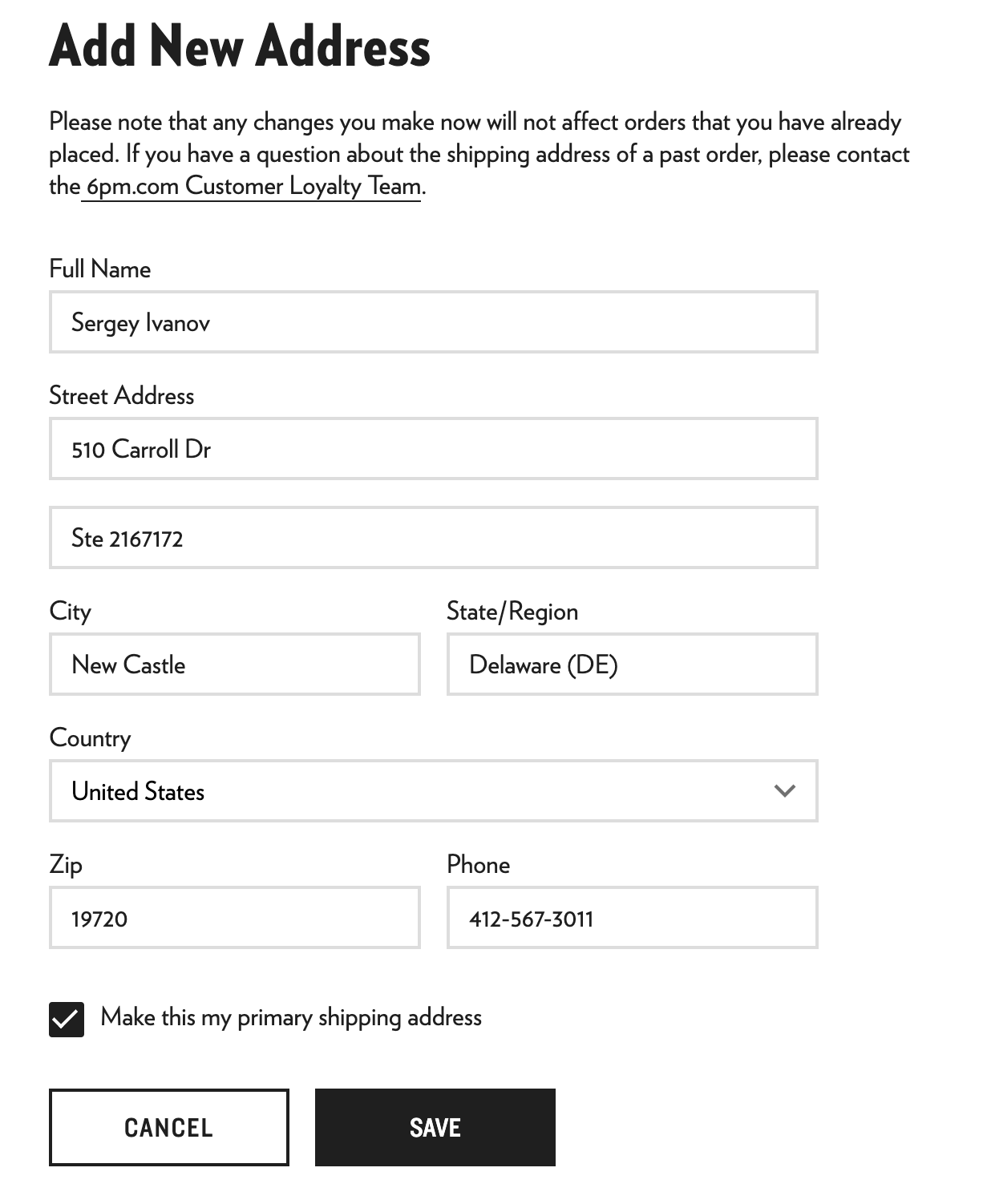
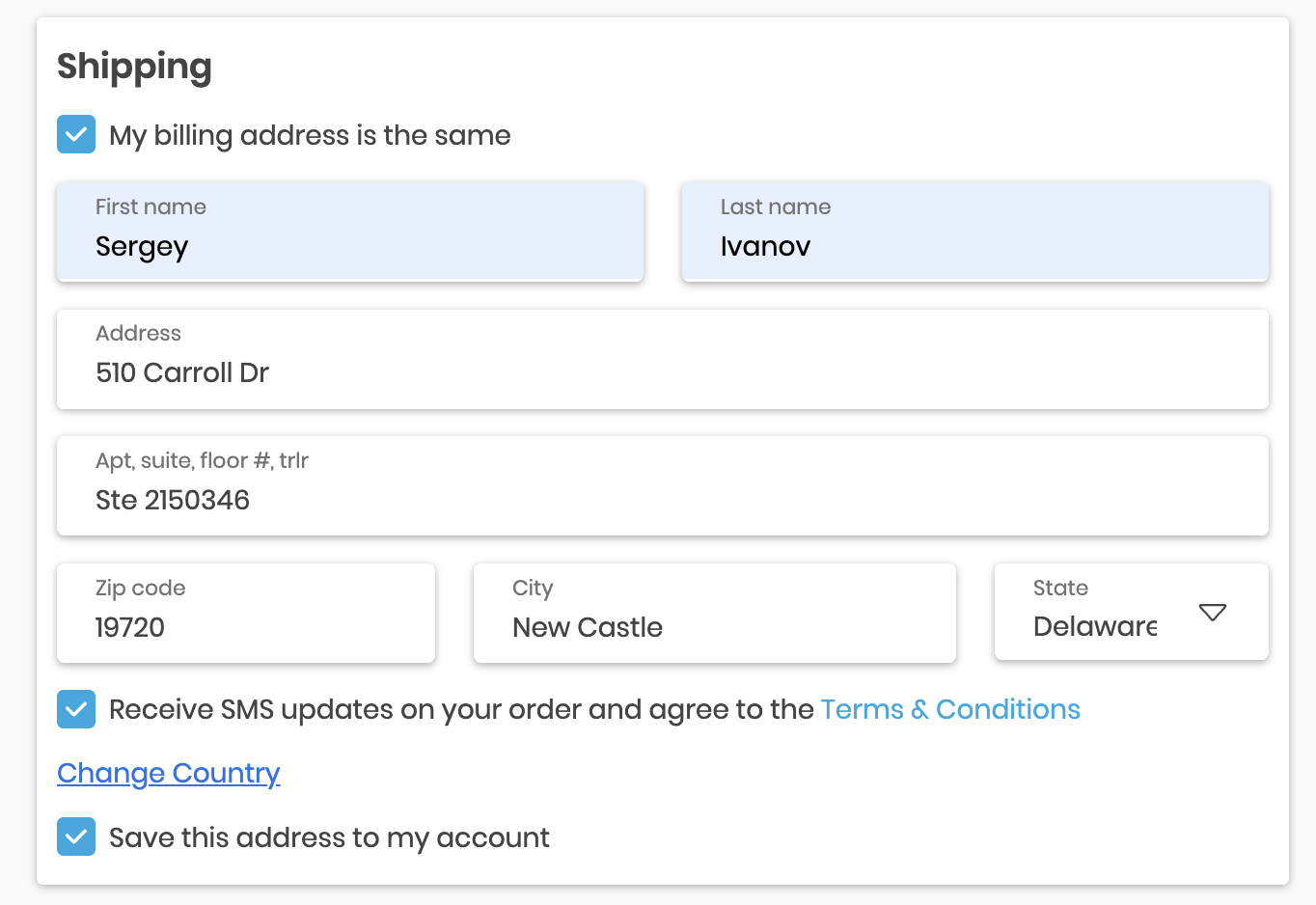
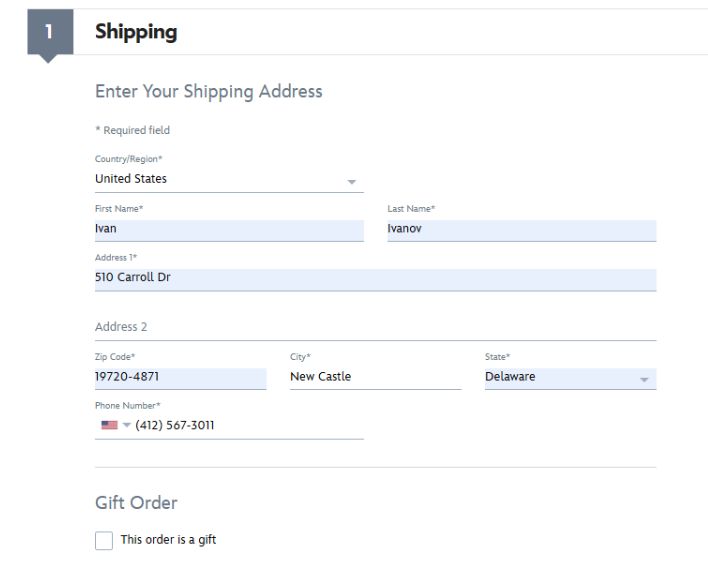
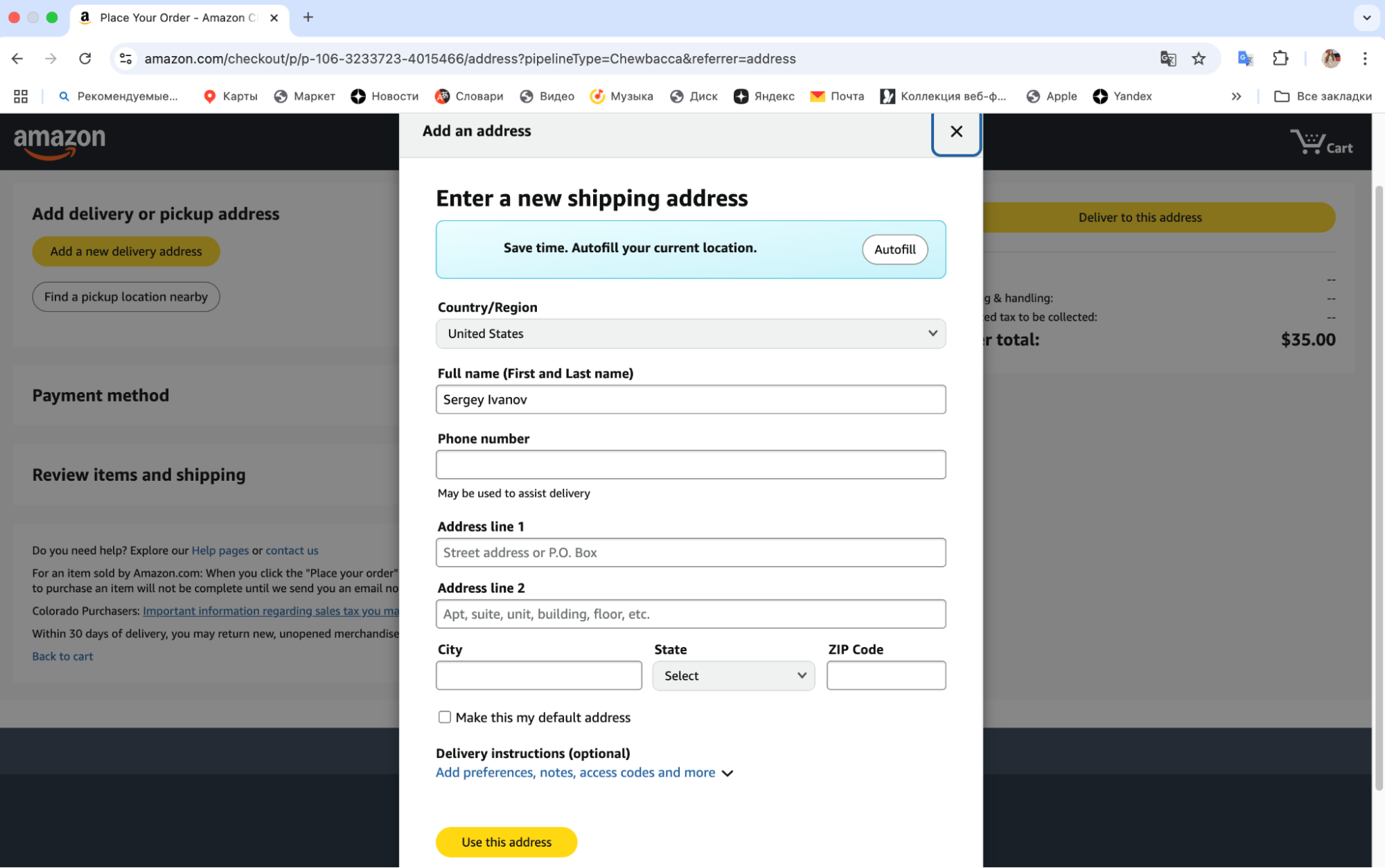
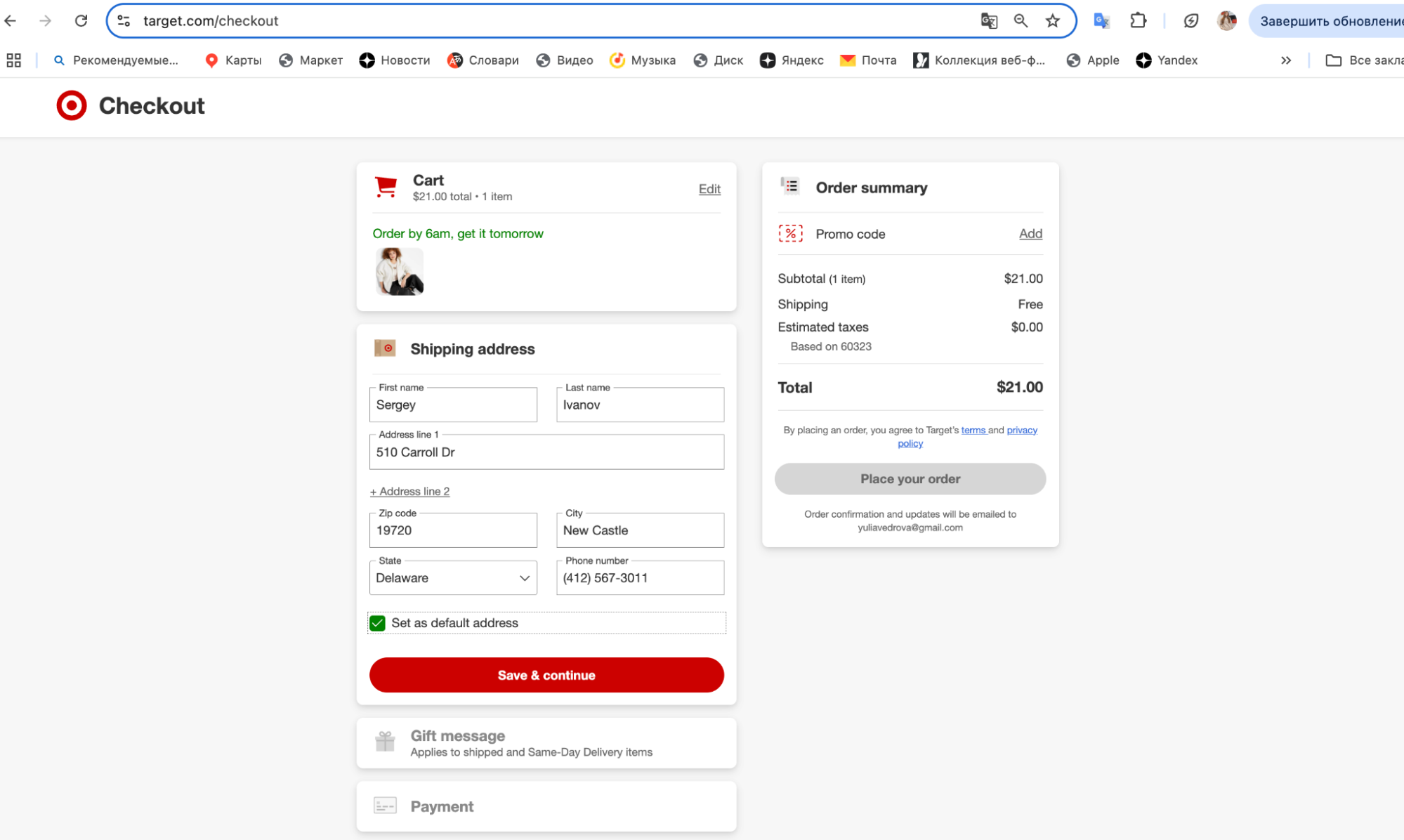
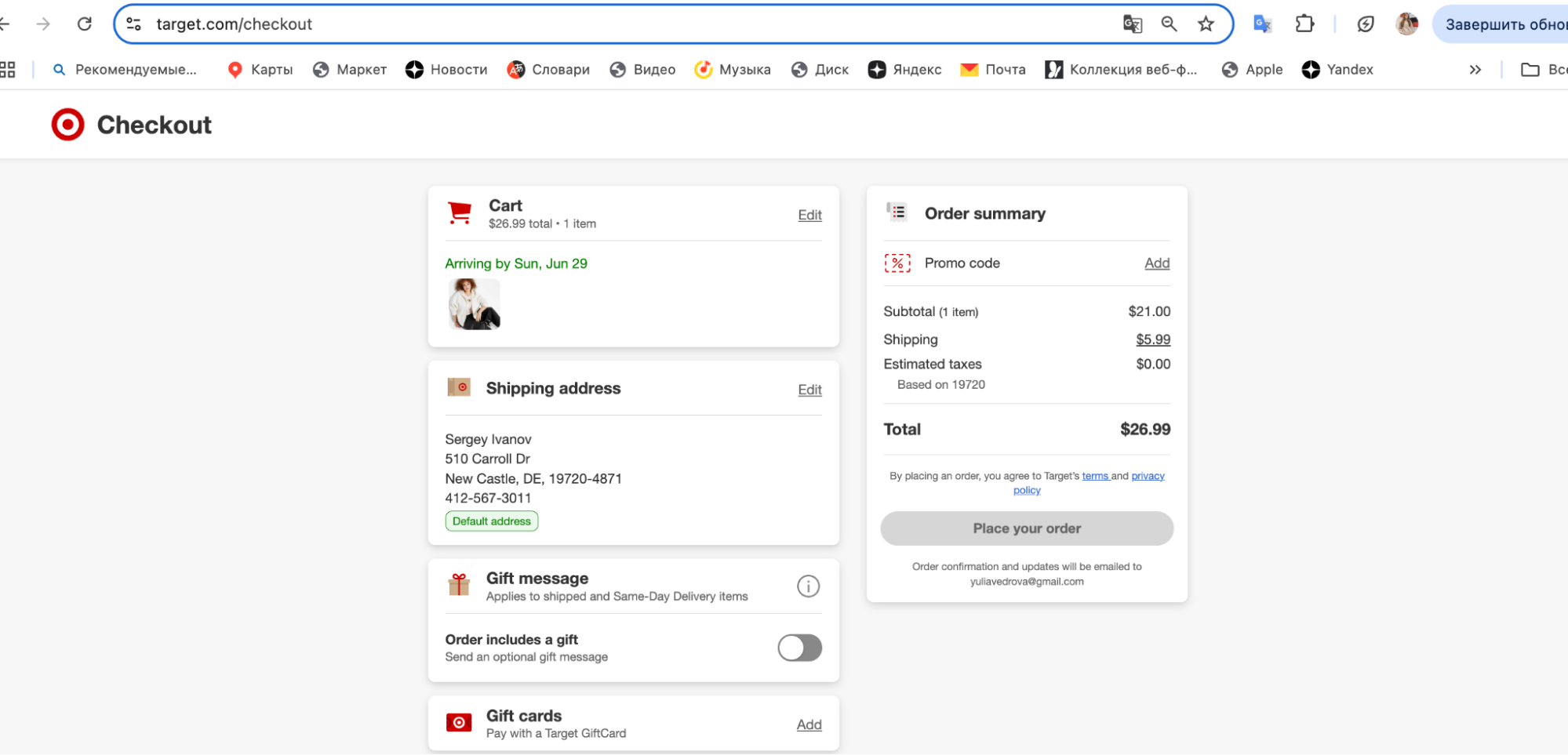
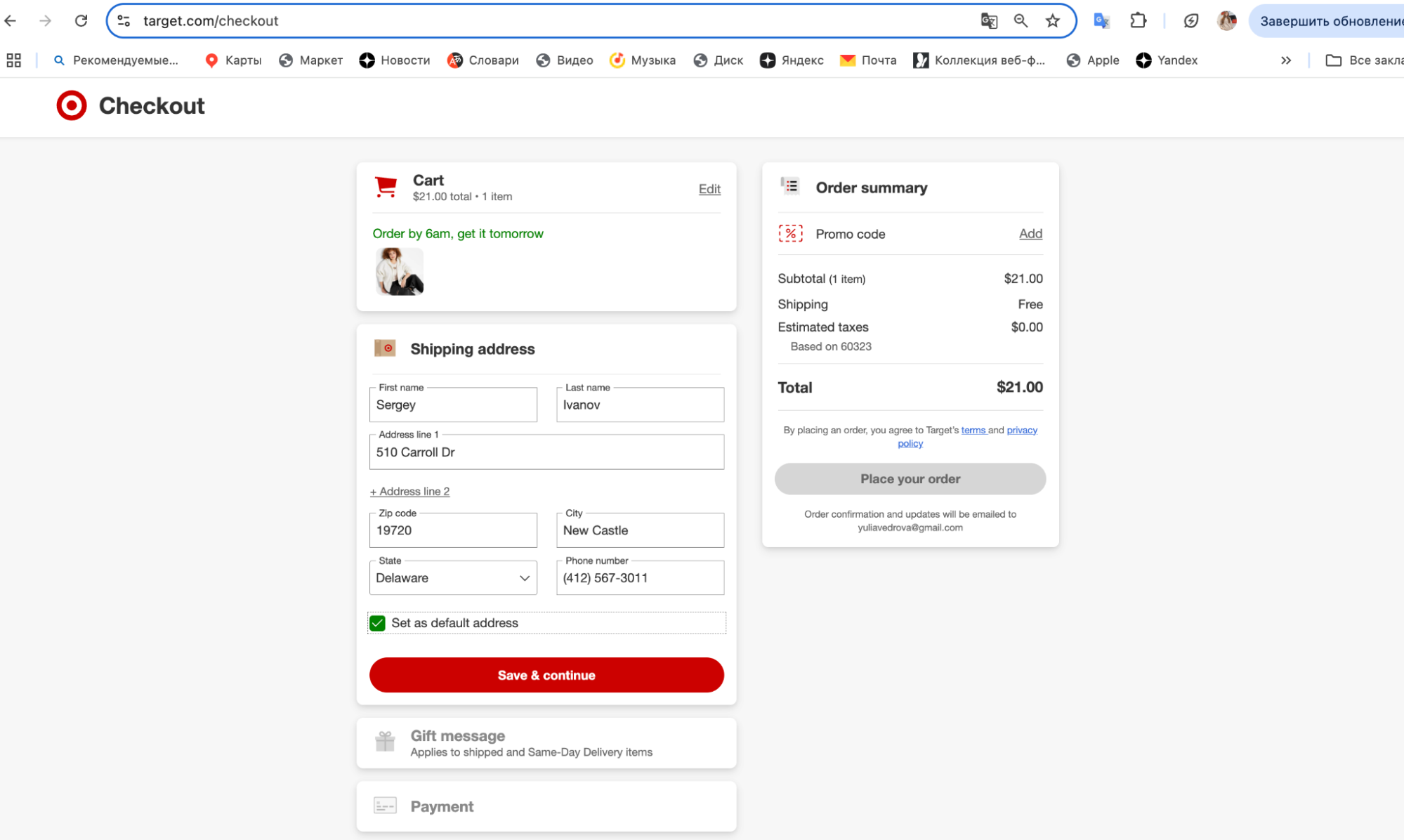
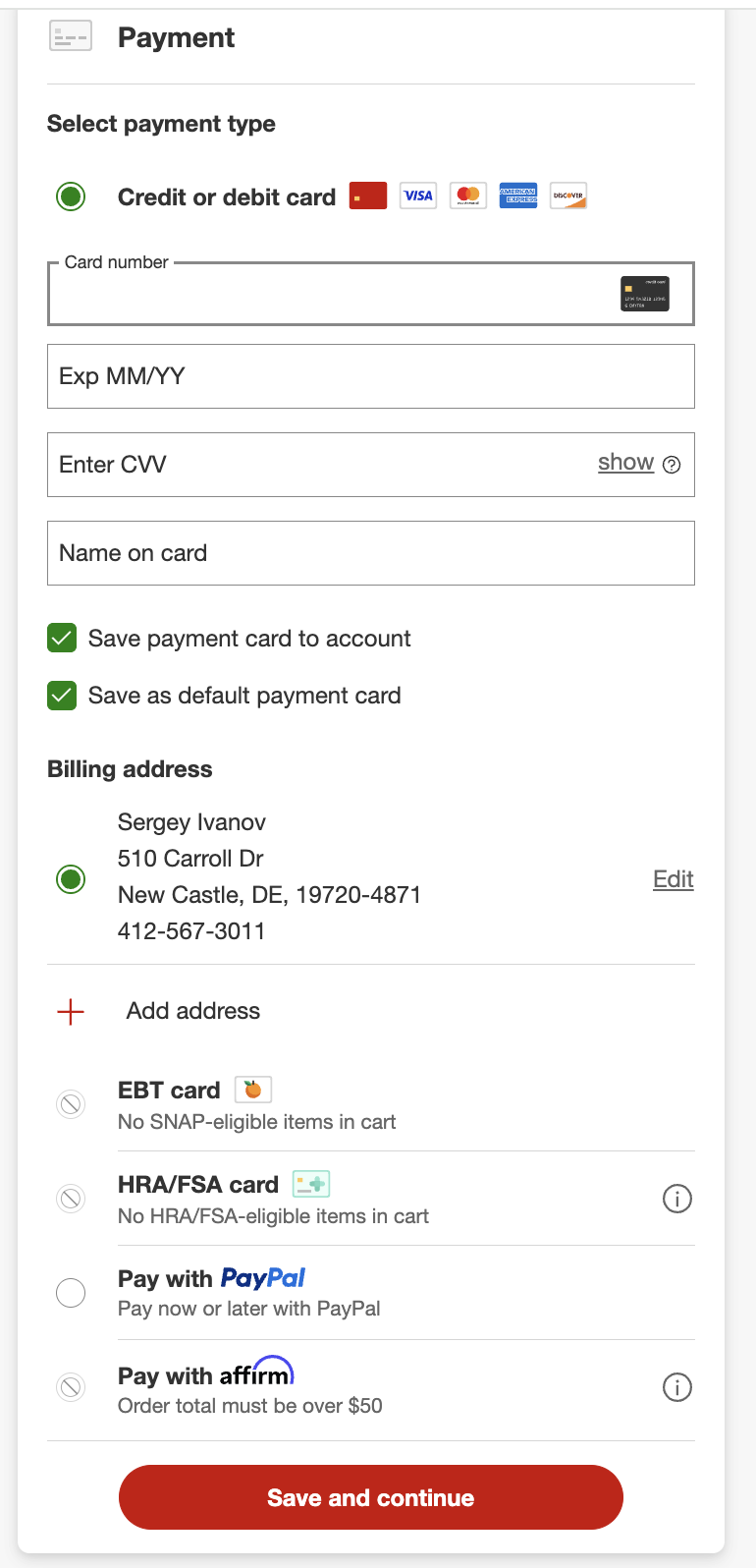
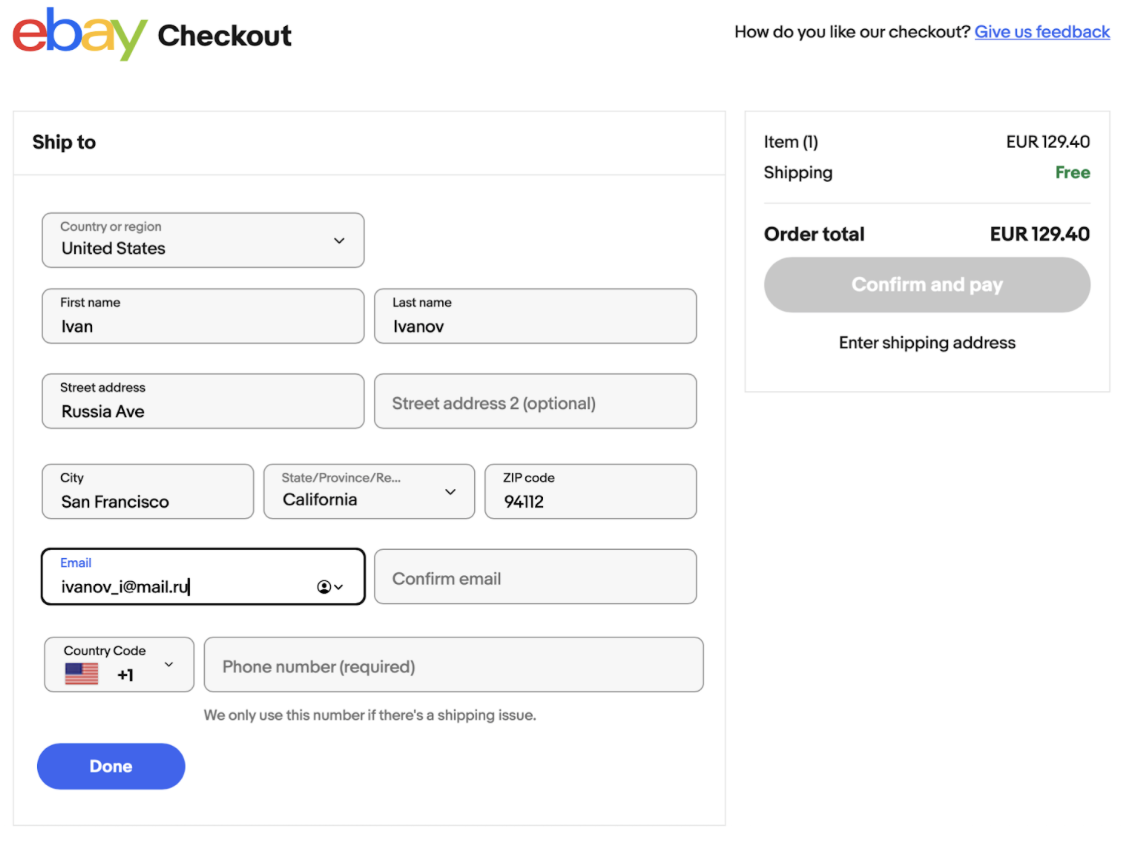
Now you can use this address in America for shopping in any online store in the USA. It is enough to enter (or even easier, copy) this address into the corresponding fields when the store's website asks you to provide your shipping address. The forms for filling out this Shipping Address on websites in the USA are roughly the same everywhere.

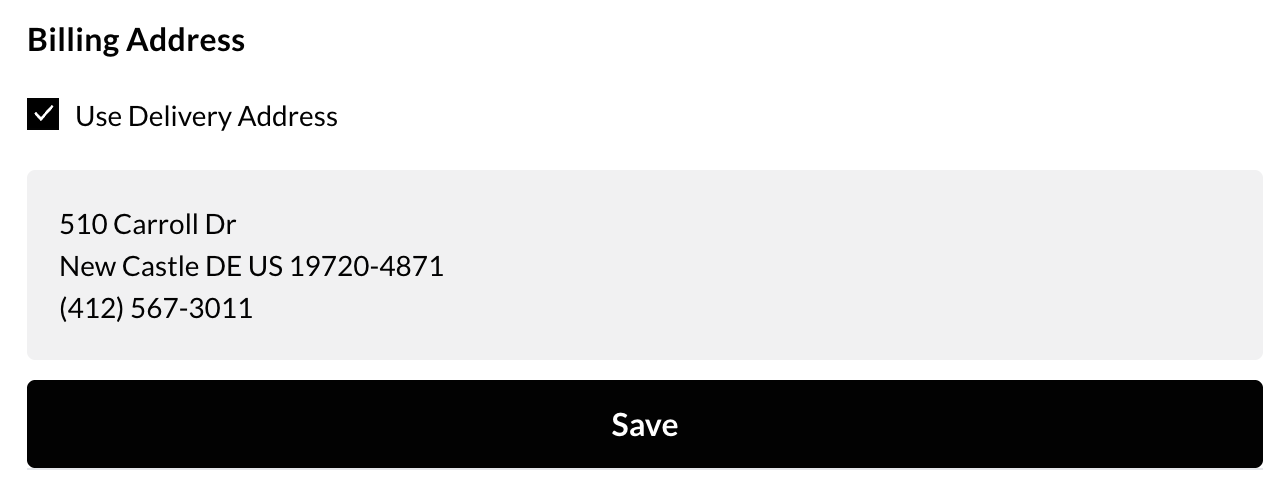
Note that many stores require a real Billing Address – the one linked to your bank card. If the site does not allow entering a Russian address, you can use the same one as your American shipping address (from the Prostobox service).

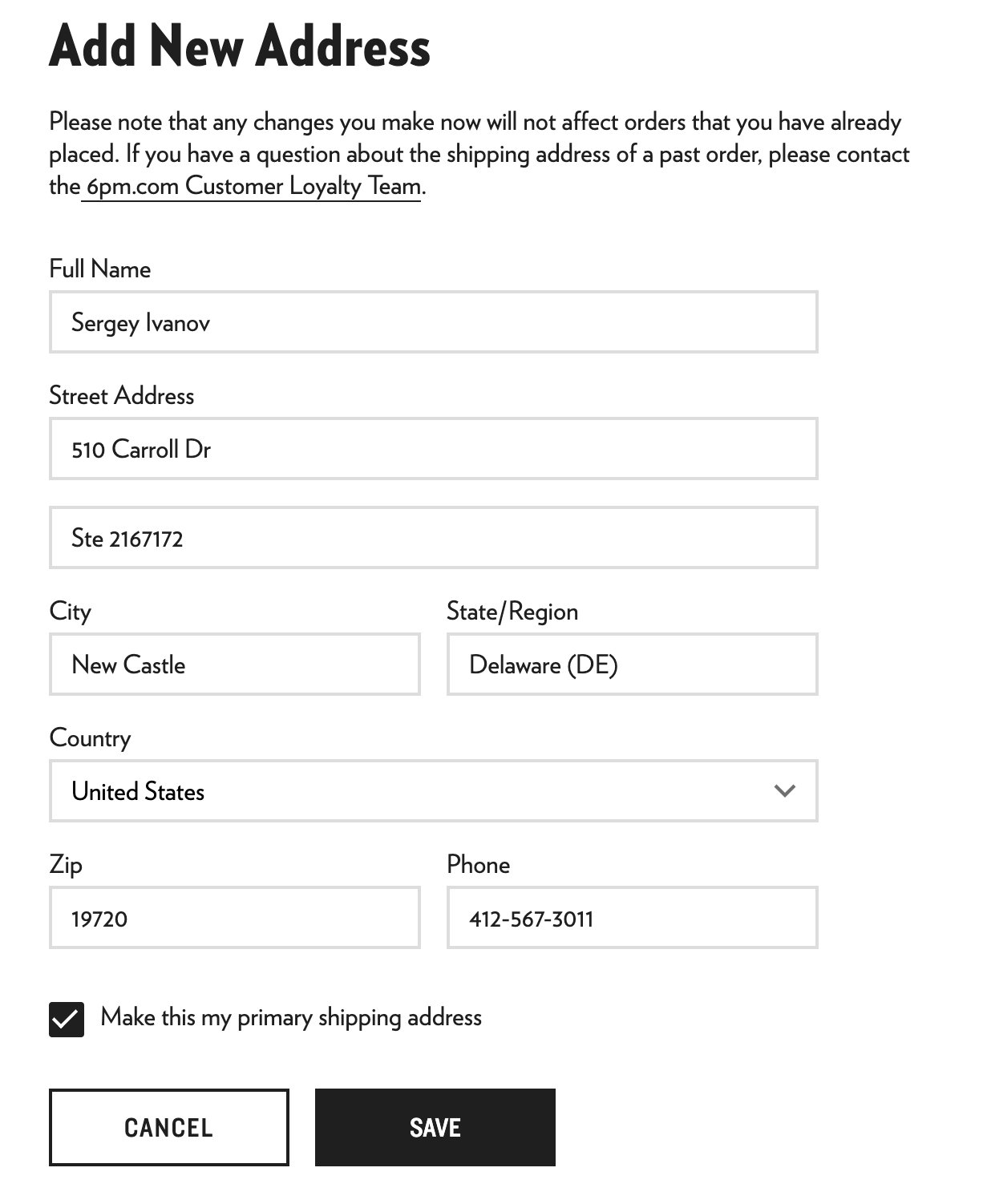
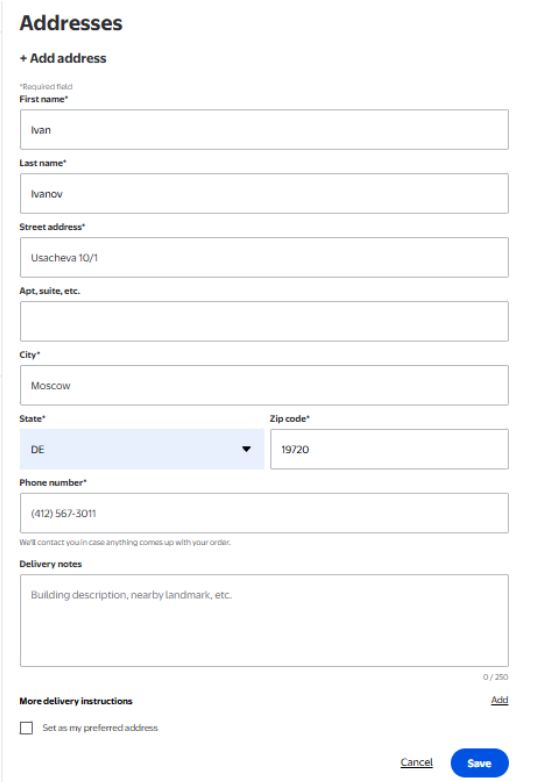
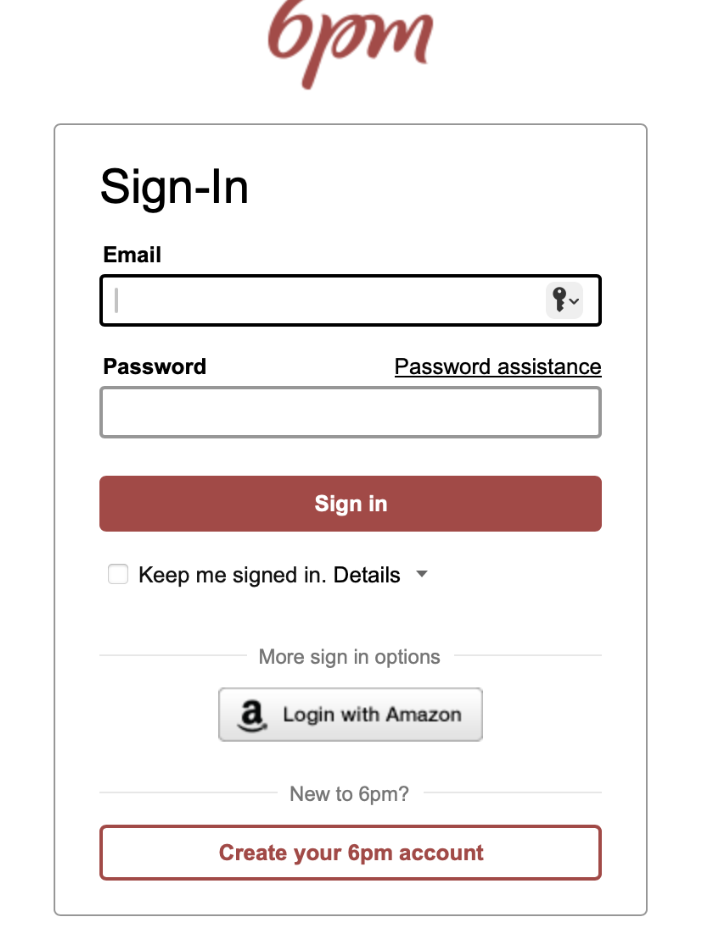
The screenshot shows an example of filling out the Shipping Address fields for the 6pm store. In other stores, the form and filling order are usually the same.

Advantages of a virtual address in the USA from Prostobox:

  • You pay for any goods directly in the store, using any method convenient for you, without intermediaries or overpayments.
  • You can use our address in America for Amazon, eBay, 6PM, Adidas, Tommy Hilfiger, Calvin Klein, New Balance and all other most popular stores, without restrictions.
  • You can enter all data even before the parcel arrives at our warehouse, which significantly speeds up its processing. With us, parcels arrive in Russia not in two or three weeks, but in 5-10 days.
  • You get all discounts and offers available to Americans.
  • You save on purchases. Our address is located in Delaware, a tax-free state, which allows you not to pay VAT. In the states it ranges from 4% to 10%, but with us you pay 0% taxes. 
  • You save on delivery. Prostobox has one of the most advantageous deliveries of goods from America. For example, delivery.
  • We provide additional services, such as photos and item inspection, as well as insurance.
  • You do not pay for receiving or using a virtual address in the USA, it is completely free.
  • We do not charge for receiving a parcel or for space in the warehouse, you only pay for delivery and additional services.

You can view the cost of our services in the calculator. You can also read our short guides on how to shop in the USA, and the delivery features for each of the stores.

Services and delivery methods from the USA

US shipping services and delivery methods

American online stores attract customers from Russia with their low prices, very large discounts, absence of counterfeits and, of course, the largest assortment. Everything you can imagine is sold in the USA. Amazon alone offers over 600 million items.

There is only one problem – most stores do not ship parcels directly to the Russian Federation (and other countries outside the States). That is why most customers use shipping services from the USA. This makes it possible not to overpay for forwarding the goods. It saves money and, often, time as well.

What is a shipping service from the USA

Many American stores do not ship goods outside the country, or ship them at inflated rates. But shipping services for goods from the USA allow you to «pretend» to be an American. They give you a virtual American address (this is the address of your mailbox at the warehouse of such a company). As a result, you become indistinguishable from an American. This means – delivery becomes free for you (almost in all stores — when ordering from $25–$50). Plus, you get access to discounts and bonus programs available only to Americans.

And many branded stores do not sell their goods outside the USA at all, so getting such an American address is the only way to buy something from them. Prices for good clothing and footwear in Russia are prohibitively high, the «markup» on goods of some brands is more than 150%, so it is often much more profitable to deliver a parcel from the USA, and this allows you to save several thousand rubles. For example, compare the prices of Lamoda.ru and Adidas.com (delivery of one pair of sneakers saves 3+ thousand rubles, and sometimes even more than 5,000 rubles, not to mention the assortment). 

An intermediary company, a delivery service from America to Russia (the so-called «mail forwarder» = «parcel forwarder») allows you to buy at much more favorable prices. It will accept the parcel in the USA, process it (if necessary) and forward it to your address. The largest mail forwarders have their own delivery services, and their prices are much lower than those of UPS or USPS. In addition, they offer many additional useful services, such as insurance and repackaging, and they also process and forward the parcel much faster than if it went «directly» from the store to Russia. That is why these delivery services in America are so popular among residents of the CIS countries. 

Advantages of shipping from the USA with Prostobox

Prostobox – one of the most advantageous parcel delivery services from America.
We achieved this by simplifying the entire process as much as possible. You enter the parcel details before it appears at our warehouse, and as a result we can process it immediately upon arrival. And since everything happens so quickly, our warehouse maintenance and staff costs are also lower. As a result, you can deliver goods from the USA with Prostobox for just $6,99 – while other companies offer prices starting from $18, and some even from $28.

Prostobox is:

  • Simplicity. Our most advantageous tariff offers no consolidation of parcels from different stores and no repackaging of goods. In most cases these services are not needed, but they can greatly slow down the processing of a parcel that arrived from an online store. So why complicate things?
  • Convenience. When choosing a delivery tariff, you can select a parcel locker or pickup point – the parcel from the USA will arrive there in just 6-10 days. All you need to do is enter the tracking number in your personal account and track your parcel. 
  • The lowest prices. You can deliver parcels with us for as little as $6,99. Prostobox is the most advantageous shipping service from the USA to Russia. We also have advantageous promotions, for example, vitamin delivery for $9,99 for parcels up to 1 kg and $29,90 for parcels up to 3 kg, as well as sneakers and jeans delivery for $19,99 for parcels up to 2 kg
  • High speed. Delivery times from the USA – from 6 days. 
  • Additional services. We give you an address for shopping in America for free, accept parcels for free, store them for free up to 10 days, and assemble parcels for free. And if you need special packaging, a photo of your item, checking its operation, or other special handling – there are additional services for all of that, which will take the headache off you and free up your time. 

Delivery methods from the USA with Prostobox

We offer the following delivery tariffs from America to Russia:

SUPERFAST – 6-10 days

The tariff is available only for independent purchases, if the parcel is pre-registered for shipment before arrival at the warehouse and is not consolidated with others. Mandatory full insurance against loss and theft of contents. Passport data and TIN are required to register the parcel. The delivery calculation for the tariff can be made in the calculator. 

FASTBOX – 6-10 days

A tariff with delivery without consolidation of parcels or orders, available both for independent purchases and for purchases made with the help of our operators. Mandatory full insurance against loss and theft of contents. Passport data and TIN are required to register the parcel. The delivery calculation for the tariff can be made in the calculator. 

ECONOM – 20-30 days

Delivery of consolidated parcels, ordered independently or through an operator, with free repackaging. Mandatory full insurance against loss and theft of contents. You will have to wait a bit longer for the parcel, but you do not need to enter the recipient’s passport data. The delivery calculation for the tariff can be made in the calculator. 

EXPRESS – 6-10 days

Delivery of consolidated parcels, ordered independently or through an operator, with free repackaging. Mandatory full insurance against loss and theft of contents. Passport data and TIN are required to register the parcel. The delivery calculation for the tariff can be made in the calculator. 

Universal EMS – 14-20 days

Delivery of consolidated parcels, ordered independently or through an operator, with free repackaging. Mandatory full insurance against loss and theft of contents. The recipient’s passport data is NOT required to register the parcel. See the calculation for this tariff in the calculator. 

You can register with us and start receiving goods from the USA at a advantageous price here. It is free, and the address in the USA works for all stores.

Don’t know how to start ordering from American online stores?
We have prepared a short guide to buying in the USA for you.

PayPal

How to register in PayPal

PayPal: how to register and what currently works for Russians

About PayPal

PayPal – is an international system for secure online payments. When paying, you don’t enter your card details on every site, but simply log into your PayPal account and confirm the payment. Your card details remain inside PayPal and are not passed to the seller.

Important: In 2022, PayPal suspended operations with individuals from Russia. Currently it is impossible:

  •  Register a new account from Russia
  • Cannot pay or receive money with Russian cards
  • You can use an account if it is registered in another country (for example, in Kazakhstan or Turkey)

How to register with PayPal


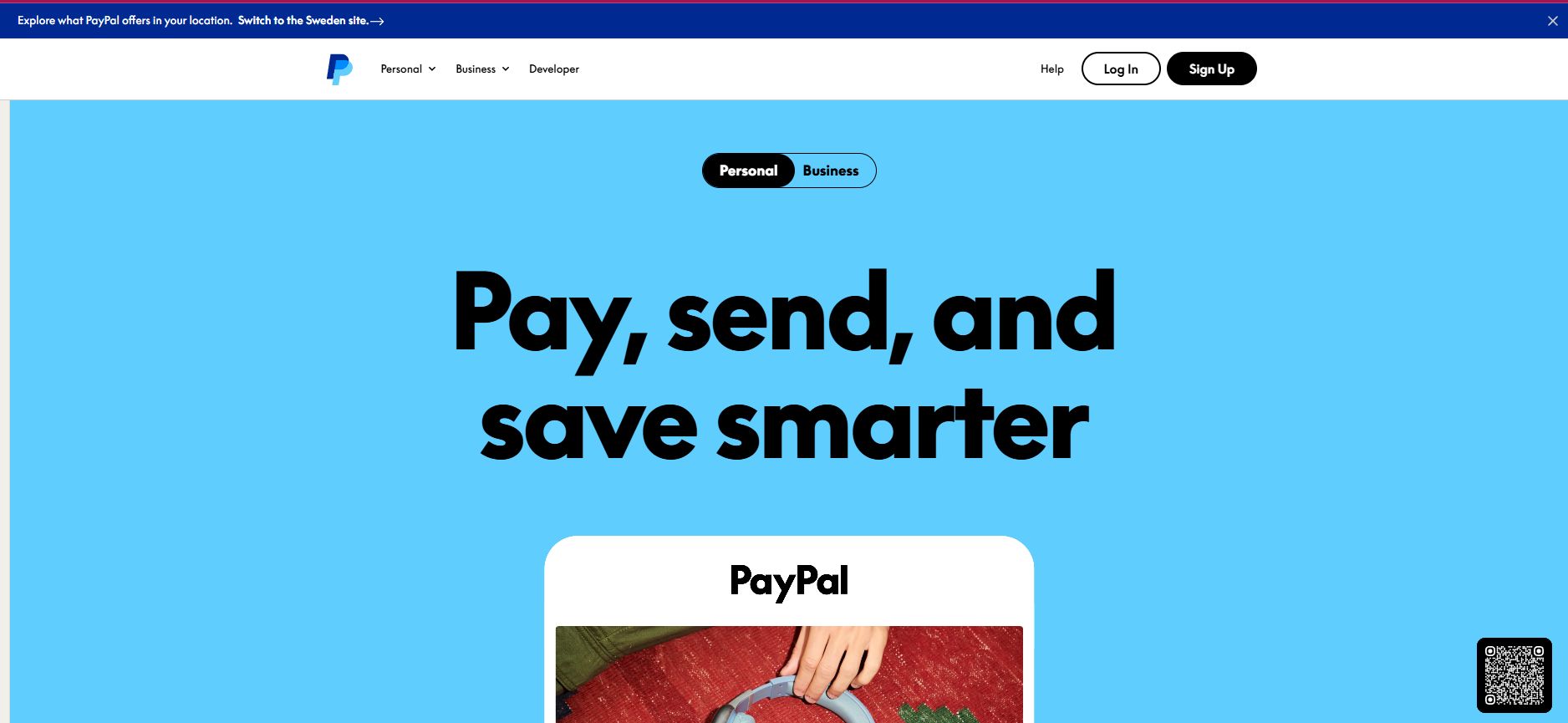
1. Go to the official website PayPal and click «Sign Up» at the very top of the page, as shown in the screenshot.

2. Select the account type: Personal Account

3. Select the country where you are actually located or where you have a card (for example, Kazakhstan)

4. Fill in the details – name, address, e-mail

5. Link a card – PayPal will temporarily charge $1.95. After confirmation the card will be active and the amount will be refunded. You will find the confirmation code in your card statement.

After registration, you need to link your payment card to the newly opened PayPal account. This is necessary so that you don’t have to enter your card information every time you pay through PayPal.

Enter the credit card number in the «Credit card number» field, specify the card expiration date (usually shown on the card as Expiration Date or Exp Date) and enter the CSV (or CVC) code – the last three digits on the back of the card next to the signature sample.

To verify your card, PayPal will charge $1.95. This money will be returned to you in a couple of days.

The purpose of this operation is to confirm access to your card statement. To validate your card, you will need to enter the verification code shown in the note for this test payment. You can view your card statement through your online banking or by requesting a statement from the bank employee who issued your card.


How to disable double currency conversion in PayPal

How to disable double conversion in PayPal

What is double conversion

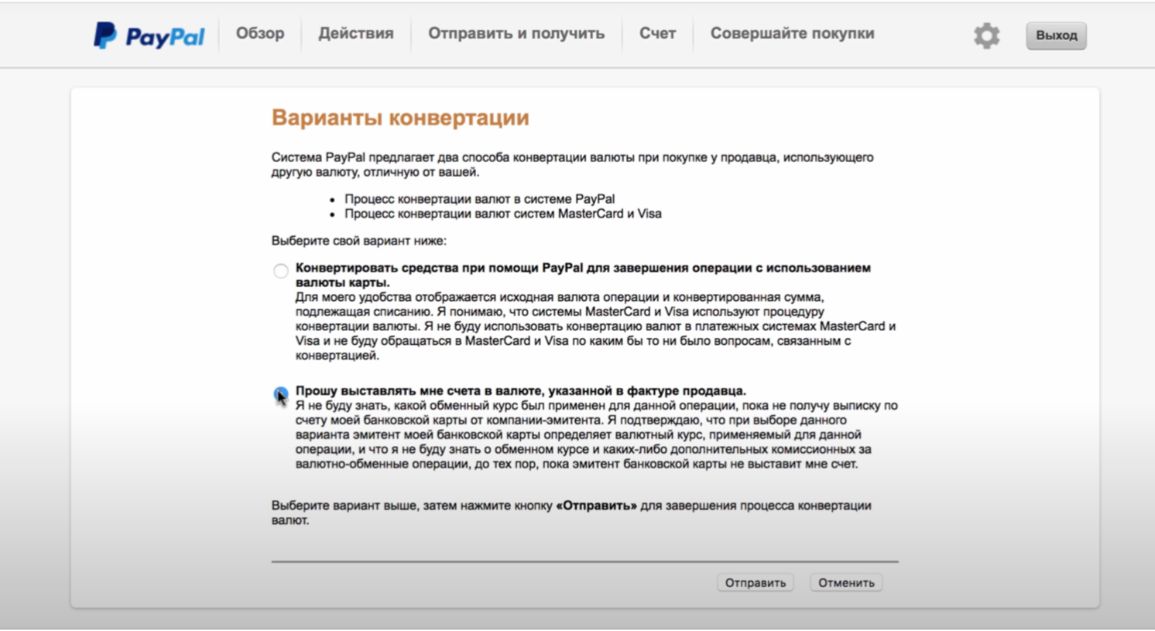
Suppose you have a dollar card and are paying for a purchase in dollars. Everything makes sense, but by default PayPal does something extra: first converts the amount to rubles (or another national currency), sends it to the bank, and the bank converts it back to dollars – already at its own rate. As a result – you lose on the difference in rates. This is especially noticeable with large purchases.

How to disable it – in 2 minutes:

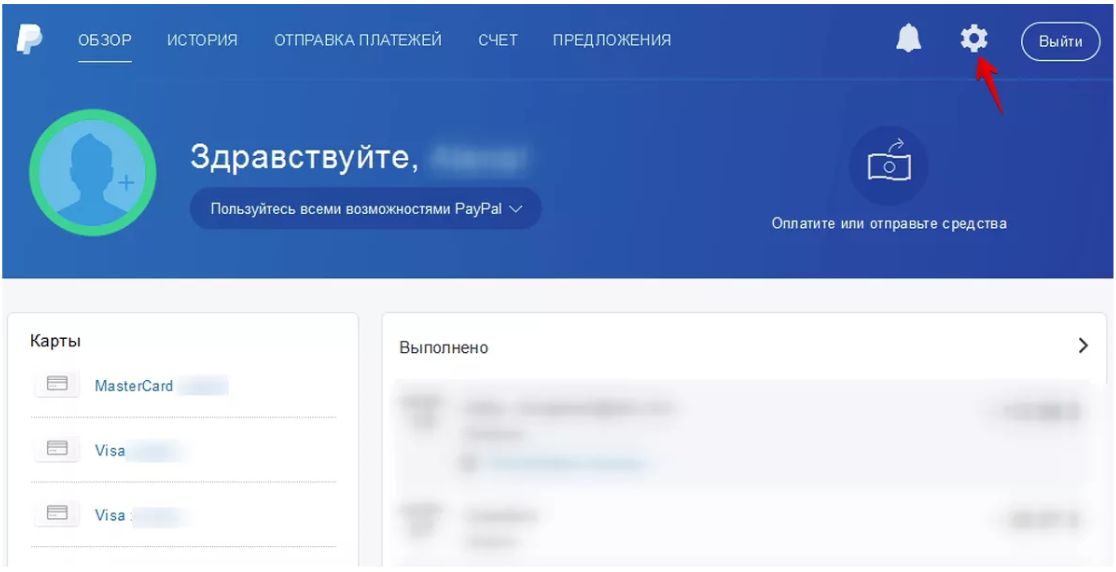
1. Log in to PayPal and open  «Profile»:

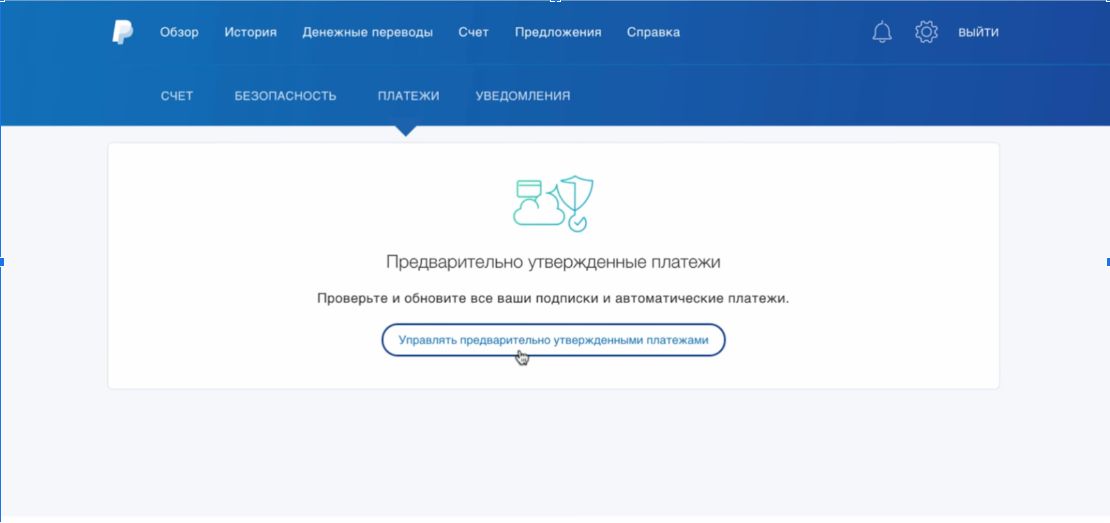
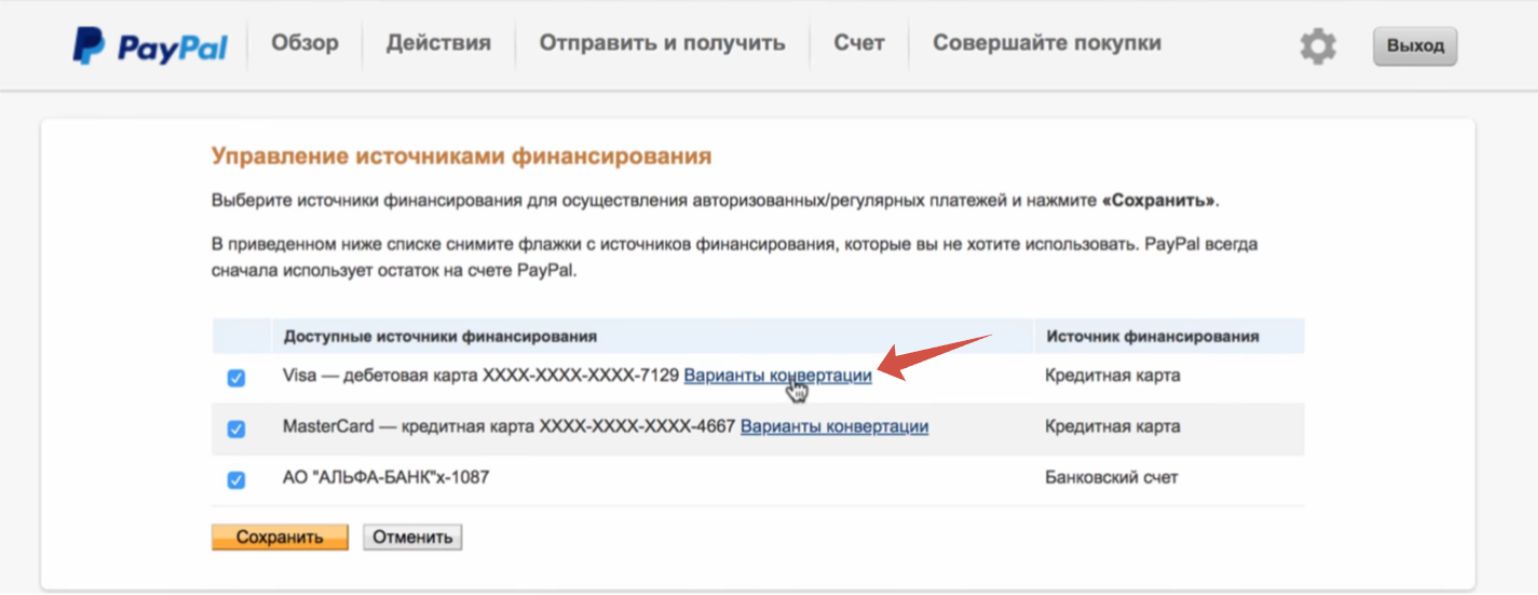
2. Go to the «Payments» section and click the «Manage pre-approved payments» link.

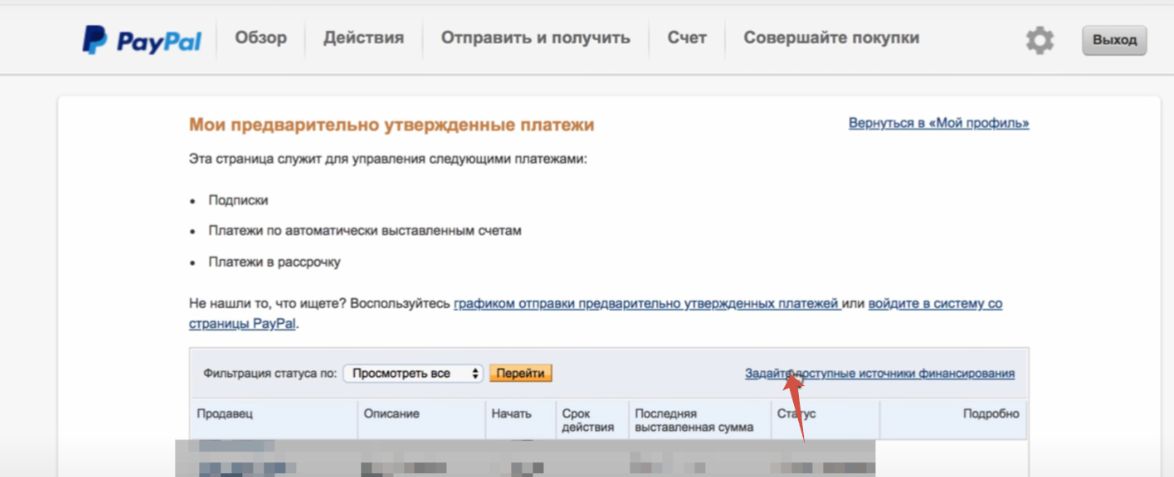
3. Select «Set available funding sources».

4.  In the list of cards connected to PayPal, select the one for which you want to set up conversion, then click the &la

Cashback on purchases (cashback)

How to register with Mr. Rebates

How to Register at Mr. Rebates

About Mr. Rebates

What is Mr. Rebates? - this is one of the most popular and large-scale cashback resources, it helps to get back a certain percentage from placed orders on pages of popular online platforms. It is worth noting that when placing orders through the Mr. Rebates cashback service, discounts or coupons from the stores themselves do not expire, they are also applied when ordering, which means - savings become even more significant!

Customers can choose from more than 2500 stores, from which you can get an additional discount in the form of cashback up to 20% of the order amount, and you can also use discount coupons and codes - Mr. Rebates offers several types of discounts, and this is beneficial primarily to the buyer! The conditions for the discount must be viewed for a specific store, but first of all - you need to register on Mr. Rebates, we will tell you how to do it later in the article.

To register on Mr. Rebates you need to click the Join button in the upper right corner.

 second

After that, the page will automatically be redirected to the registration form, after filling which you will receive a personal account on the Mr. Rebates site. The first step is to fill in the account data that will be used to authorize on the site. Be sure to provide your personal and work email, because you will receive an email from Mr. Rebates with registration confirmation.

The second stage of filling is the address to which the check with rebates, i.e. money returned from purchases, will actually be sent. It must be filled in Latin, after which press the Create Your Account button.

The Did someone refer you to Mr. Rebates? field is filled in only if you are registering by invitation, if not - you can leave this field empty.

 third

And then you can proceed directly to placing orders through the Mr. Rebates cashback system.

 fourth

The site interface is quite simple and minimalistic, which only simplifies the use of the site. At the top are the main control buttons and work with Mr. Rebates, from left to right: stores (you can view all or by category), personal account management, help. In the right corner there is a search window, by entering the name of the store in which - you can immediately and quickly go to the direct placement of the order.

As an example, let's take the everyone's favorite eBay store - placing an order with cashback on eBay is simple: we find it in the list, and go to the page describing the terms of the promotions:

 fifth

As you can see, Mr. Rebates cashback offers two types of discounts and offers for eBay: 1% cashback, or a limited-time promotional offer - links to one-day offers with the most favorable prices. Having chosen the desired one (for example, Cash Back) - click on the clickable button on the right, and we are automatically redirected to the eBay page. After paying for the purchase there, wait for the funds to be credited to the Mr. Rebates cashback balance.

The same principle of registration for all other stores.

Very important! The last open page before paying for the order in the store must be exactly the Mr. Rebates site, if during the order placement or product selection you were distracted by viewing third-party resources, it is better to close all tabs and go to the store to pay for the order again through the Mr. Rebates resource.

 sixth

How to register with Rakuten

How to register on Rakuten

About Rakuten

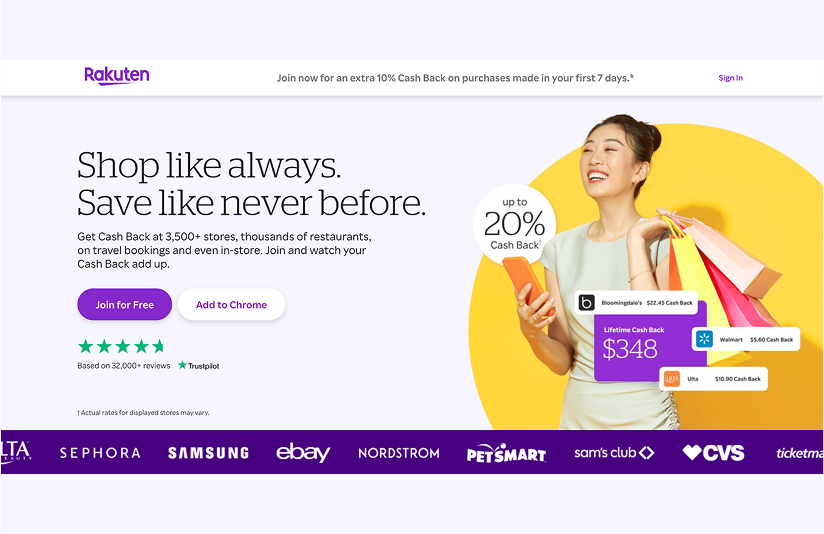
What is Rakuten? - this is a cashback service that allows users to receive a portion of the money spent back when making purchases in thousands of American online stores. Just like on Mr. Rebates, you get cashback by making purchases through the site, and then you can withdraw the funds to your PayPal wallet.

1. Register with the service via this link

Click the SIGN NOW button in the top right corner of the screen on the site.


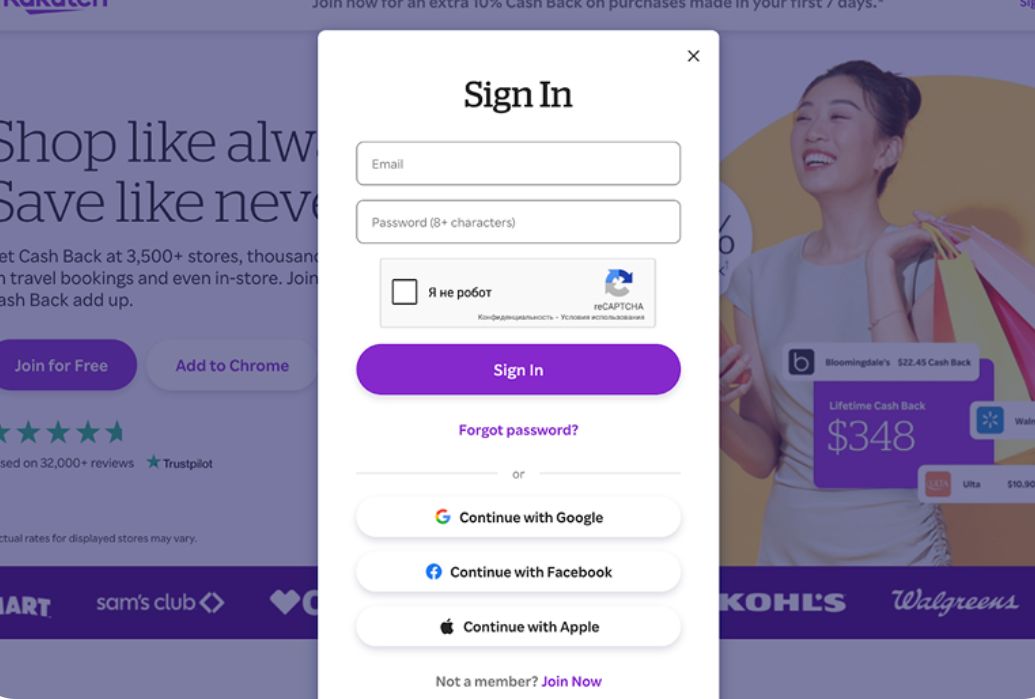
2. Fill in all profile details

You can do this either using an existing Facebook, Google, or Apple account, or through standard registration by entering your personal email and a chosen password.


3. Find the store you need and start earning cashback!

In the search bar on rakuten.com enter the store name and go to its site.

You need to select items and pay for purchases immediately after the redirect, within about 30 minutes. Important! Cashback payouts are made only to PayPal. If you don’t have this wallet, contact our support service and we’ll suggest an alternative.


How to get cashback on Rakuten

Let’s look at a real example of getting cashback for a store; as an example, we’ll take Nike.

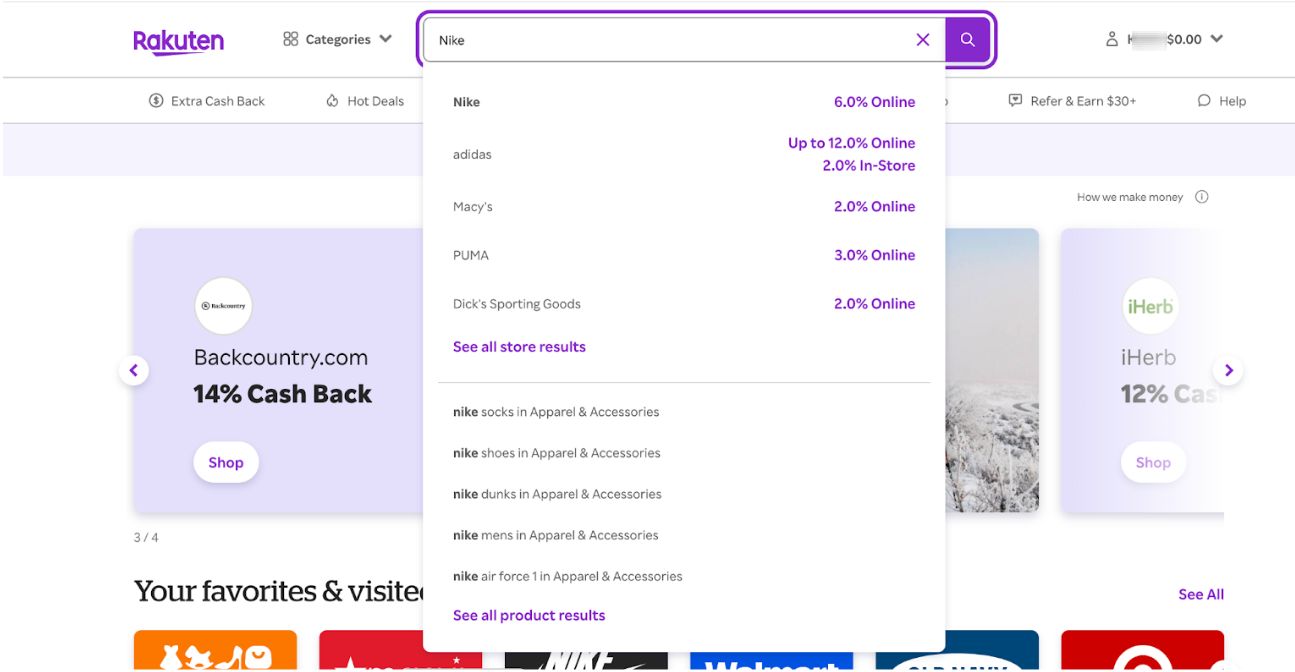
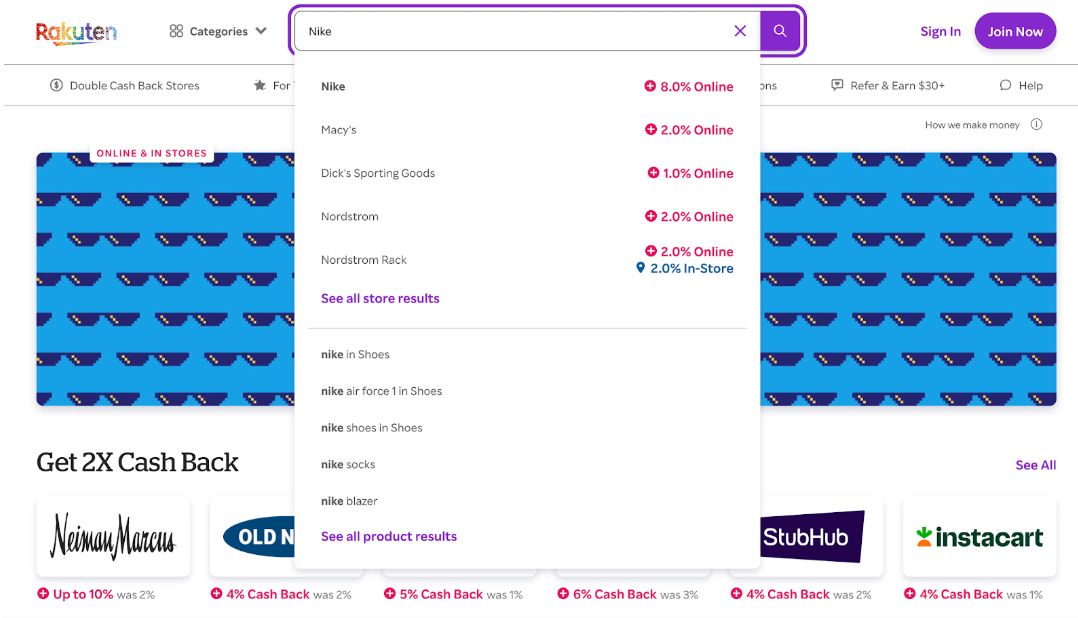
Enter the store name in the search bar:

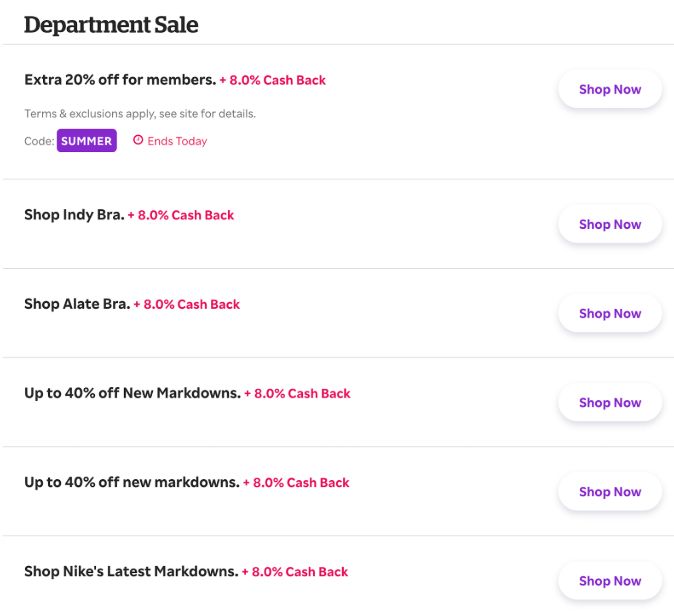
The search results show that cashback for Nike reaches up to 8%. To complete a purchase with cashback, click the offer that appears in the list; the page will then automatically redirect to the page with all the store’s offers.


Select the offer you’re interested in and click Shop Now. The page will automatically redirect you to the store’s site. To finish, simply pay for your order there as usual.

In the future, after making purchases through Rakuten, all transactions and your cashback balance will be shown in your personal account.

Very important! The last page open before paying for the order in the store must be the Rakuten site. If you got distracted while placing the order or selecting items and visited other sites, it’s better to close all tabs and go back to the store to pay for the order again via rakuten.com.

How to register on Topcashback

What is TopCashback?

TopCashback – this is a cashback service that returns part of the money you spent on purchases in online stores. You receive cashback by making purchases through the site, and then you can withdraw the funds to your PayPal wallet.

Try registering with TopCashback and you will be able to receive up to 40% cashback on your purchases. Let's go through the entire registration process together: 

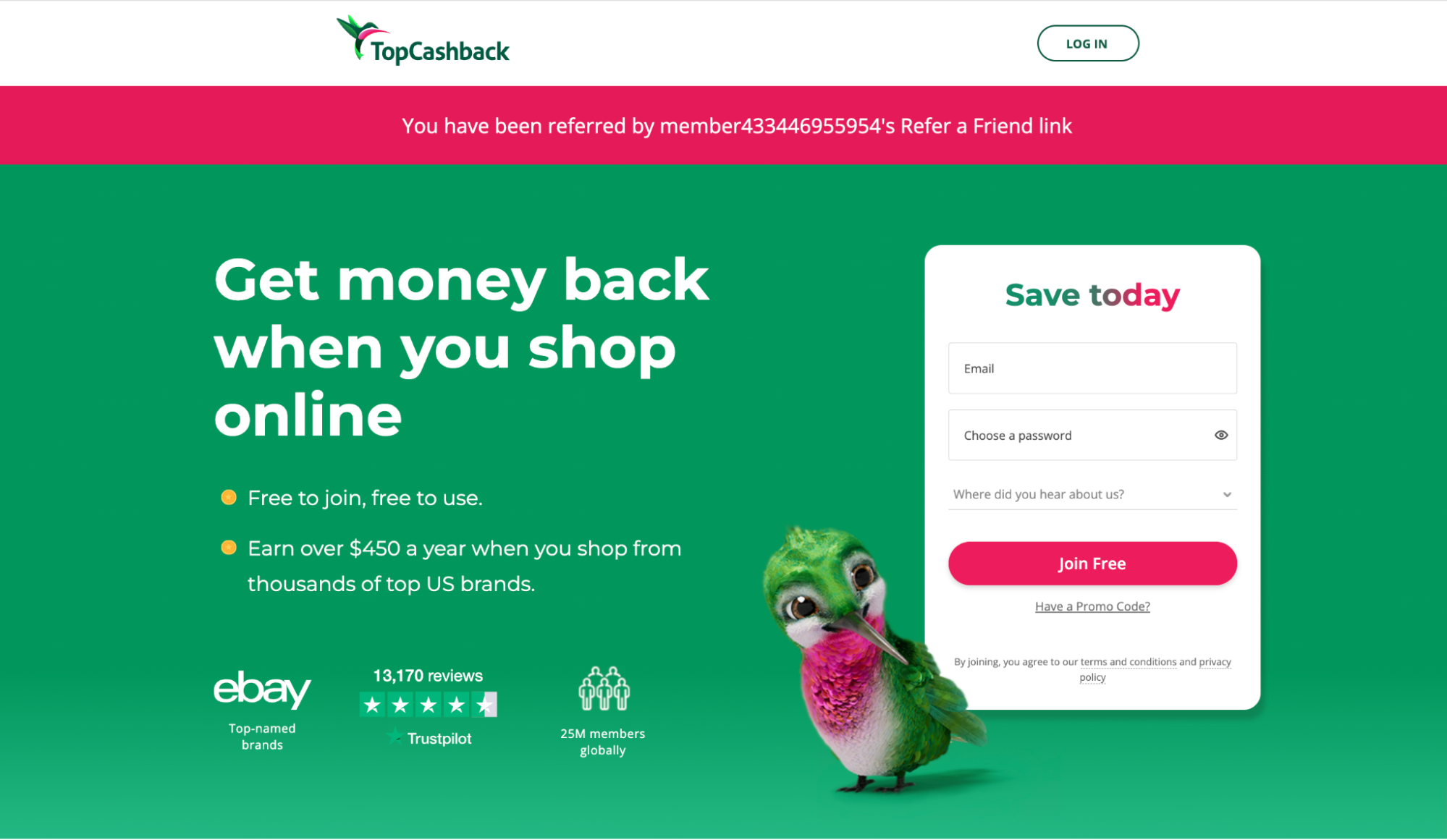
1.  Register with the service via this link

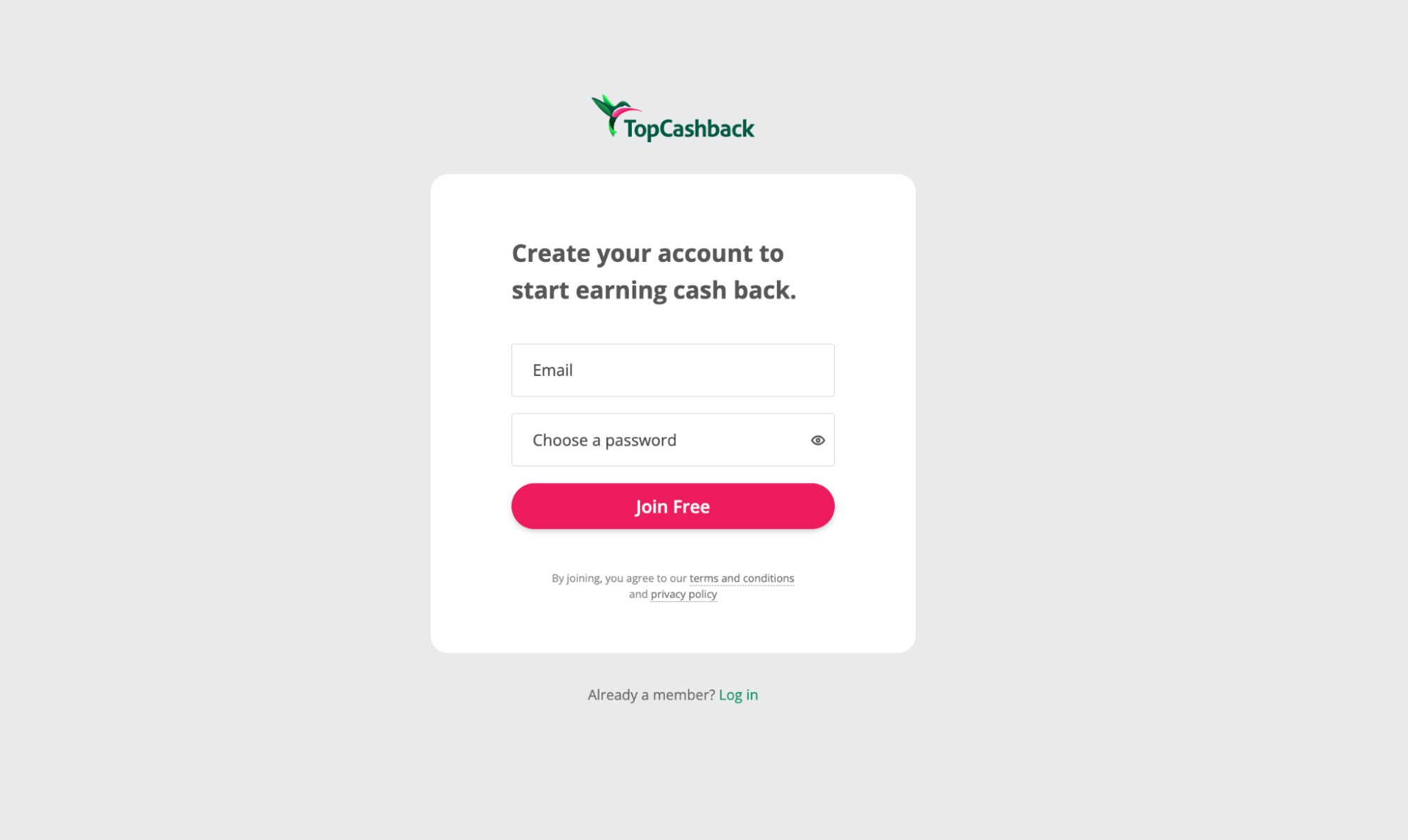
Click the LOG IN button in the upper right corner of the screen on the site and then CREATE AN ACCOUNT

2. Enter your email (not a Russian domain) and create a password for login, click JOIN FREE. Don't forget to confirm your mailbox.

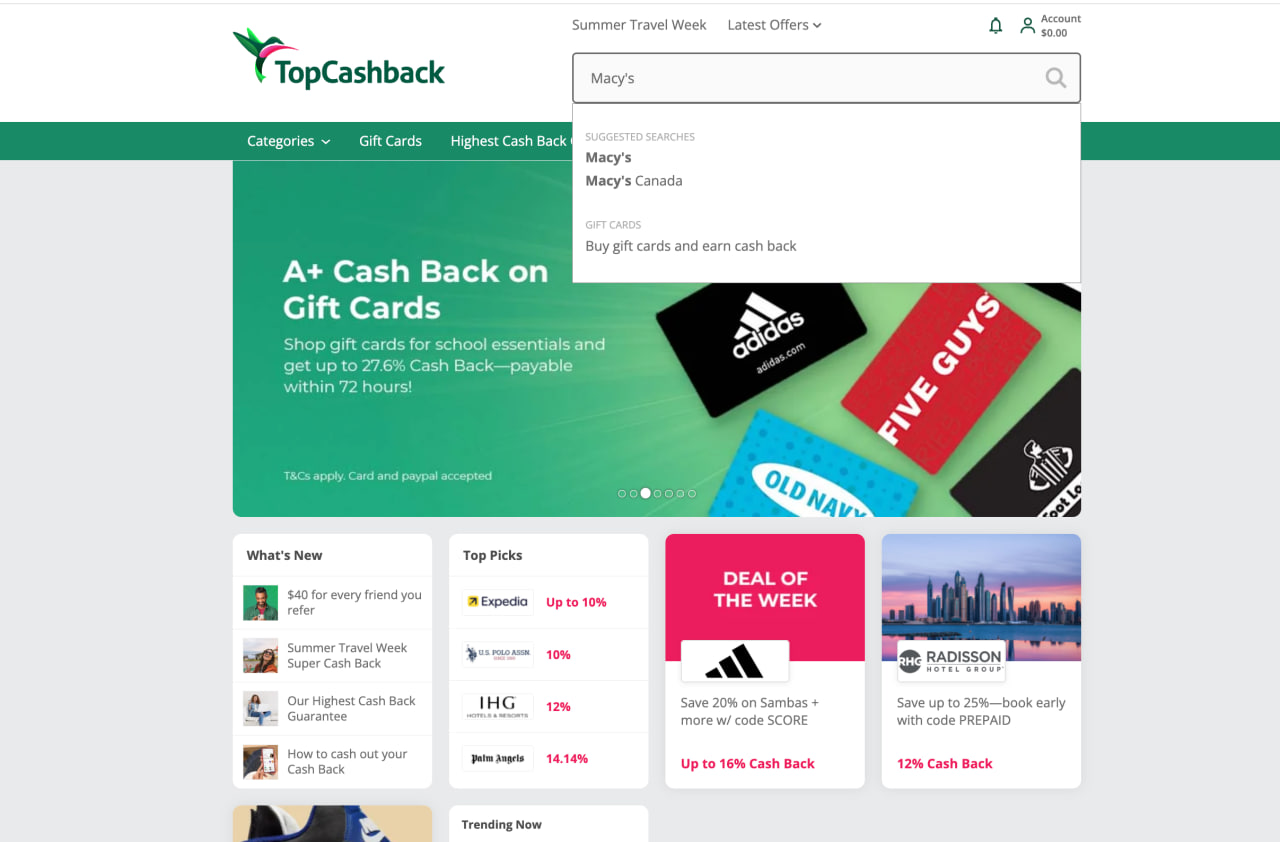
3. Select a store for purchases

Enter the store name in the search bar and go to its website.

  • Select items and pay for purchases immediately after going to the store, within approximately 30 minutes.
  • A couple of days after the purchase, you will receive an email notification about the cashback amount. After 30 days, the money can be sent to your linked account. 
  • The money arrives to your PayPal account, and then you can withdraw it to a card/account linked to PayPal

Why use TopCashback?

  • Free registration
  • Up to 40% return on purchases
  • More than 4 000 stores and brands

Please note: PayPal is currently unavailable for users from Russia and Belarus, but it works in other countries. If you live in Russia, you can open a PayPal account for another country (for example, Kazakhstan, Armenia, Kyrgyzstan, Turkey) using non-Russian bank cards and phone numbers.

No way to withdraw to PayPal? We can transfer your cashback to your Prostobox.com balance. The service fee is — 7% of the cashback amount, but no less than $7.

To take advantage of the offer, contact support.

Get a US address and enjoy shopping with maximum benefit! With it, you can order goods from the USA at discounts and receive increased cashback via Topcashback regardless of whether the store ships to your country or not. 

Discover profitable shopping in the USA!

Useful

How to fill out the declaration

How to Fill Out the Declaration

Superfast, FastBox or Express
Universal EMS
Econom
CDEK KZ ONE

For Superfast, FastBox or Express tariffs

Basic rules:

1. Everything that can be taken from the product card in the store – must be taken from the product card in the store.

2. Everything that needs to be filled out in Russian – must be filled out as clearly as possible for customs officers. So that the customs officer without knowledge of English understands exactly what is in your package.

Example of filling out the declaration.

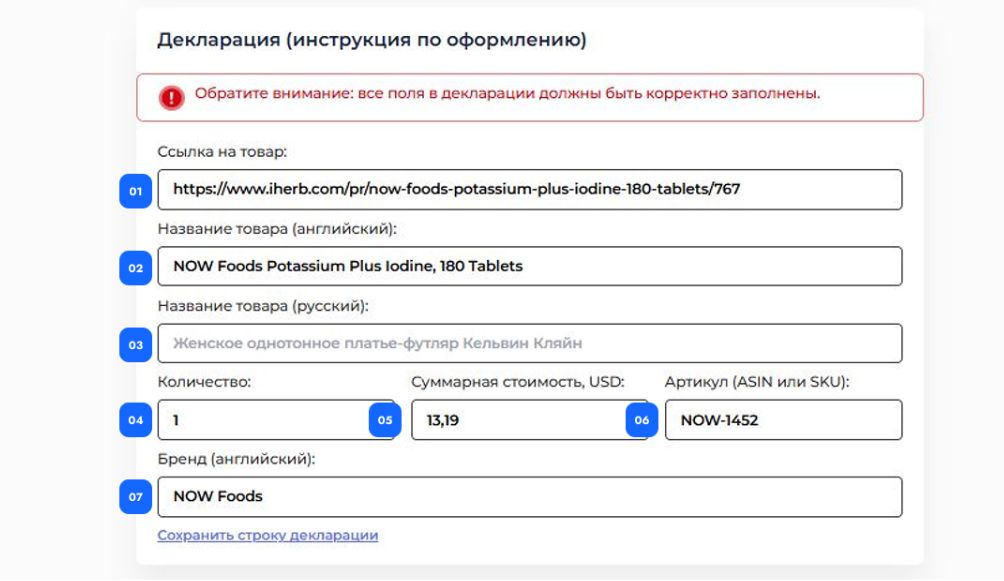
As an example, let's take the page of vitamins on iherb. Pay attention to the screenshots, we have shown with numbers what and where to insert from the product page into the declaration.

To fill out the declaration as correctly as possible, open the product page in the store and copy all the information from it, except for the item "Name and description in Russian", we will return to it later.

Here is what should result in the end:


This is important! In item 5, the total cost of the goods is always indicated. If you ordered 2 jars of vitamins, write the cost for two jars here, not for one.

Now let's proceed to filling in the data in line two.

This is important! Not all customs brokers have a sufficient command of English to understand what you have in the package. Therefore, in Russian, write as clearly and in detail as possible.

Therefore,
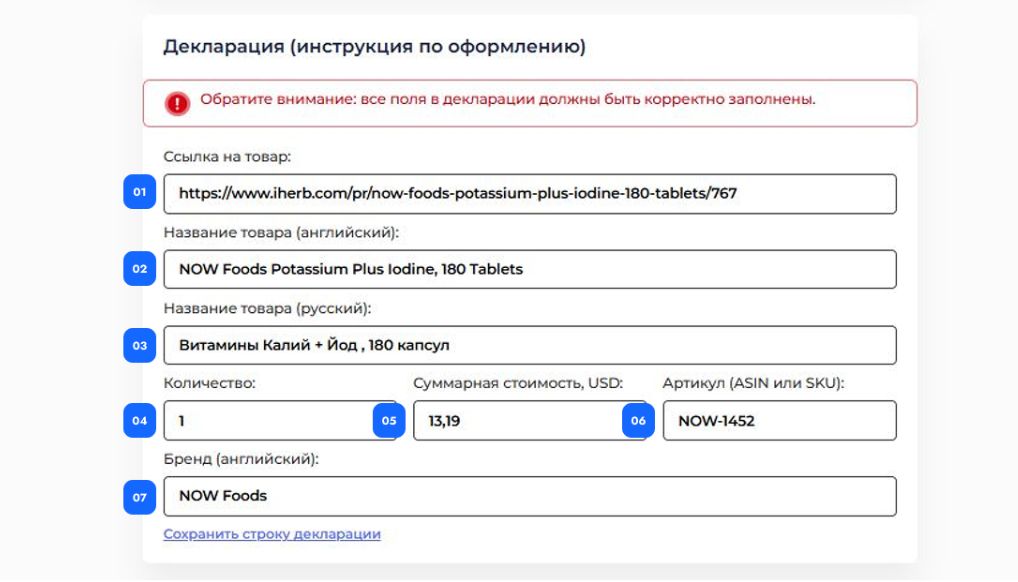
Potassium Plus Iodine, 180 Tablets
should be described in Russian as:
Vitamins Potassium + Iodine, 180 capsules

Add this to the product card.

Now click "Save" and move on to the next item.

If you have any questions about filling out the declaration, be sure to clarify them in the chat on the website. This is the easiest and fastest way to get an answer to your question and do everything right the first time.

Features of filling out the name and quantity if you bought a lot consisting of several product packages.

If the package contains goods that were sold as one lot, be sure to indicate in the declaration in item 2 in Russian that it is a lot.

For example, you bought toothpaste on Amazon and there were 3 tubes in the package.
Crest Complete Multi-Benefit Whitening + Scope Minty Fresh Flavor Toothpaste 2.7 Oz, Pack of 3
In the declaration in Russian, you must indicate that this is a lot consisting of several items:
Whitening toothpaste Crest with freshness flavor, lot of 3 pcs.

In this case, if you have only one such package of three tubes – indicate "Quantity" as 1 pc.

One more example.

Crest Scope | Mini Brushes--Disposable Toothbrushes with Toothpaste and Pick for Work or Travel (12 count, 6 Pack (12 Brushes))
Travel kit: toothbrush and Crest Scope toothpaste. 2 pcs. in the package.
In the "Quantity" item, write 6 pcs.

Other examples of forming Russian product names that may be useful to you.

Portable gaming console Steam Deck, 64GB

New Balance Women's 237 V1 Classic Sneaker
Women's sneakers New Balance model 237

Kid Lightweight Colorblock Packable Windbreaker
Lightweight children's windbreaker colorblock

Levi's Women's Classic Bootcut Jeans
Classic women's jeans Levi's

LOL Surprise Glitter Color Change Doll with 5 Surprises
LOL doll shiny in a ball 5 surprises

PUMA Women's Performance Cat Tee
Women's T-shirt Puma with print

For Universal EMS tariff

Basic rules:

1. The declaration has only five lines available.

2. If you have no more than five items, when filling out the declaration, simply shorten the product name to 2-3 words. For example:

Samsung Galaxy Watch instead of Samsung Galaxy Watch 6 Classic (47mm, GPS) 1.5" Super AMOLED
Headphones instead of Skullcandy Indy Fuel Wireless Earbud Headphones
Shoes Burton instead of Burton II Shoes hotter Mens 9.5US

3. If there are more than five items and they are different, follow the instructions:

If we are talking about clothing or footwear, it is acceptable to shorten to the type of clothing:

T-shirts (even of different brands) can be combined under the word t-shirts and the quantity and total cost recorded. Jeans under the word Jeans, etc.

But equipment must be recorded as described in item 2.
Therefore, if you have 2 IDENTICAL portable consoles in your package – you can combine them into one line.
But if you have 2 DIFFERENT portable consoles in your package (for example, Steam Deck and Nintendo Switch) – each must be recorded in a separate line of the declaration.

4. Do NOT write in transliteration, because it is important that an English-speaking customs officer understands what is in the package. For example:

Shoes – good, Obuv – not acceptable
Phones – good, telefoni – not acceptable

5. Do not use symbols, numbers, or signs. Use only letters to describe the goods in the declaration.

6. To make it easier to come up with a category name in English – use a translator, for example deepl.com

7. If you have more items in the package than can fit into five lines of the declaration – you need to order splitting of the package.

8. It is not allowed to send more than 2 batteries in one package; batteries cannot be sent separately from the goods.

Example of filling out the declaration.

To correctly fill out the declaration for the Universal EMS tariff, open the product page.

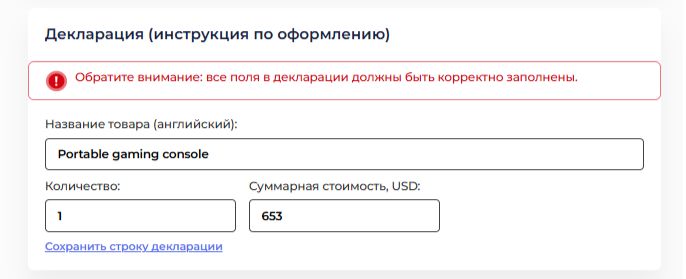
For example, you are filling out the declaration for the Valve Steam Deck 64gb console, discard the numbers, the name of the console and the manufacturer brand and we have nothing left of the name. This means we need to independently describe what this thing is, if explaining its purpose to a person for whom the words Steam Deck mean nothing. In our situation – it is a portable gaming console. Translate into English and write Portable gaming console.

That's all. It remains to click "Save". If you have any questions about filling out – ask in the chat on the website. This is the fastest way to get an answer to the question and do everything right the first time.

For Econom tariff

Basic rules:

1. When filling out the declaration, simply shorten the product name to 2-3 words. For example:

Samsung Galaxy Watch instead of Samsung Galaxy Watch 6 Classic (47mm, GPS) 1.5" Super AMOLED
Headphones instead of Skullcandy Indy Fuel Wireless Earbud Headphones
Shoes Burton instead of Burton II Shoes hotter Mens 9.5US

2. You can write the category, not the product. For example:

jeans and t-shirts – all this is clothes (Clothes)
sneakers and boots – footwear (Shoes)

3. It is undesirable to write in transliteration, because it is important that an English-speaking customs officer understands what is in the package. For example:

Shoes – good, Obuv – not acceptable
t-shirts – good, mayki – not acceptable

To make it easier to come up with a category name in English – use a translator, for example deepl.com

Example of filling out the declaration.

To correctly fill out the declaration for the Econom tariff, open the product page.
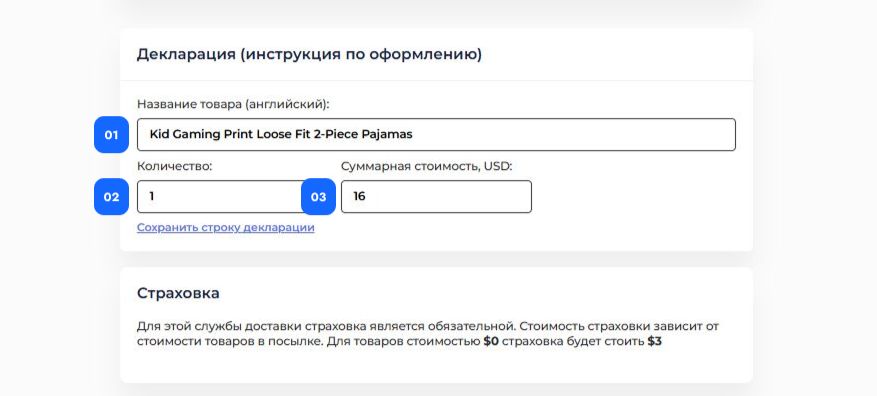
Copy the name (1).
Write the quantity (2) and the total cost (3) of the goods.

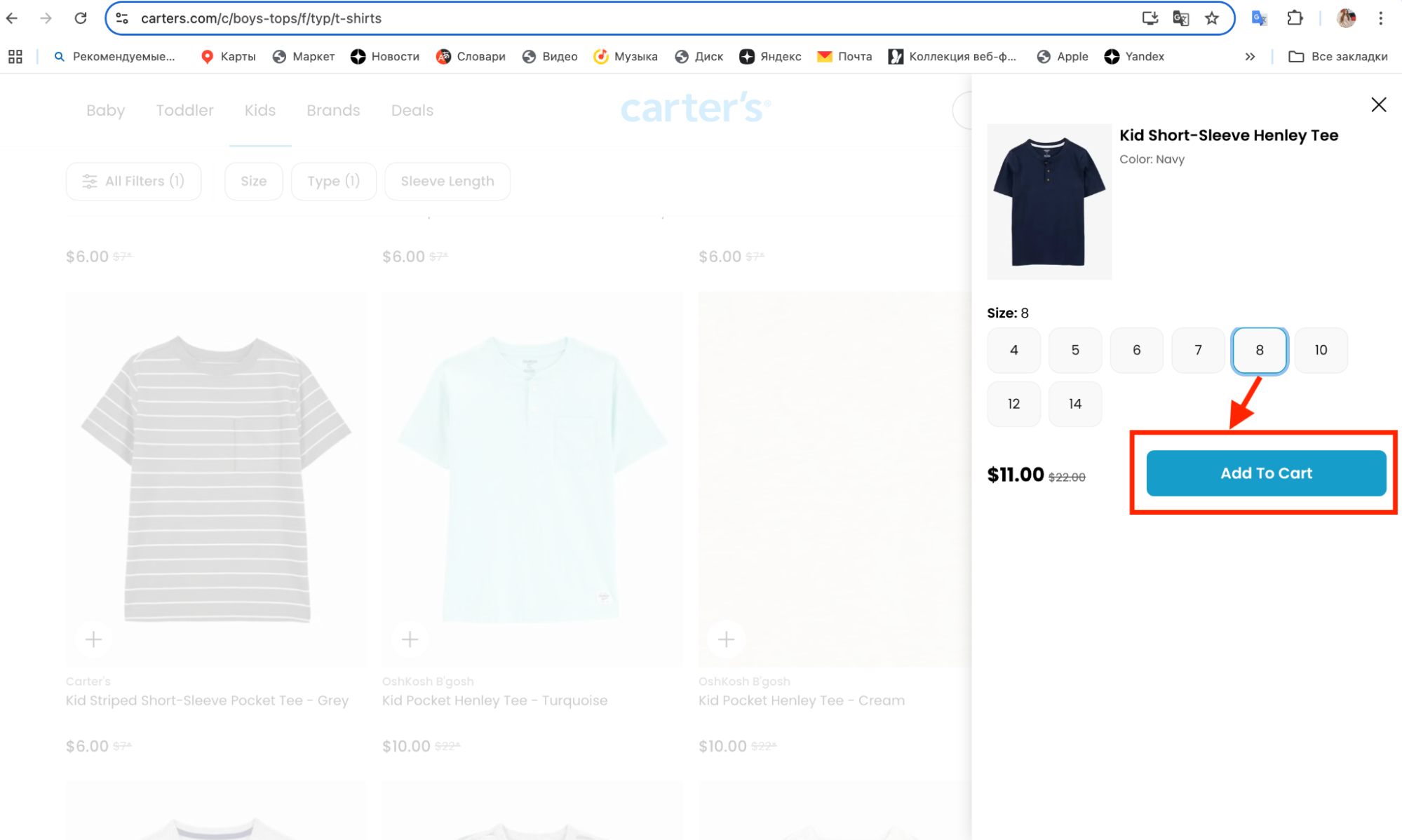
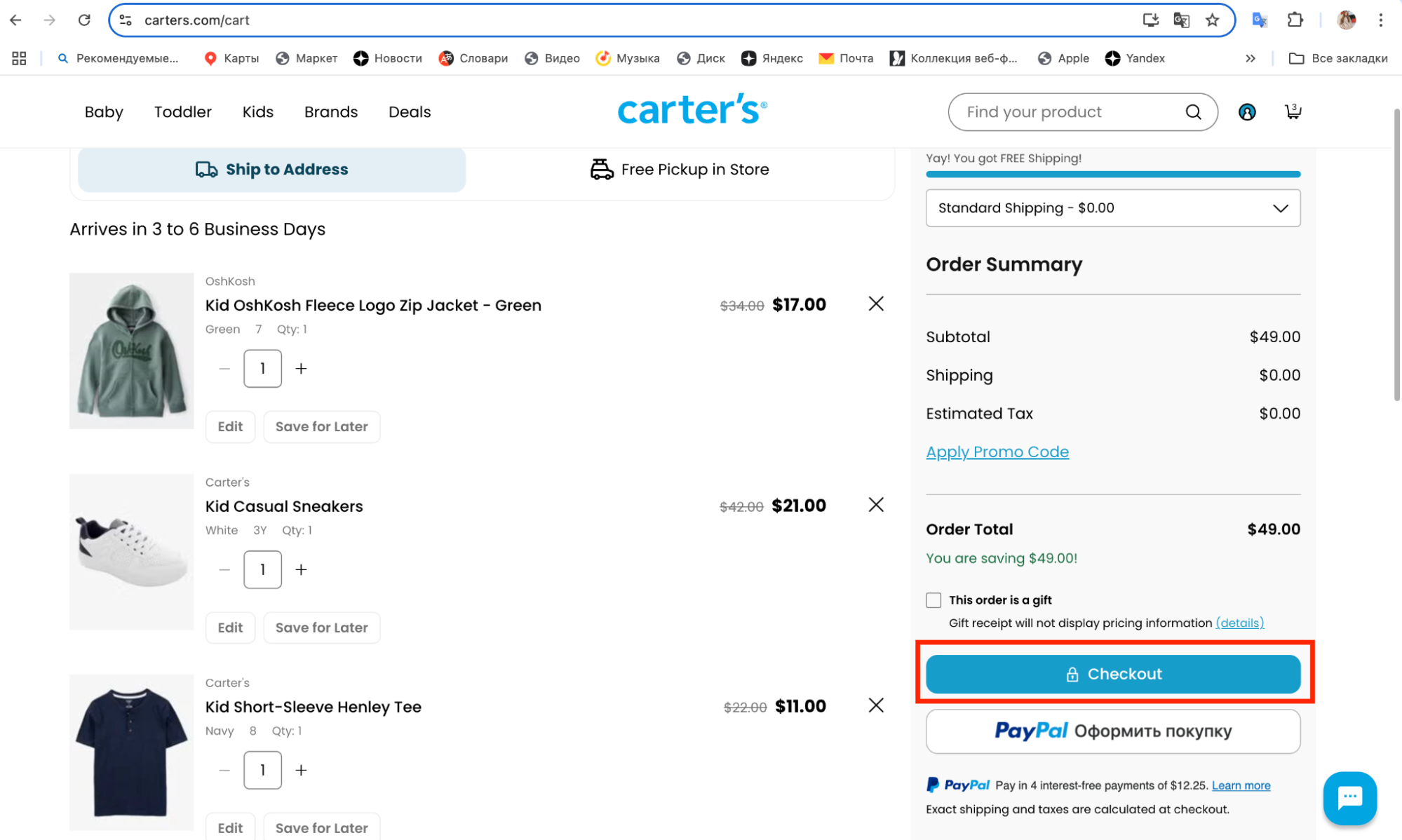
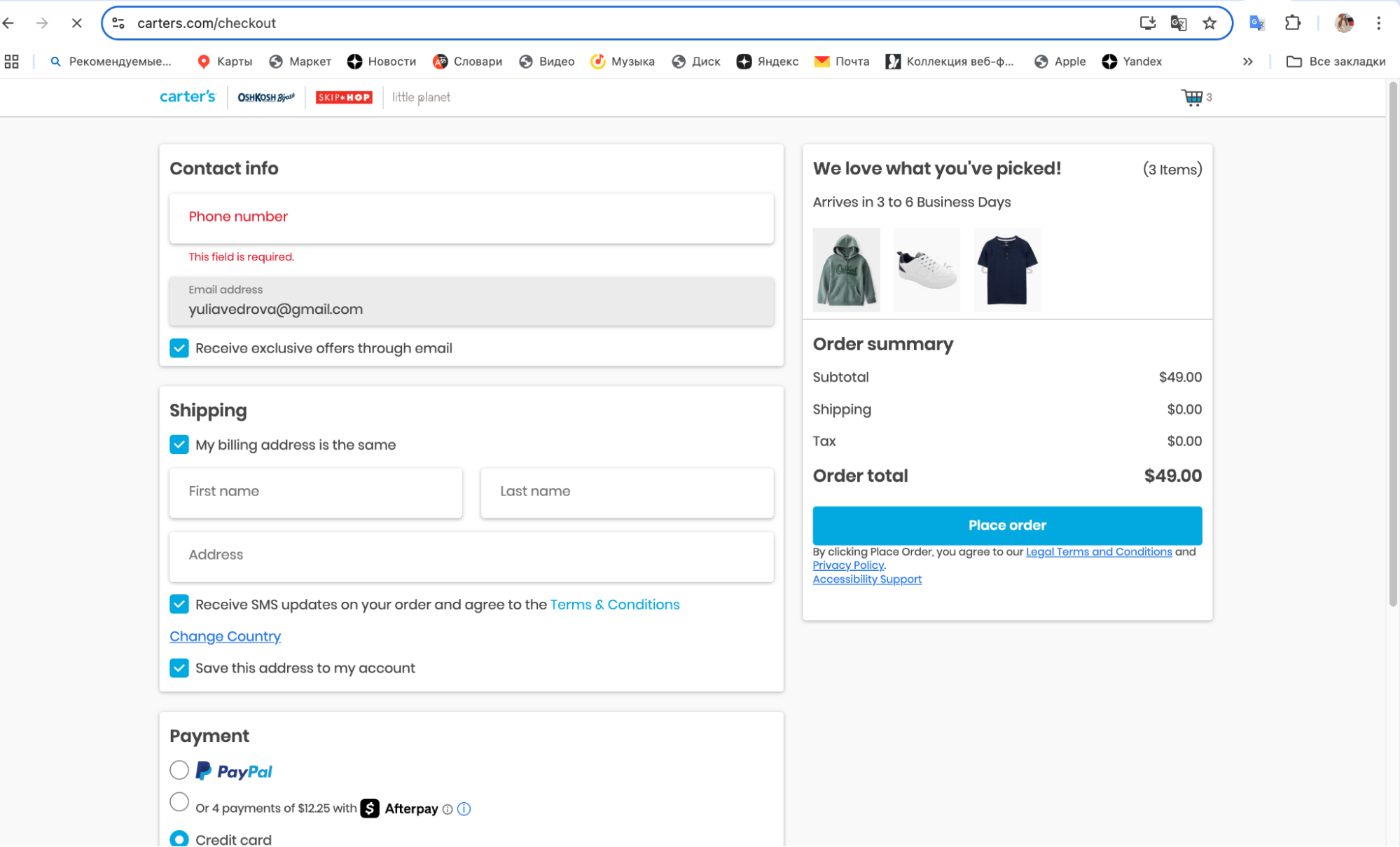
For example, you are filling out the declaration for this outfit from Carter's, simply copy the entire product name. Fill in the quantity and the total cost.

If in addition to the outfit you bought and want to send several other children's items in the same package, you can combine these goods into a category and record them in one line in the declaration.
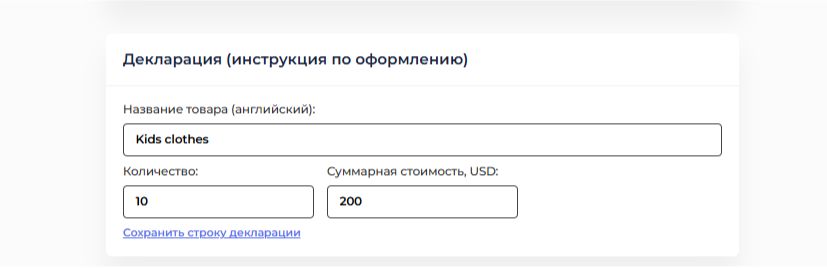
All of these are children's clothes, so the declaration lines need to be filled out as follows:
Name: Kids clothes
Quantity: 10
Total cost: 200

That's all. It remains to click "Save". If you have any questions about filling out – ask in the chat on the website. This is the fastest way to get an answer to the question and do everything right the first time. 

For CDEK KZ ONE tariff

Basic rules:

1. Everything that can be taken from the product card in the store – must be taken from the product card in the store.

2. Everything that needs to be filled out in Russian – must be filled out as clearly as possible for customs officers. So that the customs officer without knowledge of English understands exactly what is in your package.

Example of filling out the declaration.

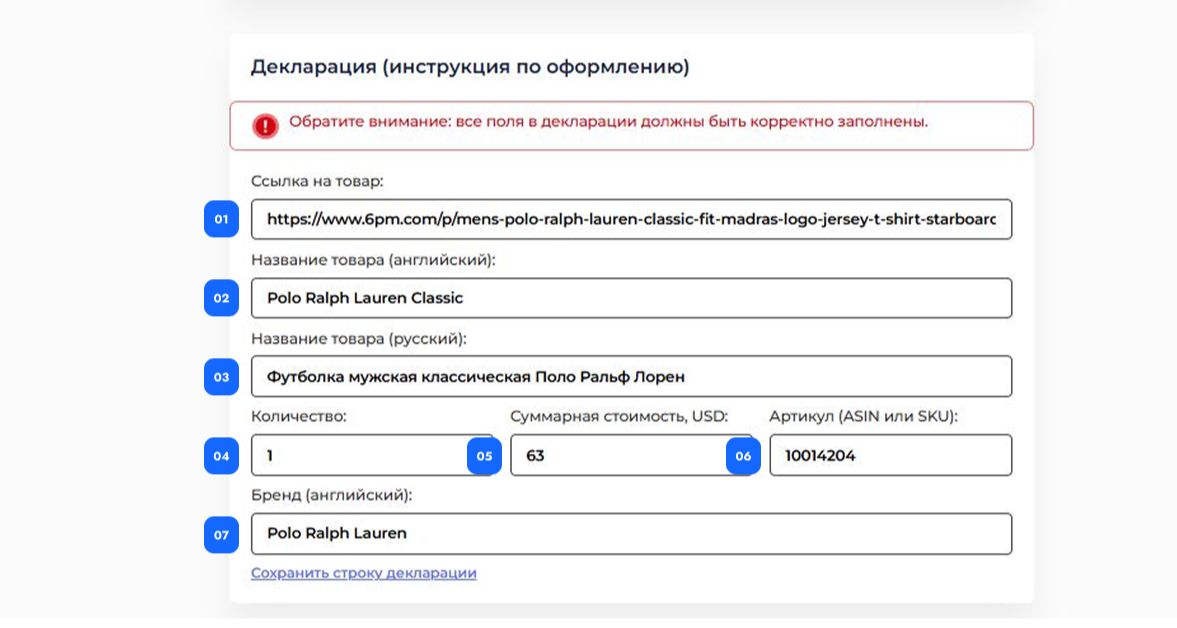
As an example, let's take the page of T-shirts on 6pm.com. Pay attention to the screenshots, we have shown with numbers what and where to insert from the product page into the declaration.

To fill out the declaration as correctly as possible, open the product page in the store and copy all the information from it.

For example, you are filling out the declaration for a T-shirt from 6pm.com

1. Link to the site: https://www.6pm.com/

2. Product name in English

3. Translate the name Polo Ralph Lauren Classic into Russian quite freely but clearly and with details: Men's classic polo shirt Polo Ralph Lauren.

4. Quantity: 1

5. Total cost, $: 63

6. Article (ASIN or SKU)

7. Brand name in English: Polo Ralph Lauren


Now click "Save" and move on to the next item.

If you have any questions about filling out the declaration, be sure to clarify them in the chat on the website. This is the easiest and fastest way to get an answer to your question and do everything right the first time.

How to arrange a return of a parcel to stores

How to properly arrange a return of a package to US stores

How to return an item to a US store

You can arrange a return of a package ordered independently from US stores. Often, stores offer free return of items that didn't fit. In order for the return to be free – simply download the return label (sticker on the box) from the website of the store where you ordered the item.

A label is a pre-paid sticker on the box from the store where you made the purchase. It contains sender and recipient data, codes, tracking.

How to arrange a return:

1. Download the label from the store's website.

Correct return labels look like this:

No picture!

2. Upload it in your personal account.

3. Do not upload QR codes, screenshots or just an address – the warehouse will not be able to use them for the return.

Make sure it is a correct file, not:

  • QR codes
  • Barcodes or screenshots of the return address

This is not suitable:

QR codes

No picture!

Barcodes or screenshots of the return address

No picture!


Free shipping is possible only with a correct return label.

 What if there is no label?

If there is no such data – we can generate a label ourselves, but for this you need to request the return address, email and phone from the store.
In this case, delivery is paid separately, and the standard warehouse service commission is added.

We write letters to American online stores

Writing Letters to American Online Stores

When shopping on English-language websites such as eBay, Amazon or a million other online stores, it is not necessary to know English at all. Product descriptions can be easily translated using an automatic translator. And correspondence with sellers usually comes down to a set of standard phrases, which we offer you in this article.

Recommendations for Writing Letters

  • Politeness never hurts in any situation. Always try to start your message with a greeting and end with a farewell and signature.
  • There should always be specifics in the letter. Remember that the people you are contacting usually have more than just you as a client. Therefore, always indicate the lot number (in the case of eBay), the internal item number in the online store, or at worst just insert a link to the item.
  • If your English is not perfect, use simple sentence constructions. This way you will definitely be understood.
  • Disrespect, rudeness, insolence, and threats never bring any benefit. It is not in your interest, because everything can change. For example, on eBay rudeness and insults are punishable, and for threats a user's account may be blocked.
  • Try to make the letter well-reasoned. Do not make unsubstantiated statements, assertions, or unfounded demands. Support everything written with facts and photos.

Well, and of course, templates of standard messages, which will be quite sufficient for correspondence with sellers.

Standard Phrases

Russian English
Dear Seller Dear Seller
Dear Sir / madame Dear Sir / madame
I have won item(s) I have won item(s)
I have bought an item(s) I have bought an item(s)
Best Regards Best Regards
Kind Regards Kind Regards
I'm really sorry I'm really sorry
Great Great
I have already purchased items on eBay and I have good feedbacks in my profile, as you can see I have already purchased items on eBay and I have good feedbacks in my profile, as you can see
I tried to contact with you, but I haven’t got any reply I tried to contact with you, but I haven’t got any reply

Questions About the Item Being Purchased

Russian English
I kindly ask you to send me a few additional photos of this item. It is desirable to send photos in high resolution. I kindly ask you to send me a few additional photos of this item. It is desirable to send photos in high resolution.
Could you please give me more information about this item? Could you please give me more information about this item?
Where was this item bought? Where was this item bought?
When was this item purchased? When was this item purchased?
What is the state of this item? What is the state of this item?
Why have you decided to sell this item? Why have you decided to sell this item?
In what country was this item produced? In what country was this item produced?
Do you have a document that confirms the date and the place of this item purchase (cashier’s receipt / bill)? Do you have a document that confirms the date and the place of this item purchase (cashier’s receipt / bill)?
Do you have a warranty service coupon for this item? Could you please send me the copy of it? Do you have a warranty service coupon for this item? Could you please send me the copy of it?
Do you provide a charger? Do you provide a charger?
Please, send me the photos of information label of this item, from which I could find out the country-producer / structure of the fabric / size / the power unit specification /serial number. Please, send me the photos of information label of this item, from which I could find out the country-producer / structure of the fabric / size / the power unit specification /serial number.
Was this item laundered or dry-cleaned? Was this item laundered or dry-cleaned?
Have you taken this item to the atelier / to the workshop for repair / alteration to the body (height)? Have you taken this item to the atelier / to the workshop for repair / alteration to the body (height)?
Is this item made of leather or of leatherette? Is this item made of leather or of leatherette?
Is this item entirely made of leather or there are insets of leatherette / fabric? Is this item entirely made of leather or there are insets of leatherette / fabric?
Does this item have visible / hidden defects? Does this item have visible / hidden defects?
Could you please measure the length of the insole? Could you please measure the length of the insole?
How long was this item in use (used)? How long was this item in use (used)?
How would you evaluate condition of this item in ten-point system (0 - terribly, 10 - irreproachably)? How would you evaluate condition of this item in ten-point system (0 - terribly, 10 - irreproachably)?
Is this item absolutely new with tags / labels / stickers in manufacturer’s box? Is this item absolutely new with tags / labels / stickers in manufacturer’s box?
Is the power unit of this devi с e rated at 110 or 220 volts? Or is it universal 110-220V? Is the power unit of this devi с e rated at 110 or 220 volts? Or is it universal 110-220V?
Is this device supplied with a plug of European or US standard? Is this device supplied with a plug of European or US standard?
How long was this device used? How long was this device used?

Payment for the Item

Russian English
I have purchased the following item(s): #. I kindly ask you send me general invoice. Delivery via USPS EMS (USPS Priority, Royal Mail). I have purchased the following item(s): #. I kindly ask you send me general invoice. Delivery via USPS EMS (USPS Priority, Royal Mail).
I have purchased the following item(s): #. I kindly ask you to unite them into one parcel and send me general invoice. I have purchased the following item(s): #. I kindly ask you to unite them into one parcel and send me general invoice.
I have purchased an item # , and I have not paid for it yet, because I’m going to purchase another item #. Could you please put off the payment, and if I win the item # , unite all the items into one parcel and send to me total invoice? I have purchased an item # , and I have not paid for it yet, because I’m going to purchase another item #. Could you please put off the payment, and if I win the item # , unite all the items into one parcel and send to me total invoice?
Unfortunately, I have some problems with payment, can I ask for a delay for ... days? Unfortunately, I have some problems with payment, can I ask for a delay for ... days?
Unfortunately, I cannot send the payment. Please, send me the identifier of your PayPal in order that I could send money directly from my account. Unfortunately, I cannot send the payment. Please, send me the identifier of your PayPal in order that I could send money directly from my account.
Is it possible to pay in a different way than PayPal? Is it possible to pay in a different way than PayPal?
Can I pay via (international bank transfer, PayPal)? Can I pay via (international bank transfer, PayPal)?
Could you send me please bank account information? Could you send me please bank account information?
The VAT value needs to be refunded to my Paypal (credit card) account. The VAT value needs to be refunded to my Paypal (credit card) account.
I can’t pay for the purchase via PayPal, because this payment system does not work with citizens of my country. I can’t pay for the purchase via PayPal, because this payment system does not work with citizens of my country.

Shipping. Insurance. Customs

Russian English
I'm interested in purchasing your item(s), but I see that you don’t send them to the countries I live in (Russia, Ukraine). Can you make an exception for me and send me the item(s) via USPS EMS (USPS Priority, Royal Mail)? I'm interested in purchasing your item(s), but I see that you don’t send them to the countries I live in (Russia, Ukraine). Can you make an exception for me and send me the item(s) via USPS EMS (USPS Priority, Royal Mail)?
I would like to ask you to send the parcel via USPS EMS (USPS Priority, Royal Mail). I would like to ask you to send the parcel via USPS EMS (USPS Priority, Royal Mail).
I'm interested in purchasing of your item(s), but the way of delivery you suggest isn’t convenient for me because:

  • it's too expensive
  • the customs duties are too high
  • the delivery will take too much time
  • it's too unreliable
I'm interested in purchasing of your item(s), but the way of delivery you suggest isn’t convenient for me because:

  • it's too expensive
  • the customs duties are too high
  • the delivery will take too much time
  • it's too unreliable
Could you please send this item(s) to Russia (Ukraine, Kazakhstan, Belarus) via USPS EMS (USPS Priority, Royal Mail)? Could you please send this item(s) to Russia (Ukraine, Kazakhstan, Belarus) via USPS EMS (USPS Priority, Royal Mail)?
Please, pack up the purchased item(s) good. I’m ready to pay for it additionally. Please, pack up the purchased item(s) good. I’m ready to pay for it additionally.
I have purchased next item(s) from you ... Please let me know if you have already sent the parcel. I have purchased next item(s) from you ... Please let me know if you have already sent the parcel.
Please, let me know the total cost including delivery to Russia (Ukraine, Kazakhstan, Belarus) via USPS EMS (USPS Priority Mail, Royal Mail) and insurance. Please, let me know the total cost including delivery to Russia (Ukraine, Kazakhstan, Belarus) via USPS EMS (USPS Priority Mail, Royal Mail) and insurance.
Could you please tell me the date when the parcel was sent? Could you please tell me the date when the parcel was sent?
Please, send me the tracking number. Please, send me the tracking number.
Unfortunately, I haven’t got sent item(s) yet. Unfortunately, I haven’t got sent item(s) yet.
I would like to initiate a parcel search, but I need the scan-copies of the cheque of shipment and customs declaration CP22/23. I would like to initiate a parcel search, but I need the scan-copies of the cheque of shipment and customs declaration CP22/23.
I kindly ask you to specify in the customs declaration the following value of a parcel: ... $ I kindly ask you to specify in the customs declaration the following value of a parcel: ... $
Please, take all the stickers, labels, and price tags off and send me the item as "used". Please, take all the stickers, labels, and price tags off and send me the item as "used".
Is it possible to insure the parcel additionally? To the amount of ... $ Is it possible to insure the parcel additionally? To the amount of ... $
I still haven’t got the sent parcel. Could you please initiate the search and insurance compensation? I still haven’t got the sent parcel. Could you please initiate the search and insurance compensation?
This will help to avoid duties. This will help to avoid duties.

Cancellation of the Transaction

Russian English
If you like, we can cancel our deal. If you like, we can cancel our deal.
I have purchase an item from your but I did it by mistake. I kindly ask you:

  • not to complete this transaction (I guarantee positive feedback)
  • to send me a request for transaction cancel
  • I'm ready to compensate your eBay fees
I have purchase an item from your but I did it by mistake. I kindly ask you:

  • not to complete this transaction (I guarantee positive feedback)
  • to send me a request for transaction cancel
  • I'm ready to compensate your eBay fees

Item Not Received or Does Not Match the Description

Disputes and Returns

Russian English
You have promised me full (partial) refund of money for item(s) purchased from you, but you have not done it yet. Can I ask you why? When do you do the refund? You have promised me full (partial) refund of money for item(s) purchased from you, but you have not done it yet. Can I ask you why? When do you do the refund?
I have to give you a negative feedback because I haven’t received the item(s) yet (the delivered item doesn’t not correspond with description). I have to give you a negative feedback because I haven’t received the item(s) yet (the delivered item doesn’t not correspond with description).
Do you guarantee the compensation of the return cost in case the item doesn’t correspond with description? Do you guarantee the compensation of the return cost in case the item doesn’t correspond with description?
I have purchased the item, paid for it via PayPal, but I haven’t received it yet. I have purchased the item, paid for it via PayPal, but I haven’t received it yet.
Please refund me in full asap. Please refund me in full asap.
The item delivered to me doesn’t correspond with description (it’s broken), but it’s too expensive to send it back to you. Can I ask for a partial (full) refund of money to my PayPal account? The item delivered to me doesn’t correspond with description (it’s broken), but it’s too expensive to send it back to you. Can I ask for a partial (full) refund of money to my PayPal account?

How to write to Amazon customer support

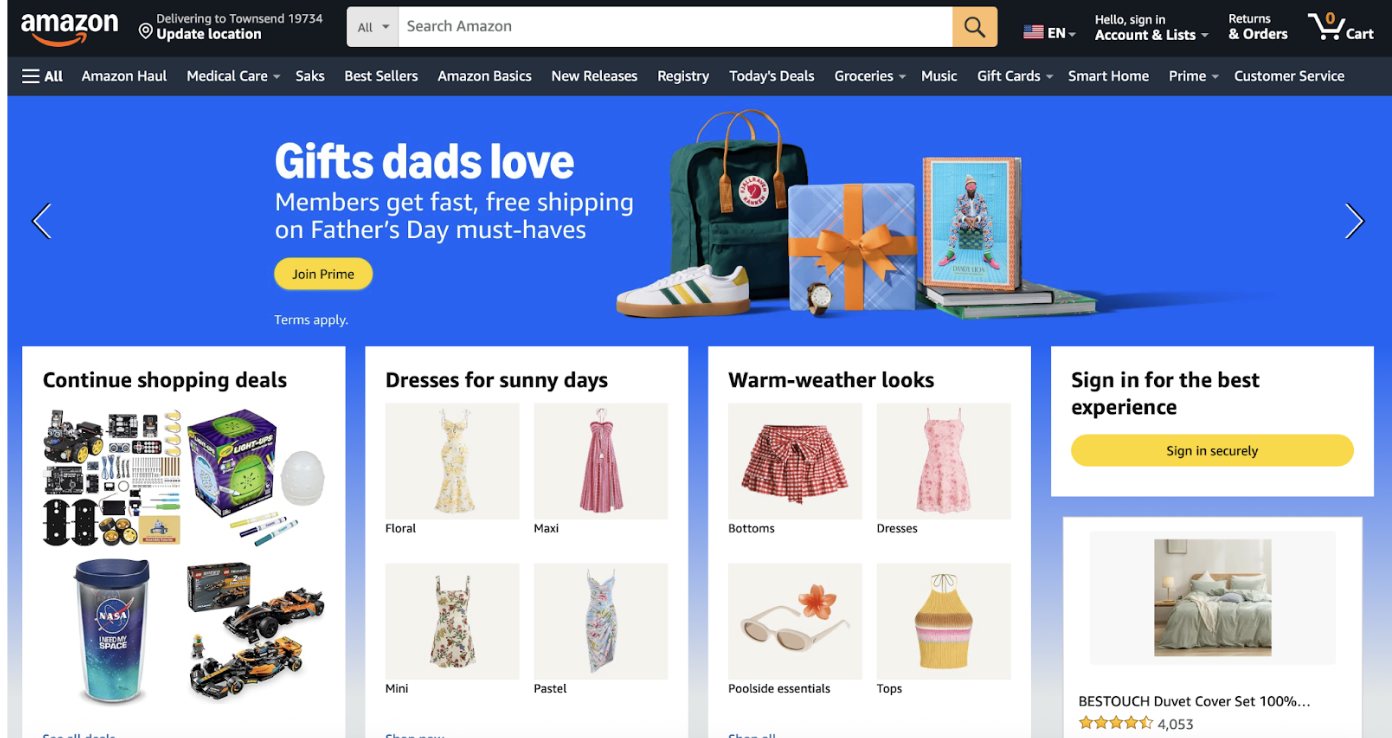
  1. Open the amazon.com website in the browser and log into your account.

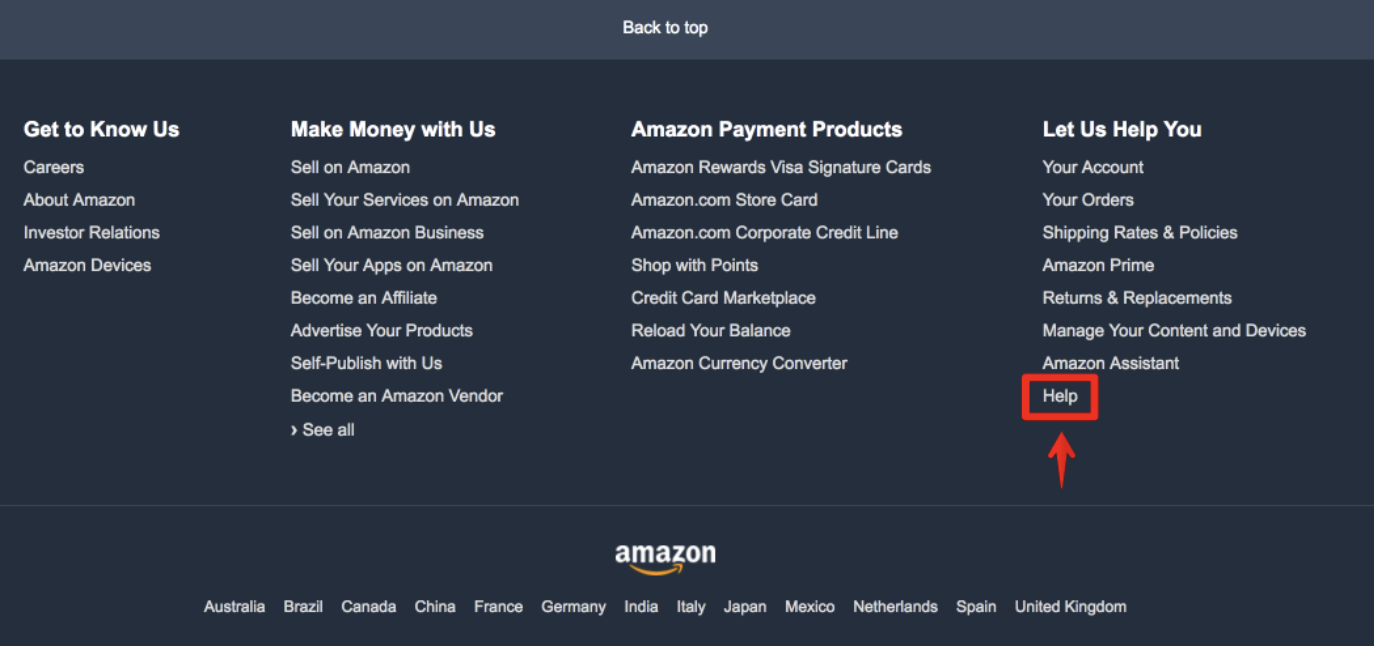
  1. Scroll down the page and select the “Help” item.

  1. Go to the “Something else” section, then click “I need more help” — the “Chat with us” or “Request a phone call” button will appear.
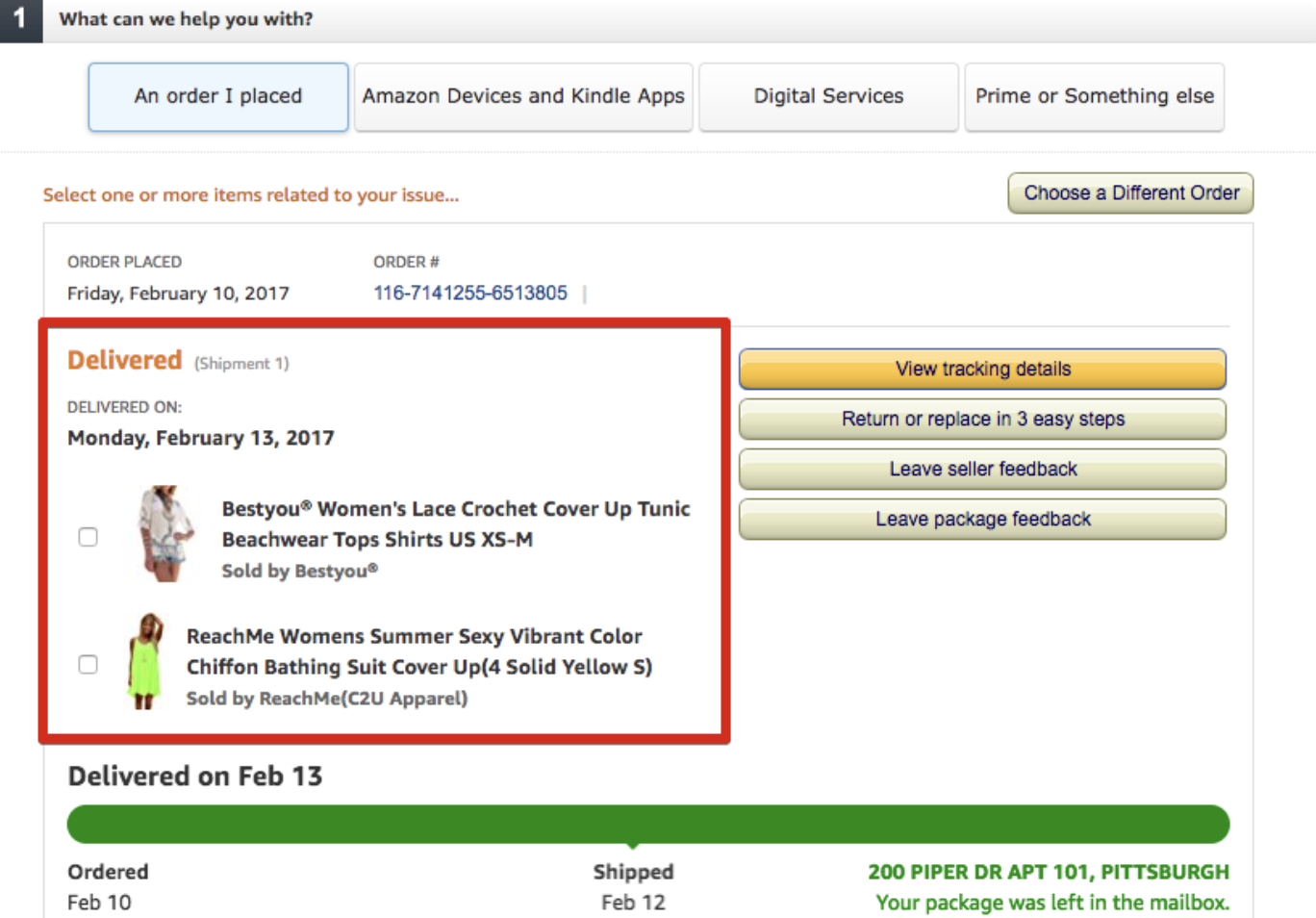
  2. In the new window, after automatic redirection, your order history will open; select the order for which the buyer is seeking help from Amazon support. 

Four submenu tabs are available horizontally to choose the primary topic of the future discussion with the operators:

An order I placed — orders that have been placed;

Amazon Devices and Kindle Apps — devices and software from Amazon (Kindle e-readers or Fire tablets);

Digital Services — questions about digital goods from Amazon;

Prime or Something else — Prime account or other questions.

The most common reason for contacting Amazon support is questions regarding placed orders, so we will continue the instructions for this section:

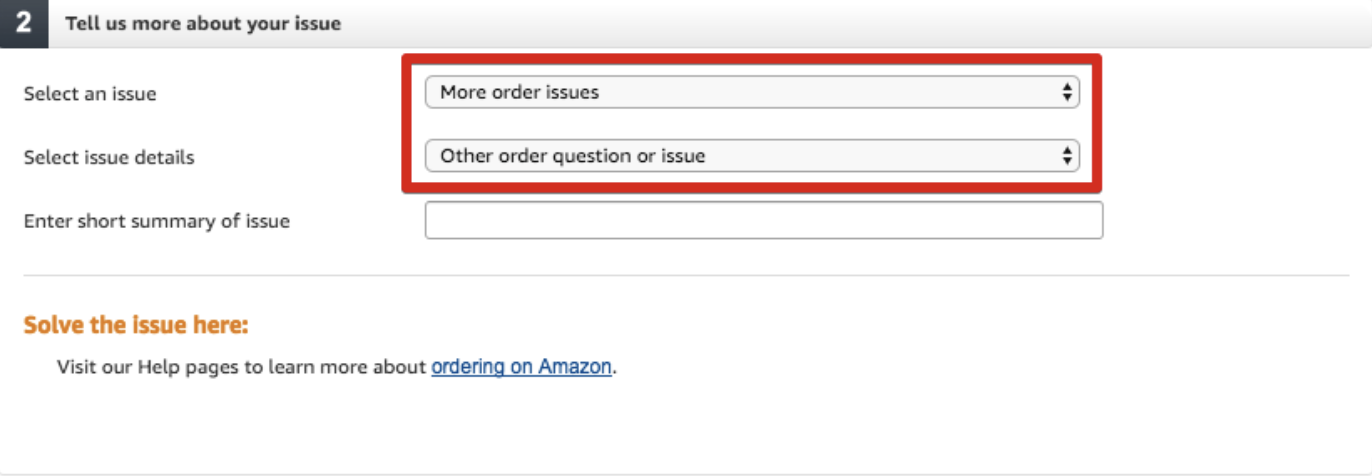
  1. After checking the desired item, proceed to choose the reason for contacting support — “Select an issue”. Select the appropriate item here, but if there is no suitable one in the list, you can choose “More order issue”.

In the “Select issue details” subsection, specify clarifying information about the topic of the inquiry; if there is no suitable item, choose “Other orders question or issue”, after which you must manually enter the topic of the dialogue with the operator in the third window.

  1. You can contact via:

– Online chat (available almost always);

– Request a callback (if available in your region);

– Email — not offered in most cases.

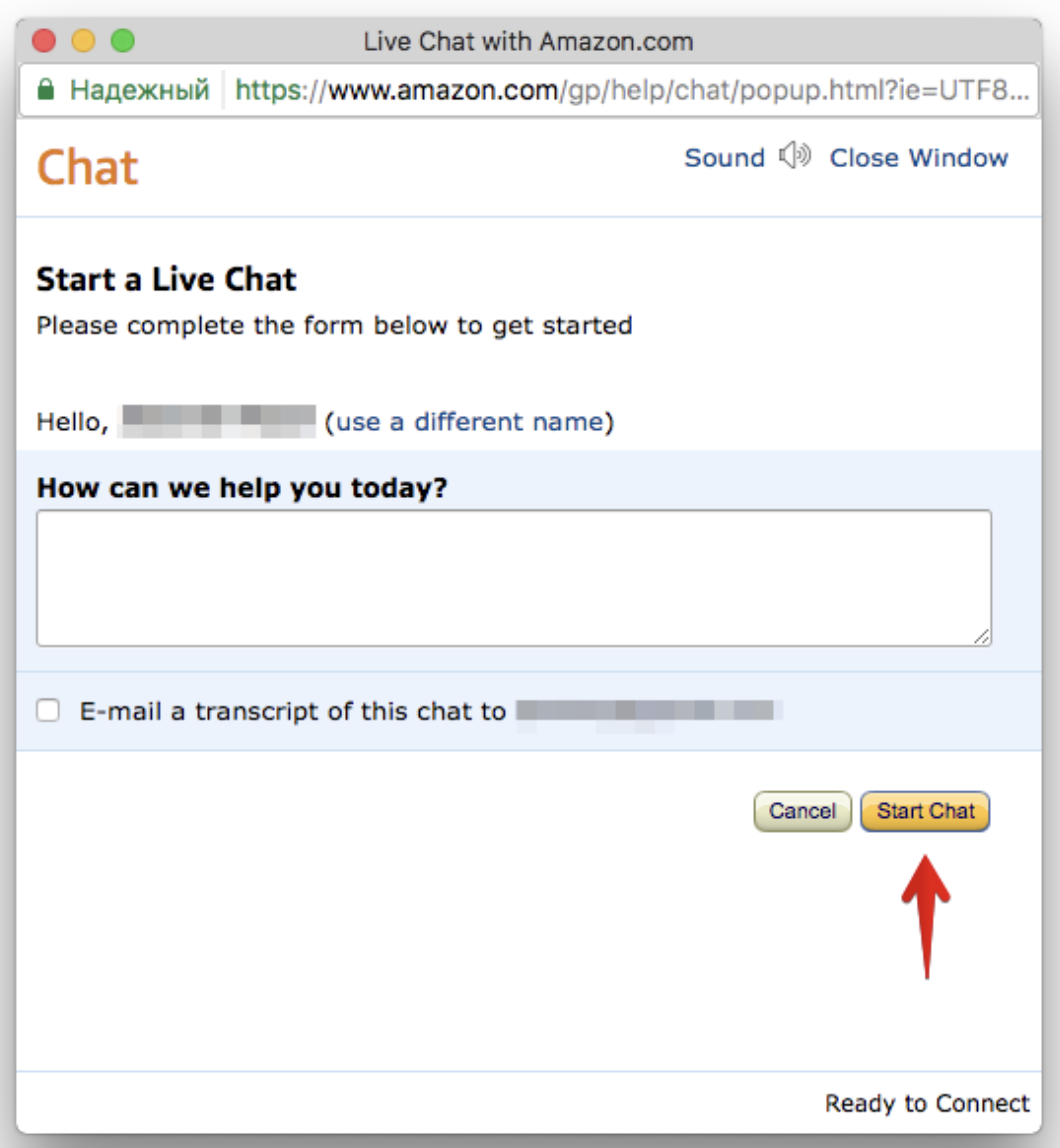
  1. After choosing a method of contacting Amazon support operators (using chat as an example), a form will appear in which you must enter information about your problem or question, and only then click “Start chat”.

A separate tab with a bot is currently used, and only then does it switch to an operator.

How to write a letter to a third-party Amazon seller

Given the vast number of third-party sellers on Amazon, the need to maintain contact with them does sometimes arise — either to clarify details about an item, or about order delivery times, shipping methods, etc. Let’s look at an example of writing a letter to one of the sellers on Amazon.

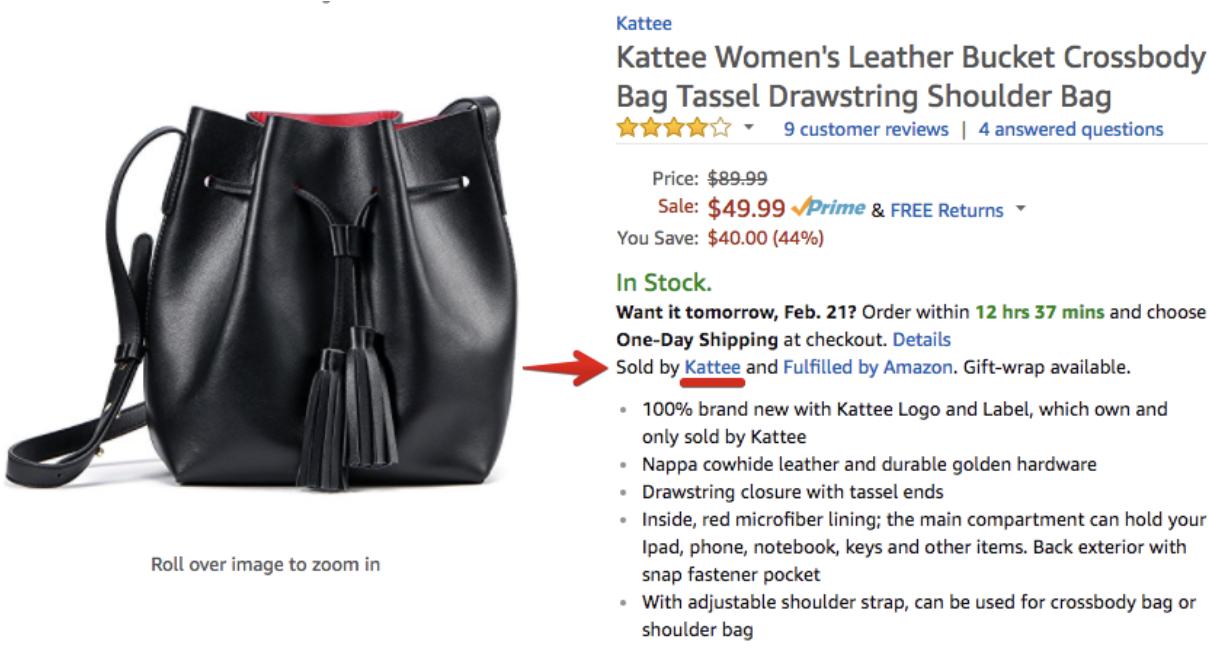
  1. Who exactly is the seller of a specific item is indicated right on its description page.

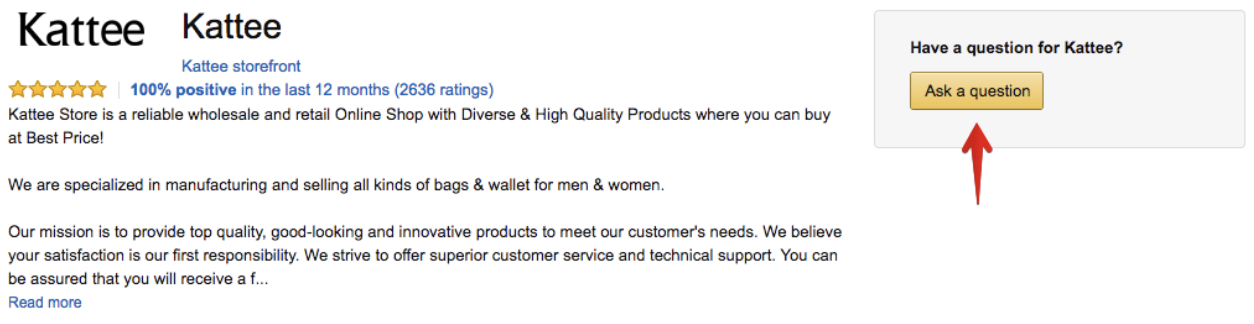
  1. Clicking on the seller’s username opens a new page that leads to their personal page with details, reviews, rating, and other information. On the right is the “Ask a question” or “Contact seller” button — this is used to create a letter to the seller.

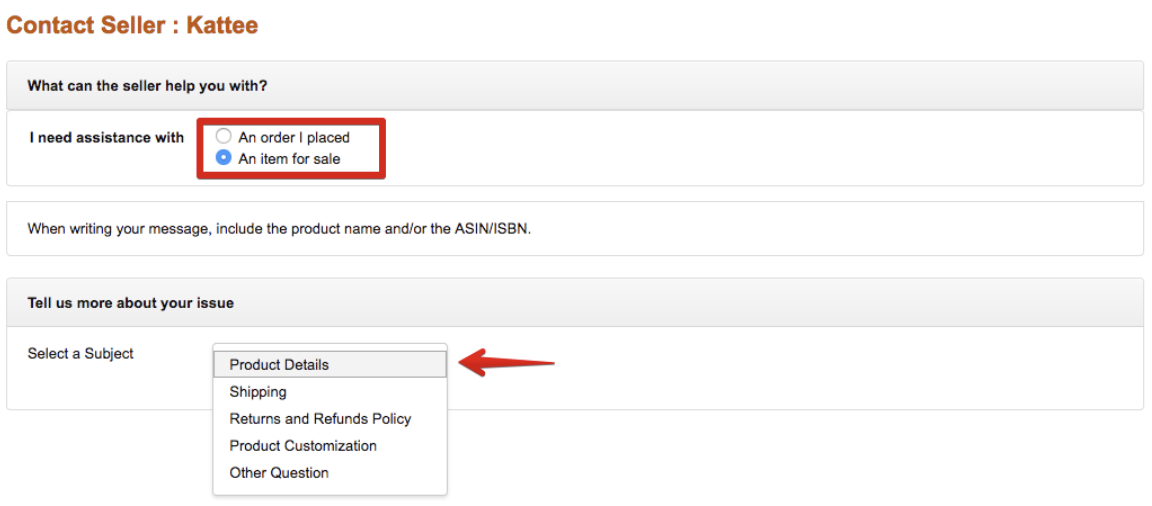
  1. The principle of writing a letter is similar to writing to Amazon support — you need to select the subject of the question (about an already purchased item or about an item you plan to buy); in the second step you need to specify the topic of the inquiry — if no corresponding section is provided for selection, choose the last item — “Other Question”. After selecting the values, proceed to writing the letter by clicking the “Write message” button.

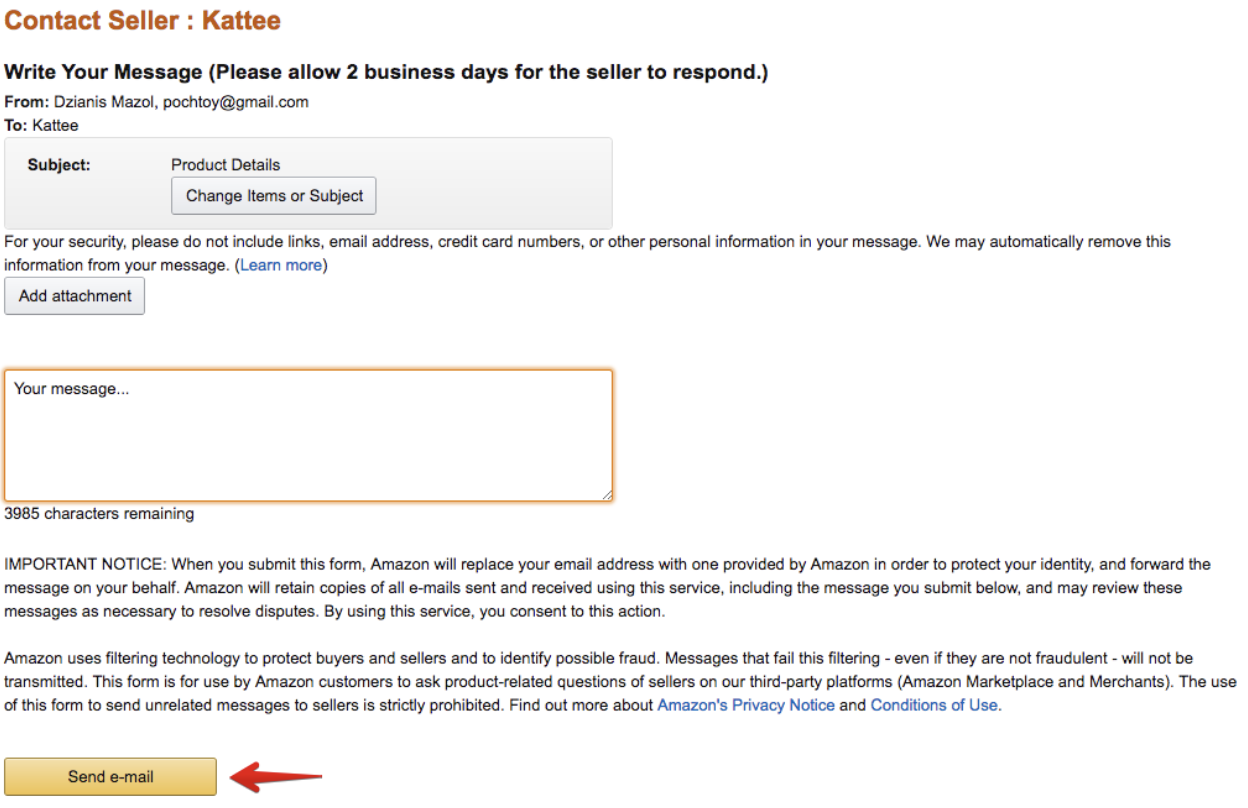
  1. In the window that opens, enter your question and send the letter to the seller. Expect a reply via email; you can continue the correspondence with the seller from your personal mailbox. There are no exact timeframes for receiving a reply, so in some cases you should be patient.


As a useful bookmark, we recommend adding a small collection of the most frequently used English phrases when communicating with sellers to your favorites — Writing letters to American online stores.

Billing Confirmation for Amazon and 6PM

In 90% of cases, a billing address verification request occurs with new accounts. However, in some cases, supporting documents may also be requested from accounts with history. Therefore, the information below will be useful to everyone.

Let's start with the basics. Every order you place goes through an operator review at the online store before it is sent to our warehouse. Each store has its own security requirements and triggers for verification requests. In any case, you will receive an email something like this:

“There was a problem confirming your payment information. To resolve this issue we need to verify a recent statement. To upload your statement to our secure document portal, log in to your account and follow the instructions.

The following information must be clearly displayed on the statement:

  • A copy of your bank statement monthly bill which shows the last four digits of the payment method used to make this purchase, including the billing address
  • Your name, phone number, and the email address registered to your account…”

Translation:
“There was a problem confirming your payment. To resolve the situation, we need to verify your documents to access the account. To upload the documents to our secure portal, please log in to your account and follow the system instructions.

The following information must be clearly visible in the uploaded documents:

  • A copy of your bank statement for the current month showing the last four digits of the card number you used, as well as your billing address
  • Your name, phone number, and the email address registered to your account…”

The email usually also specifies the deadline by which the documents must be provided, along with an explanation of what will happen if the deadline is missed. Most often, the order will simply be canceled. However, other scenarios are possible, such as account freezing. Therefore, you need to act quickly, and fortunately, there is nothing complicated about it.

The most important thing to understand is that receiving this message is nothing to worry about. The store does not cancel your order or charge your money; it only holds them. (Such requests are also aimed at preventing fraudulent transactions, especially for the first purchase from a new device or region). You are being asked to confirm the validity of your payment information to ensure security (primarily yours) and to prevent electronic fraud.

Attention! If you received a verification request, you must complete it if you plan to continue making purchases at this store.

What is required from you?

So, you need to provide the online store with a document confirming your current billing address. This information can be found in several bank documents, all of which are acceptable. Specifically:

  • account statement showing only one specific transaction that raised the question;
  • monthly statement that includes the transaction;
  • copy of the account opening agreement indicating your billing address

All documents must be issued by the bank and not edited manually. The key point is that all these documents must clearly show your full name and the billing address that matches the one you provided in your account during payment.

The second item mentioned in the email is to provide your name (the same as in the online store account), the email address registered to the account, and your phone number. All of this is required to link the received bank documents to your account and avoid asking for them again in the future.

Where to get a statement or a copy of the agreement?

First, you can visit your bank branch with the following request:

“I need a statement for card No. **** for the calendar month (or: for the transaction dated ** of the current month in the amount of ** dollars/rubles). The statement must show my address and name. The statement is needed in English.”

Absolutely all banks support providing statements and other documents in English. Therefore, if you need a statement in English — request a “bank statement in English” right away, otherwise they may issue a localized version.

The second way to obtain a statement is through online banking. The algorithm for accessing statements varies by bank, so the most universal advice is to contact the bank's online chat and request a statement using the template provided above.

Sometimes the bank cannot provide a document that includes both the transaction information and the billing address on one page. That's fine. In this case, you need to provide two (or more) separate files; the important thing is that they must be issued for the same account and the same name.

If the bank does not indicate the address — check if it is possible to obtain proof of address as a separate certificate.

Where to send these documents?

The method of submitting documents is always specified in the email. Carefully read this section and make sure to send the documents using the required method. Most often, verification is requested by hypermarkets — Amazon and 6PM.

For Amazon, the standard is to send documents as attached files in a reply email. It is prohibited to send passwords or card details in it.

6PM most often asks to send documents by fax. There is no need to worry about this, even if you do not have a fax at home. You can send the message using online services, for example, MyFax.

The email may sometimes contain a link to a special upload portal (for example, via Amazon Secure Uploader). 

Is it possible not to verify the current account and just create a new one?

We strongly do not recommend doing this. The reason is that US retailers have a very smart user data matching system. They will see the duplicate of your account, no doubt about it. And when this is discovered, both accounts will be permanently blocked.

Providing the statement will not take much of your time. Complete the verification once and continue shopping without issues in the future!

We will be happy to answer any of your questions regarding verification. Contact our online chat or Tickets.

Good luck with your transactions and happy shopping!

Purchases with buyers

How to shop in American stores with professional Prostobox Buyers and why you might need it.

How to Shop in American Stores with Professional Prostobox Buyers and Why You Might Need It

What Is «Shopping with Prostobox Buyers»?

Through the «Shopping with Prostobox Buyers» service, buyers purchase items in stores using your links. This can be especially relevant for stores that do not accept non-US cards for payment.

If you prefer to shop in stores on your own, simply order items to our warehouse in Delaware.

How Much Does the «Shopping with Prostobox Buyers» Service Cost?

The commission for the purchase service by operators is listed in the Services and Prices section on our website. As of December 8, 2021, the cost of purchasing from regular stores is 10% of the order value, but no less than $10 USD; purchasing from finicky stores is 15%, but no less than $15 USD.

What Is Included in the Buyer's Commission?

Carrying out the purchase of items from the store according to the order placed by the client, receiving the purchases at our warehouse in the US, and registering the received order in the client's personal account.

In addition to the cost of the items and the commission, you also pay for delivery of the package to your country according to the tariffs and chosen delivery service.

Can I Combine Items Purchased through the «Shopping with Prostobox Buyers» Service and Incoming Packages Purchased Independently in One Outgoing Package?

Yes, of course! You can place both items purchased through our buyers and incoming packages paid for independently in US stores into an outgoing package.

What Are the eBay Auction Purchase Terms?

The minimum commission for each eBay lot is 10% of the value of each lot, but no less than $10. We also charge an additional commission for participating in the auction and for the make offer option in the amount of $5 per lot. This payment is non-refundable. If the auction is canceled or the offer is not accepted, the purchase commission is refunded minus the $5 fee.

What Price Should I Specify for eBay Items if the Item Is Sold at Auction?

Enter the price you are willing to bid up to in the «Price» field on the order form.

We will raise your bid gradually using a sniper robot. For example, if the current lot price is $50 and you are willing to pay up to $100 for the lot, enter $100 in the order form. If we purchase the lot for a lower amount, the difference will be returned to your balance.

Do You Charge a Commission for Each Store in the Order?

Yes, the commission is charged for each individual store in the order.

How Do I Place an Order?

Register and add links to the items that the buyers should purchase for you. Specify the required size and color if the item offers such options, and pay for your order. You can also specify alternative sizes or colors in case the desired option is unavailable at the time of purchase.

Our professional buyers will make purchases in stores using your links in the order queue as quickly as possible.

Do Buyers Place Orders for Items with Custom Design (custom)?

Yes. You need to provide a link to an already assembled version of the item in the item addition form. Parameters such as color and size must also be specified, even if they are already included in the link.

We also recommend taking a screenshot of the product page at the final stage and providing us with a link to the screenshot in the comment for the ordered item. This will help ensure during order processing that the item is correctly placed and verify all details upon receipt at the warehouse.

Are There Stores You Do Not Work With?

Yes. See the list of stores in our «blacklist».

The reasons for stores being added to this list vary. However, it is usually the stores' desire to protect their brands from shipping to other countries, which is why they block cards and mail forwarding company addresses.

Another common reason for stores being added to this list is a poor order tracking and processing system, resulting in frequent mix-ups with ordered items. This list may also include outright unscrupulous stores.

You can try to make purchases in some of these stores yourself (using the «Virtual Address» service), but we cannot guarantee successful order processing by stores on this list. From time to time we review the list and remove certain stores (for example, if the store has changed its policy on shipping to mail forwarding company addresses).

Do You Work on a Prepayment Basis Only?

Yes, we start working on your order only after it has been fully paid.

Is There a Tax in the State Where Your Warehouse Is Located?

Our warehouse is located in the completely tax-free state of Delaware; purchases to it are not subject to tax. There is no tax on purchases to our warehouse.

How Can I Find Out the Cost of Delivery from the Store to Your Warehouse?

You can top up your balance only for the order amount + our commission. When purchasing your order, buyers will, if necessary, deduct delivery on credit from your balance. The negative balance must be settled before sending the package.

How Do I Pay for an Order?

Top up your balance for the order amount using any convenient method and pay for the order. Immediately after payment, your order is sent to a free buyer for purchase.

How Quickly Do You Purchase Orders?

Buyers are in different time zones and purchase your orders 24/7. Usually within a few hours of payment. In some cases, orders may be processed by non-Russian or European but American operators. Such orders are purchased in the afternoon, approximately from 17:00 Moscow time.

Can I Speed Up Order Purchase?

Yes, of course. To speed up order purchase during placement, select the "Purchase as soon as possible" service and pay for it. The service costs 15% of the value of items in one store or one eBay lot, but no less than $15.
Promo codes for free purchase do not apply. Orders placed at night from 22:00 to 08:00 Moscow time may not be purchased within 1-3 hours but will be purchased after 08:00 in the priority queue.

I Placed an Order with a Buyer, but Some Items Show the Status «Out of Stock». What Should I Do?

If an item is out of stock, you can replace it with a similar item or a different color (size). You can also decline replacement by removing the unavailable item from the order. In this case, funds for the canceled item will be instantly returned to your balance.

Please note that we do not wait for your replacement decision and purchase all items that are currently in stock. Therefore, please keep in mind that replacements will be purchased from stores as a separate order, which means the store may charge us delivery again, which we, in turn, will have to charge you.

If you are against possible charges in such cases, simply cancel items that are unavailable in the order.

I Placed and Paid for an Order. What Happens Next?

Approximately 4-7 business days after placing your order, the items will be delivered to our warehouse. Your order always shows different statuses: that the order has been fully or partially purchased, and that the store has partially or fully shipped the item to the warehouse.

Please note that delivery times from stores to our warehouse are approximate.

Do You Provide Tracking After the Store Ships the Order?

No, we do not provide a tracking number from the store.

The Order You Purchased Has Still Not Arrived at Your Warehouse. What Should I Do?

If more than 10 business days have passed since purchase and your order has still not arrived, please submit a ticket. Our buyers will determine the reason and, if necessary, contact the store to resolve the issue.

All Items from the Order Have Arrived at the Warehouse. What Is Required from Me?

Proceed to creating the outgoing package.

Do You Inspect Items Upon Arrival from the Store?

Through the «Shopping with Prostobox Buyers» service, we provide the purchase service and subsequent receipt of the package at the warehouse. Unfortunately, we do not verify or check the order for color, size, configuration, or under-delivery by the store. When registering a package with items purchased through operators, the list of items received in this package is indicated by warehouse operators according to the report provided by the store on shipping items in this package.

To check items received at the warehouse, you can order the photo or video service for package contents. It is arranged by clicking the camera icon next to the package (before sending the package for assembly). After submitting the request, our operators will take photos (video), and you will be able to check the contents and compliance of the received order.

Since fulfilling photo/video requests is additional work, payment is made according to the rates in the Services section.

Is Return or Exchange Possible?

Unfortunately, returns to the store and exchanges are not available for the «Shopping with Prostobox Buyers» service. The only exception is in case of mismatch between the ordered and received item or obvious defects (if detected based on ordered product photos while the package is at the warehouse).


Why Do We Recommend Buying Through Prostobox Buyers?

  • Prostobox Buyers have completed specialized training and understand American shopping better than any third-party buyer.
  • Prostobox is responsible for the quality of the buyer's work and takes on possible errors ourselves.
  • To avoid errors and mishaps, work with the buyer is conducted only through the Prostobox personal account.
  • There are multiple buyers, and they purchase orders 24/7, which is important during sales.
  • Buyers speak English and can correspond and call stores.
  • Buyers purchase items using US credit cards.
  • Buyers have access to several additional US addresses for ordering from finicky stores.
  • Buyers are aware of store discounts and apply them to orders.
  • Buyers know how to purchase on eBay auctions.
  • Buyers can fill out the declaration for you. The service is paid and costs $5.

Independent purchases

How to fill in billing and shipping address

Shopping in the USA with delivery to Russia and other countries – it’s easy and fast. The process takes minimal time: just a few simple steps.

  • Choose and pay for the item in a US online store (if you have a foreign bank card);
  • Ship to the mail forwarding company’s address;
  • Once received at the warehouse, arrange delivery to Russia (or another country of your choice).

Many buyers have questions when filling out addresses, as there are two types:

  • Shipping address – the actual address where the order will be delivered.
  • Billing address – the address linked to your bank card (i.e. the actual address of the cardholder).

If there are no difficulties filling out the shipping address – simply complete all fields according to the sample personal address provided in each client’s account on our website, filling out the billing address can raise questions and difficulties. The specifics of filling out addresses are discussed below.

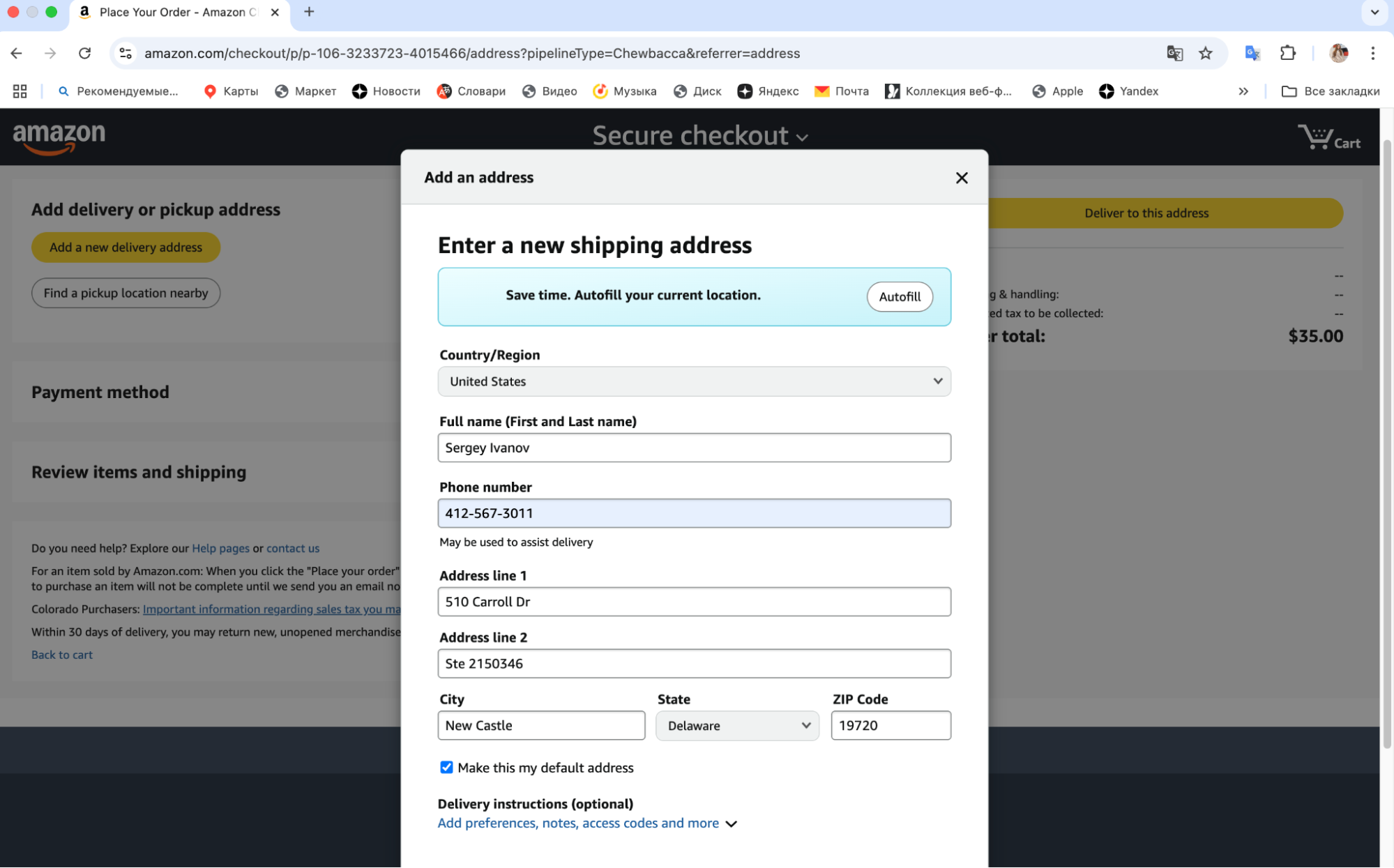
Example of filling out a shipping address in US stores (you can view it in your personal account):

To fill out the billing address, use the address specified in the bank agreement for issuing the card. If the card is virtual, use the address listed in the bank agreement for opening the personal account.

There are three options for filling out the billing address; each one is described below:

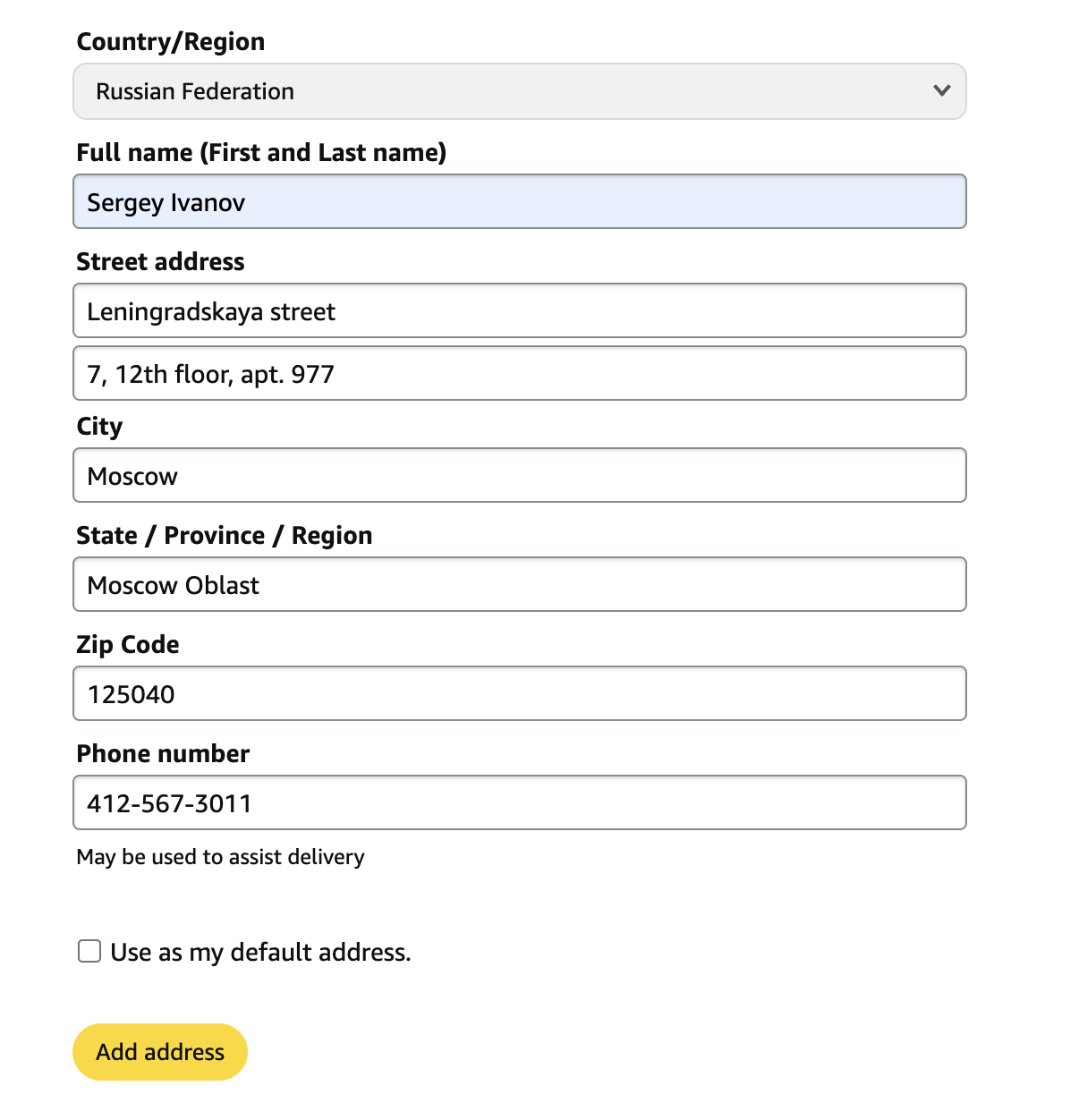
Filling out a real billing address in a US store

Providing a real Russian billing address when ordering from US online stores in 2025 has become extremely difficult and often leads to payment rejection. However, if the store allows this option, it is worth using it. As an example, let’s take Amazon:

All fields are filled with the real address – country, city, region, zip code, and street with house number. The only thing to remember is to always provide the US phone number issued by us in the contact phone field.

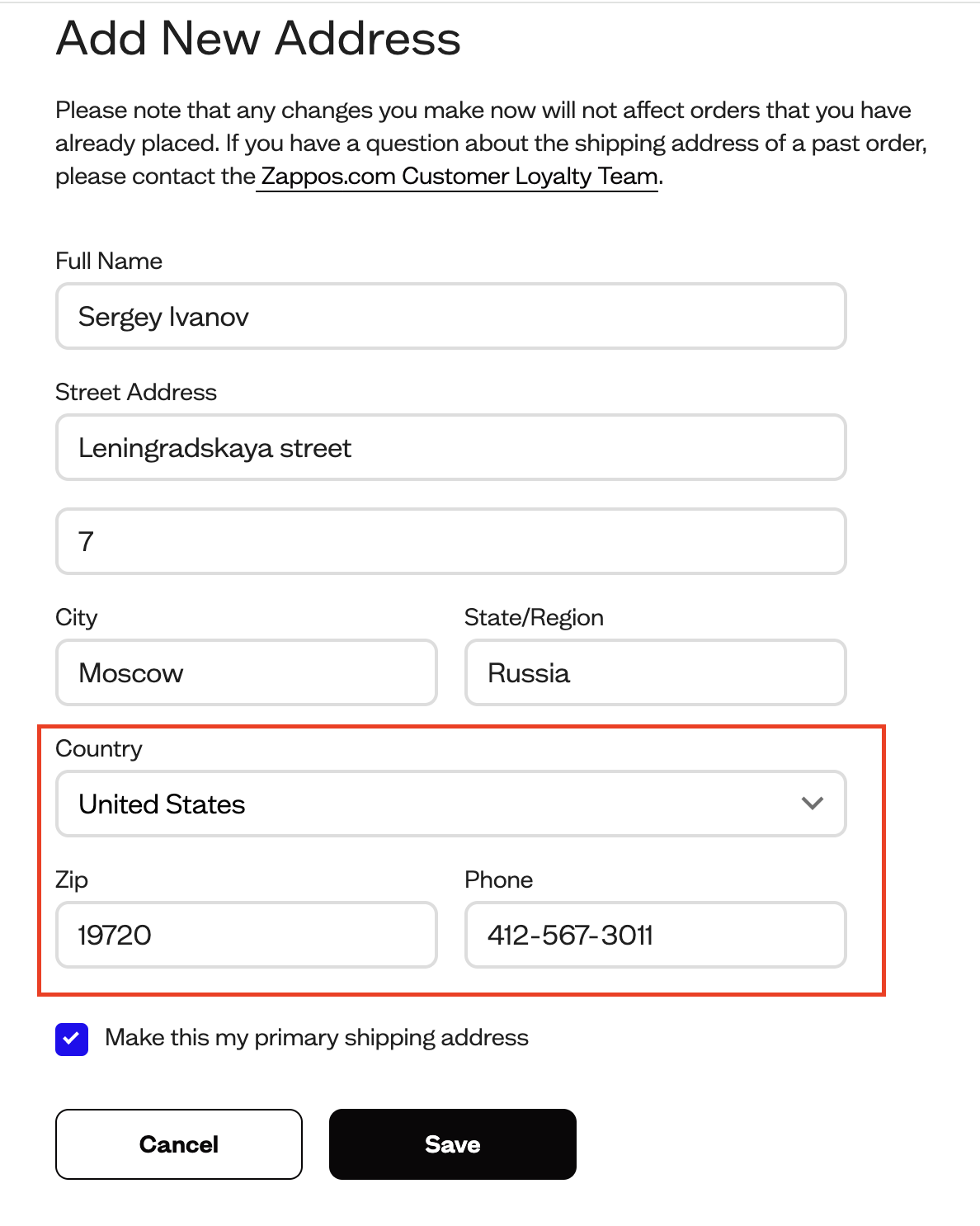
Filling out a mixed-type billing address in a US store

If the store’s address book does not include the Russian Federation or the buyer’s country, a mixed-type billing address is used. In this case: the country and state are US, while all other data match your real billing address. If it is possible to specify a Russian state, do so. The more data matches the real billing address, the better.

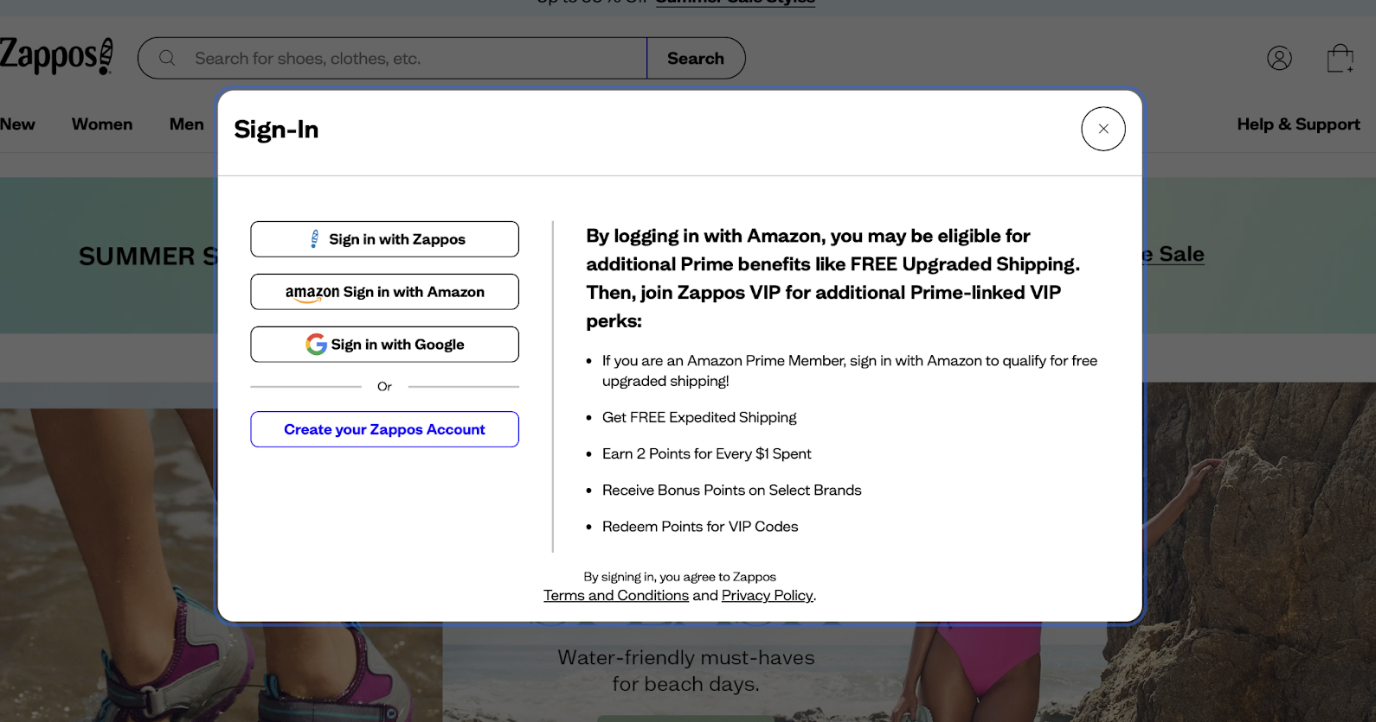
As an example, let’s take Zappos:

Providing a shipping address instead of a billing address

This option can also work successfully when placing an order. In this case, all data are filled in the same way as the delivery address, but be prepared for the store to request data verification (ask for a scanned copy of the bank agreement) or even cancel the order. 

Let’s look at an example from the 6 p.m. website:

Note that situations where the card is foreign but the billing address is Russian are becoming more common, especially among those who use foreign banks (for example, from Kazakhstan, Georgia, Turkey, Kyrgyzstan, etc.) but live in Russia.


What to do if you have a foreign card but live in Russia:

  • Provide the billing address linked to the card according to the bank’s records (even if it is Turkey, Kazakhstan, etc.).
  • Do not specify Russia unless it is the address recorded by the bank.
  • Try to ensure the card’s country and the country in the billing address match. 

If the store does not accept the country where your card is registered (for example, Georgia), you can try the mixed option:

  • Specify the USA as the country.
  • Enter the real address (street, city) from the bank agreement – even if it is Russia.

We recommend using the first two billing address options for orders in US online stores (options 1 and 2), and only if the order is canceled try entering the billing address as the shipping address (option 3); for some stores it is critical that they match.


How to buy at Carters and OshKosh

About Carter’s

Carter’s – one of the most popular stores for moms with babies. Let’s start with the main thing: Carter’s – is not just one store, but an entire group of three brands. By registering on any of the sites, you automatically get access to all three, and the shopping cart will be shared.

Carter’s — clothing for babies and toddlers.
Oshkosh — stylish and comfortable clothing for older kids.
Skip*Hop — products and accessories for kids and their parents: from backpacks to kids’ tableware.

Carter's offers high-quality and affordable clothing for children up to 14 years old. The catalog is conveniently divided into three categories:

– for infants and children up to 2 years old
– for preschoolers
– for elementary school kids

There is no clear age gradation – the choice of clothing is based on the child’s height according to the size chart adopted on the site.

In this article we will tell you how to independently place an order from this store with delivery to your virtual address through our service. The most advantageous way is to order goods to the virtual address and forward them as part of a consolidated package. 

Registration on the site 

Go to the main page carters.com using a US vpn, select the personal account icon and click on it

Next, select “Create Account”

Next, fill in the details – first name, last name, email, create a password, repeat it, enter the phone number (enter the number specified in your personal account Prostobox.com

After registration Carters will offer you to fill out a short questionnaire with your details and your child’s details (if you are a parent). You can provide this information or skip it. 

Selecting items

Before selecting items, we recommend that you subscribe to promo codes and discounts in active pop-ups.

Now we need to choose what exactly we want to buy and add these items to the cart. On the product page, select the size and color and click the «Add to cart» button. In the same way, add all the items we need to the cart.

Next, go to the cart and check the prices and sizes of the selected items, then click “Checkout”

Paying for the order

After you have checked the contents of the cart, go to the payment page; here you need to fill in your personal information again: contact details, email (if it did not pull from registration), shipping address. 

When filling in the Shipping address, enter the data from your personal account, namely the address of our warehouse, zip code.

Select Credit card as the payment method, enter your card number, expiration date, and the CVV code on the back of the card.

On the same page you can check the delivery times to our warehouse in Delaware (in the screenshot you can see 3-6 days). Double-check the details and click "Place order"

Congratulations! The order has been placed! A confirmation email should arrive in your inbox shortly, and within a few days you will also receive a message about its shipment to our address.


How to buy on GAP

About GAP

Gap – one of the largest American clothing brands for men and women. The group of companies includes several brands: Gap itself, as well as Old Navy, Banana Republic, Piperlime (multi-brand store) and Athleta. All brands share a common cart on the site.

In this review, we will tell you how to order from the Gap website. Purchases on other sites of the group are made in exactly the same way. 

How to register on GAP

On the main page of the site, click the person icon in the top right corner and then click Sign in.

On the opened page, enter your email address and click Continue.

In the opened window, you will need to enter your first name, last name, password and mobile phone number (optional) and click Create account.

That's it, your account has been created. Remember that your account will be shared across all other Gap family stores.

Selecting products

Select the section you are interested in; in our example it will be Men.

Next, select the desired category, for example, Sweats (hoodies)

Next, all that remains is to select the items you want to buy. Select the desired size and color and, if necessary, check the product’s Size guide (size recommendations). Read reviews from customers who have already purchased this item – this will help you choose the right size.

Once you have chosen the color and size, click «Add to Bag». Be sure to check the quantity to the left of the black «Add to Bag» button

Clicking the cart icon in the top right corner allows you to review its contents, verify that all parameters are correct, and correct them if necessary. In the cart you can also see the preliminary total cost of your order and select a delivery method to our warehouse.

After checking all the data, click «Checkout»

On the page that opens, enter your full name as provided during account registration, then enter the address and phone number of our warehouse in Delaware (take the details from your personal account). Click Continue.

On the next page, double-check the shipping address, name, items, and purchase amount

Below, select the delivery method and timeframe. Remember that on the Gap group website, orders over $50 qualify for guaranteed free shipping within the USA. 

Double-check that the delivery method you selected is correct. If everything looks good, click «Continue» to proceed to the next step.

Next, enter your payment card details – card number, expiration date and CVV code from the back of the card. 

When selecting a payment method, your billing address from the form you completed at the beginning will be automatically populated.

If you have a promo code for a discount, you can enter it in Promos. Please note that if your order contains items from different Gap group stores, you can enter multiple codes one after another – for example, for Gap, Old Navy and Piperlime. The store will accept and apply all discounts if the items in the cart meet the promotion requirements. Now click «Save» and double-check all entered data one last time.

Check the order total (in our example, the store automatically applied a 40% discount promo code across the entire range).

Click the Place Order button

That's all. Congratulations on placing your order! A notification confirming receipt of your order should now arrive in your email. A few days later you will also receive a message that it has been shipped to us.

How to buy on Walmart

How to shop at the Walmart online store

How to buy on Walmart

Walmart – the largest online hypermarket in the USA, where you can find literally everything: from electronics and clothing to toys and cosmetics. Particularly popular with our users are electronics, children's goods, clothing for the whole family and skincare cosmetics – prices are often much lower than in Russia and other CIS countries. We explain how to order from Walmart easily and profitably through the

Many shoppers from Russia and other countries often wonder – is it possible to order from Walmart with direct delivery to Russia and other countries? The answer is simple – it is possible, but given the store's somewhat capricious nature, sometimes you have to get creative. That is why we recommend following the instructions we have provided below.


How to place an order on Walmart

1. Register on Walmart.com

Registration on Walmart is of the classic type – you need to fill in your personal details (first and last name in Latin letters, personal email and password).

2. Add a delivery address

After logging into your account, go to Account → Addresses"Add new address". In the address book you need to fill in the Shipping address, i.e. the delivery address – each client receives it after registering on our website.


After that you need to verify the entered address and create one more – this one will be used later as the Billing address. In this case, you should be careful with the process; the filling scheme is of the mixed Billing address type (you can read more about it here). When filling it in, use the real card address details, except for the country, state and zip code.

3. Add a payment method

The next step in filling in your personal details is payment information. Enter all card details and be sure to select exactly the address that was added for the Billing address, i.e. the mixed type.


Note that the store is quite picky about accepting payments from foreign customers, so if the card payment does not go through (we recommend paying with a USD card to avoid exchange rate losses in case of order cancellation), you can try paying for the order via PayPal.

After that the principle is simple – select the desired item, add it to the cart, and proceed with the step-by-step checkout.

In Shipping and pickup options select the first option, i.e. Shipping.

For the delivery address use the warehouse address we provided you

In the payment details select the card you entered earlier, or click More to choose PayPal.


After double-checking all the details, confirm the order placement.

If for any reason you are still unable to place an order on Walmart yourself, we are always ready to help with purchasing via the «Purchase assistance» service.

How to buy on Disneystore

How to buy on Disneystore

About Disney

Disneystore.com is the official online store for Disney brand children's products in the USA. Here you will find a huge selection of toys based on all the cartoons of this brand, bright clothing for adults and children, as well as home and decor items.

Let's break down how you can place an order in this store to your virtual address on your own.

How to register on Disneystore.com

Open the store's main page and in the upper right corner click «Log In».

A window opens in which we need to click «Join Us».

A registration form opens in front of us, which we need to fill out.

If you wish, you can subscribe to store promotions by checking the box next to I'd like to receive updates, special offers and other information from The Walt Disney Family of Companies.

Confirm registration.

Selecting an item

Now we move on to directly selecting the item and the checkout procedure. Return to the main page and look for the item we need. For example, we need to buy our daughter clothes for the beach season. Select the «SWIM SHOP» section, then «Swimwear & Beach Cover-ups» and the «Shop Girl’s Swim» category line.

All currently available collections open in front of us. On the left you can select additional filters by price, age, or cartoon character the clothing should feature. Or we can simply choose the set we like on the right.

For example, we selected the following option.

Here you can read customer reviews and, after selecting the desired color and size, add the item to the cart by clicking «Add to bag». We added the swimsuit and towel to the cart. Please note that in this store, as in many other American and European stores, personalization is available. That is, for a small fee you can order printing or embroidery of initials or a name on the item. Such items are produced and shipped a bit longer than the main assortment.

We have added all the items we need, and now we go to the cart by first clicking the cart icon in the upper right corner. In the window that opens we see all our items and the preliminary total order cost. If you have a promo code, you can add it to the order in the Promo Code line. In the same window you can also click the «View Current Promotions» link and see exactly which codes are currently active in the store. The store also allows combining codes if they do not exclude each other according to the promotion terms.


Check the colors, quantities and sizes and proceed to further checkout by clicking «Begin Checkout». First, enter the shipping information. Here you need to specify the Shipping Address (your virtual address with us, which you can find in the My address in the USA section).

Select a shipping method. It will determine how quickly the order arrives at our warehouse. Click the «Continue to Payment» button

The store may show you a message stating that it cannot find your suite number in the postal address database. It will then ask you to verify that the data was entered correctly. Do not worry and simply click «Use Entered Address»


In the billing address field you can also leave your virtual address details and enter your payment card information.


Later the store may request confirmation of your payment details. In that case you will need to send them an email using the template below to guest.services@disneystore.com.

Template letter indicating the real billing address:


Attach a photo of your payment card with all digits except the last four covered.

Now click «Review Your Order» and proceed to the final step. Check all the information in the order and if everything is correct click «Submit My Order»

The order has been placed. A confirmation email should now arrive in your inbox.

How to buy on Google Play

How to Buy on Google Play

About Google Play

Google Play – is the official store for apps and digital content for Android devices. Through it you can buy:

  • apps and games (including subscriptions),
  • movies and TV shows,
  • books and audiobooks,
  • in-game items and features.

All you need for purchases is a Google account and a working payment method supported in the selected country.

Creating a Google Account

To start using Google Play, you need a Google account. Detailed instructions on how to create one are available here.

Important: Select a region where Google Play works fully – for example, the USA, Kazakhstan, Armenia, or Uzbekistan.

Direct payments in Google Play are not supported in Russia.

 How to Choose a Working Region

Google determines the account region based on:

– IP address (so it is advisable to use a VPN during registration),
– the country specified when creating the account,
– phone number,
– payment information.

It is recommended to specify right away a country where purchases are available. The country can be changed only once a year.

Adding a Payment Method

After signing in to Google Play:

  1. Go to «Payments & subscriptions» → «Payment methods»
  2. Add a working method:
  • bank card
  • PayPal
  • Google Play Gift Card – a gift card that can be activated with a code.

Can I Pay from Russia?

Yes, although Google Play does not accept Russian cards, there are alternatives:

  •  topping up the balance with a gift card;
  •  creating an account with another region and an international card.

The choice of method is up to the user. We recommend approaching the process carefully.

 How to Make a Purchase

  1. Open Google Play (on a device or in a browser)
  2. Find the desired app or subscription
  3. Tap «Buy»
  4. Select a payment method (or use the balance)
  5. Confirm the purchase

After payment, the app or subscription will appear in your account and will be available on all devices.

How to register on Amazon

About Amazon

Amazon was founded in 1994 by Jeff Bezos as an online bookstore. The idea quickly gained success, and the company began to expand its range. Today Amazon – the largest online store in the world, where you can buy everything: from books and electronics to clothing and home goods. In addition to trade, Amazon has developed its own logistics, cloud technologies and streaming services.

Currently Amazon does not accept Russian cards, but you can register on the site and specify the address of our warehouse and any foreign bank card. Complete a few simple steps and buy thousands of items on Amazon with delivery to your home. 

How to register on Amazon

1. Open the site Amazon in your browser

2. In the upper right corner of the page hover over «Hello. Sign In Account&Lists». In the menu that appears click on the «Sign here» link

3. After that, in the window that opens, you need to register. 

Click on the button “Create your Amazon account”

4. Next, you need to enter your data

Enter your first and last name in Latin. We recommend entering not a phone number, since Russian numbers may be blocked for sending notifications, but an email address (it is also better to choose not Russian mail and yandex domains, but, for example, international gmail). You also need to create a password and repeat it.

Click on the Continue button

5. After that, you need to verify your email inbox

Check your email and enter the OTP code in the empty field. 

Once the code is confirmed, you will get access to purchases! Now you are a fully registered Amazon buyer. Congratulations! 

Searching for products on Amazon and buying them

1. You can search for a product both by sections (books, electronics) and by name or brand - to do this, just use the Search bar.

As an example, let's look at purchasing an excellent gift and the most fashionable Stanley mug

On the right side of the product page there is a noticeable yellow button «Add to cart», clicking on which instantly adds the product you like to the cart.

So, we boldly press the button and move on to reviewing what we are going to buy.

2. Next, check the purchase amount, color and click on the button “Proceed to checkout (1 item)” 

3. Now let's proceed to filling in the delivery address. Click on the button “Add a new delivery address”

4. In the window that opens, you need to enter the warehouse address from your personal account in our service.

This is the very address for delivery of your purchases that you received from us. Fill out the shipping address form. It is very important to fill in all fields correctly and completely.

Example of filled address fields:

5. You're almost done! In the window that opens, all that remains is to enter the details of your foreign card.

Enter the number, cardholder name, expiration date and CVC code on the back of the card. Finally click Add your card.

6. After that click Use this payment method and that's it! Done! Your order has been placed on Amazon, it will soon be processed and arrive at our warehouse.

You can track all movements of your item in your personal account. Happy shopping on Amazon!

What is Amazon Prime and why is it beneficial

What is Amazon Prime and why you NEED to get it

Amazon – the world’s largest online store. It has everything: from coffee and clothes to electronics and gadgets. But the main perk for frequent shoppers is the Amazon Prime subscription.

What Amazon Prime gives you in 2025:

1. Free shipping across the US in 1-2 days 

Prime-marked items arrive at our Delaware warehouse very quickly, usually the next day. This also speeds up your delivery: the sooner the item reaches us, the sooner it ships to you.

2. Deals regular customers can’t access
Prime members get early access to Lightning Deals, Prime Day, and other exclusive sales. $2 shampoo, $15 sneakers, $200 discounts on electronics – all real examples.

3. Nice bonuses and freebies
Amazon often gives away cosmetic samples, snacks, and even newborn starter boxes. All free or with points compensation

4. Online services included
Your subscription includes:

  • Prime Video – movies and TV shows in English (with subtitles)
  • Prime Music – ad-free music
  • Prime Reading – hundreds of books and magazines
  • Prime Gaming – in-game bonuses and a free Twitch channel subscription

How much does Amazon Prime cost

  • First month – free
  • After that – $14.99 per month or $139 per year
  • Sometimes you can catch a promo – $35 per year
  • Pro tip: you can use the free period every year – just cancel and reactivate after 12-13 months.

Sign up for Amazon Prime for free →

How to subscribe to Amazon Prime

  1. Register at amazon.com

  2. Go to the Prime page and click Start your 30-day free trial

  3. Enter a credit card ($1 will be charged, then refunded)

  4. Enter a US delivery address (use the free US address you received when registering at Prostobox.com)

Can you cancel the subscription

Yes, at any time:

  • In Amazon settings select Manage Prime Membership
  • Click Do not continue
  • If you paid for the subscription and didn’t use it – Amazon will refund money for the unused days.

Who should pay for Amazon Prime?

  • If you order from Amazon at least a couple of times a month, the Prime subscription pays for itself from the first month. Free and fast shipping, access to the best discounts, priority order processing – all this is available to program members.
  • Our warehouse in Delaware receives Prime packages the next day after ordering. And if you’re short on time, with Prostobox.com you get your purchase in Russia in just 5-10 days. Without a subscription or with regular shipping you may wait a month or longer.
  • In the US Amazon is practically synonymous with online shopping. Millions of Americans place orders 2-3 times a week. It’s no surprise that Prime has over 70 million subscribers. In Russia few people know about this service, and that’s a pity – it really saves money and time.
  • Extra convenient: the first month is free. Hurry to try it during Prime Day – it’s a chance to get maximum bonuses with no cost.

Sign up for Amazon Prime for free


Tip from Prostobox.com

Get your Prime subscription during Amazon Prime Day – the biggest sale of the year (in July). Up to 70% off everything. This is the best time to try the subscription and shop with maximum benefit.

Important: Amazon does not ship packages directly to Russia or Belarus, but with Prostobox.com you can easily buy any items and receive them quickly.


With Prostobox.com and Amazon Prime shopping becomes even easier and more rewarding.

How to buy on Target

Target – one of the largest retail chains in the USA, known for its wide assortment of goods at affordable prices. In the online store you can find everything – from clothing and household chemicals to electronics and home goods. Target stands out with convenient navigation and frequent promotions, which makes it a popular choice among American families.

In this article we will tell you how to shop on Target with great benefits and fast delivery right to your home.

How to register on Target

Go to the main page Target.com and click the Account button.

Next, select Sign in or create account

Fill in your details – it’s best to enter your email, as Russian phone numbers may be blocked due to sanctions

Next, enter your first name, last name, and choose whether you want to register with password confirmation via email or with a regular password.

Congratulations, you have registered with Target!

Selecting items

Choose the section you are interested in; in our example it will be the women’s clothing category – hoodies. 

Next, all that remains is to select the items you want to buy. Choose the desired size and color and, if necessary, check the Size chart for the item (size recommendations). You can also use the AI shopping assistant – it will help you pick the right size.

Once you have finished shopping, click View cart & check out and proceed to delivery and payment. 

Delivery and payment 

Double-check the contents of your cart – size, color, quantity, and the order total – then click Check out

In the window that opens, enter the details of your personal address from your Prostobox account – address, ZIP code, city, phone number. Click Save & continue

You’re almost there! Just a little bit left! Check your delivery details and proceed to payment

Select Credit or debit card and enter the card number, expiration date, CVV on the back of the card, and the name shown on the card. Click Save & continue

After entering your card details you will see the delivery cost on the right; check the total amount and click “Place your order”

That’s it. Congratulations on placing your order! A confirmation email should arrive in your inbox shortly. A few days later you will also receive a notification that the package has been shipped to us.

How to buy on 6PM

How to Register on 6PM

On the site's home page, click «Log In or Register» (in the top right corner).

On the page that opens, on the left you will see the login form for registered buyers, and on the right — the Create an Account button. Click it.

The site may redirect you to the Zappos registration page — in that case, create an account there (the data is compatible).

Fill out the registration form (in English). Enter your first and last name exactly as they appear on the payment card you will use to pay for purchases.

Once the form is filled out, check the entered data, remember or write down your password, and click «Register Now».

After registration, you may need to verify your Email. To do this, check the inbox you specified during registration, find the email from 6PM, and follow the link in the email to complete registration.

Once your registration has been confirmed, log in to the site via the «Log In or Register» link on the site's home page and proceed to make purchases.

Selecting Items

Choose the section you are interested in (shoes, clothes, accessories) or brand.

If necessary, filter the additional list of items using the filter in the left column of the site.

For each group of items you will see different filters. For example, you can specify that you want to view only items from certain brands (by checking those brands) or that you are interested exclusively in size 8 shoes, and so on.

Click on the item you want to buy.

Select the desired size and color and, if necessary, check the item's size chart (recommendations for choosing the size). Some brands or items may have their own size chart. After you have selected the color and size, click «Add to Shopping Bag».

Cart

In the cart you can view your list of purchases, remove unwanted items, change the quantity for a specific item, enter a discount code (if you have one), and see the final total of your order. Once all the information in the cart has been carefully reviewed, click «Proceed to Checkout».

How to Pay for a Purchase on 6PM

Step 1. Enter a US delivery address

At the checkout stage, in the Shipping Address field, enter your virtual US address, which can be found in your Pochtoy.com personal account
Important: standard delivery within the US on 6PM is free when ordering two or more items or when the price of a single item exceeds $50. Express delivery – is paid and depends on the cart volume.

Step 2. Pay for the order

Currently US stores do not accept cards and addresses issued in Russia for payment. Therefore, you need to use a foreign-issued card (for example, issued in Kazakhstan, Armenia, Uzbekistan, Europe, etc.).

When filling out payment information:

  • Enter your card details

  • In Billing Address enter the address linked to this card (an address outside the RF — for example, in Kazakhstan or Armenia)

  • Do not check the box "Same as my shipping address" if the address differs

Step 3. Check everything and place the order

Before final order confirmation, check:

– correctness of shipping address (US delivery address)
– correctness of billing address
– order total and payment details

Click «Submit My Order». The purchase amount will be charged to the card.

Important to know: on the first order, 6PM may request additional verification (up to 7 days). This is a standard procedure. Subsequent orders with the same card will go through without delays.

How to buy on Zappos

How to register on Zappos

  1. Go to https://www.zappos.com.
  2. In the top right corner, click Sign In / Register.
  3. In the Create your account block, enter:
    • First name
    • Email
    • Password
  4. Click Create your account.

Registration is complete. Now you can:

  • Track orders
  • Save favorite items
  • Receive special offers

Selecting items

  1. In the top menu, select the desired category:
    • Shoes, Clothing, Bags, Accessories
  2. Next — subcategories: Men, Women, Kids, etc.
  3. Use filters:
    • Shoe type (Running, Casual, Dress, etc.)
    • Size
    • Color, price, brand, shoe width
  4. On the product card:
    • Check reviews and photos
    • Select the desired size and click Add to Cart

Entering the delivery address

  1. Zappos does not accept Russian addresses for delivery. To place an order, you need to use an address registered in the USA.

  2. Enter the details:

    • First & Last Name

    • Address (as listed on your US address),

    • City, State, ZIP.

    • Phone (a US number is required for delivery).

  3. Select a shipping method:

    • Free Standard Shipping (usually 4-5 business days).

    • Faster options may be available.

  4. Click Continue to Payment.

Promo codes and discounts

Promo codes are rarely used on Zappos, but individual offers may be sent by email. If you have a promo code:

  1. Enter it at checkout.

  2. Click Apply.

Payment

Available payment methods:

  • Bank cards (Visa, Mastercard, Amex) and cards issued outside Russia.

  • PayPal.

  • Apple Pay (for Safari users on macOS and iOS).

Enter:

  • Card number, expiration date, CVV.

  • Billing address (the address linked to the card, usually in another country if the card was issued outside Russia).

If you pay with PayPal, a separate authorization window will open.


How to buy on Nike.com

How to Register on Nike.com

  1. Go to the website nike.com.
  2. In the top right corner, click Sign In.
  3. In the window that opens, select Join Us.
  4. Enter:
    • Email
    • First and last name
    • Password
    • Date of birth
  5. Click Join Us — registration is complete.

Note: the account is valid across all local versions of the site.

Selecting Products

  1. Open the section for the gender or category you are interested in: Men, Women, Kids, New Releases, Sale, etc.
  2. Next, select a subcategory (e.g., Sneakers → Lifestyle → Air Max).
  3. Filter by size, color, price.
  4. On the product page:
    • Make sure your size is selected (check via Size Guide).
    • Review reviews and photos from other buyers.
    • Click Add to Bag.

Cart and Order Review

  1. In the top right corner, go to the cart icon.
  2. Make sure all items, sizes, and colors are correct.
  3. Click Checkout to proceed to checkout.

Payment

  1. Enter your payment details:
    • Card number
    • Expiration date
    • CVV
    • Cardholder name
  2. Billing address usually matches the delivery address, but you can specify a different one.
  3. Confirm and click Continue.

Supported payment methods:

  • Visa / Mastercard
  • Apple Pay / Google Pay
  • PayPal (in some countries)
  • Klarna / Afterpay (depending on region)

Promo Code and Discounts

  • In the Promotions & Rewards block, enter a promo code if you have one.
  • Click Apply.
  • The discount will appear in the final total.

How to buy on BestBuy.com

How to Register on BestBuy.com

  1. Go to https://www.bestbuy.com
  2. Click Account in the upper right corner, then Create Account.
  3. Fill out the form:
    • First Name and Last Name
    • Email Address
    • Password
    • Mobile Phone (optional)
  4. Click Create an Account

Done — now you can track your orders, use Wish List, and participate in reward programs.

Choosing Products

  1. In the top menu, select a category:
    • TVs & Home Theater
    • Computers & Tablets
    • Cell Phones
    • Appliances
    • Video Games, etc.
  2. Use filters: brand, price, rating, in-store availability, and more.
  3. On the product page:
    • Review the description and customer reviews
    • Confirm the item is available for shipping (some are pickup only)
    • Select the desired configuration (for example, color or storage size)

Click Add to Cart — the item will be added to your cart.

Working with the Cart

  1. Click the cart icon (upper right corner).
  2. Check:
    • Items and quantities
    • Price, including possible taxes
    • Fulfillment method: Shipping (delivery) or Pickup (in-store pickup)
  3. Click Checkout.

Payment

Best Buy accepts:

  • Visa / MasterCard / American Express
  • PayPal
  • Apple Pay
  • Best Buy gift cards
  • Best Buy Credit Card (U.S. residents only)

Enter:

  • Card number
  • Cardholder name
  • Expiration date
  • CVV
  • Billing address (must match the card’s registered address)

 If you use PayPal or Apple Pay — confirmation will occur on their side.

Promo Codes and Rewards

  • If you have a Promo Code, enter it in the appropriate field on the checkout page.
  • My Best Buy members can use accumulated rewards at checkout.

How to register on eBay

Registration on eBay

  1. Go to the website eBay.

  1. Click "Register" in the top left corner.

  2. Fill out the registration form, entering:

    • First name,

    • Last name,

    • Email,

    • Password.

  3. All fields must be filled in Latin characters.

  1. Click "Submit", confirming your agreement with eBay's Privacy Policy and User Agreement.

At the moment, you are not required to create a User ID (username) during registration, as the site assigns it automatically. However, you can change your username in your profile later if you wish.

After registration, you gain access to all listings and seller data. However, in order to use all platform features, such as purchasing items and participating in auctions, you will need to complete your profile.

Previously, during registration, clients were also required to create a User ID — a username under which your account would be registered. Now the site assigns it automatically, but you still have the option to change your username in your profile.

This is the main registration step. After it, you gain access to all listings, seller data, and so on. But in order to use all marketplace features (buy items, place bids), you still need to fill in your profile details.

Completing your profile on eBay

Log in to your profile via the My eBay link in the top right corner and select the “Summary” section.

On the page that opens, select the “Account” tab and the Addresses line.

Now you need to add a Registration address and a Primary shipping address.

Registration address is your actual residential address. Enter it carefully, as eBay may use this address as a contact address. eBay may use the registration address for identity verification or tax information (in certain countries).

Primary shipping address is the main address to which your orders will be delivered (in this case, this is your virtual address with us).

Click “Create” and start filling out the form. Remember that all data must be entered strictly in Latin characters (English letters).

Enter and save the address details.

After that, all that remains is to link a PayPal account to your account. If you don't have such an account, you can see how to create one in our other guide — Registration in PayPal.

In the same Account tab, select PayPal Account.

eBay may now offer to add a bank card or account directly, without PayPal — this depends on the country of residence and the seller's category.

If you already have a PayPal account, click Link My PayPal Account, and on the page that opens, enter the email address linked to your PayPal payment system and the password to log in. After that, clicking Link Your Account essentially completes the linking process.

If you don't have such an account, click the Sign up button and start the PayPal registration process on the page that opens. Once you finish linking your PayPal account, your eBay account is ready to use and you can begin making purchases.


How to order on eBay

Product Search

  1. Go to the website ebay.com
  2. In the search bar, enter the name of the desired product in English (for example, Nike Air Max 270).

3. Use the filters on the left (by price, seller location, item condition, etc.) for more accurate results.

4. Choose items marked Buy It Now (instant purchase) if you do not want to participate in an auction.

Selecting and Checking the Item

  1. Go to the product page.
  2. Check the following details:
  • Description and photos
  • Shipping cost and availability of international shipping (listed in the Shipping section)
  • Return policy

    3. Make sure the seller ships to your country — this information is shown below the price or in the shipping section.

Adding the Item to Cart

  1. If you are ready to buy the item — click Buy It Now.
  2. Or click Add to cart if you want to continue shopping and pay for everything later.

Entering the Shipping Address

  1. On your first order, eBay will prompt you to enter a shipping address.
  2. Enter the address in Latin characters according to your details. If needed, you can use a virtual US address (for example, provided by a forwarding service).
  3. Check the accuracy of each field: street, city, state, ZIP code.

Paying for the Item

  1. Select a payment method
  2. Confirm the purchase by clicking Confirm and Pay.
  3. After successful payment, you will receive a confirmation email.

How to buy on Macys.com

How to Register on Macys.com

  1. Go to https://www.macys.com.
  2. In the top right corner, click Sign In → then Create Account.

Fill out the form:

    • First Name, Last Name
    • Email
    • Password
    • Mobile Phone (optional)
    • Click Create Account.

After registration you will receive:

  • Easy access to orders
  • Exclusive discounts
  • Participation in the Star Rewards program (when using a Macy’s Credit Card)

Choosing Items

  1. In the top menu, select the desired section:
    • Women, Men, Juniors, Kids, Shoes, Handbags, Home, etc.
  2. Use filters by brand, size, color, price.
  3. On the product page:
    • Check reviews
    • Select the desired size and color
    • Click Add to Bag

Macy’s often has promo codes. If an item is marked "Extra % off with code", don’t forget to apply the coupon at checkout.

Cart and Order Review

  1. After selecting items, click the cart icon in the top corner → View Bag & Checkout
  2. Make sure that:
    • Color and size are correct
    • Items are available for delivery
  3. Click Checkout

Promo Codes and Coupons

  1. Enter the promo code in the Promo Code field (if available).
  2. Click Apply — the discount will appear in the cart.

Macy’s often publishes codes on the homepage, in sliders, or sends them to your email.

Payment

Payment methods:

  • Credit and debit cards (Visa, Mastercard, Amex)
  • PayPal
  • Macy’s Gift Card
  • Macy’s Credit Card (if available)

Enter:

  • Card number
  • Cardholder name
  • CVV and expiration date
  • Billing address (may match the shipping address)

When using PayPal, a separate window will open for confirmation.

Subscribe to the Prostobox.com newsletter and be the first to hear about new arrivals and promotions.

Follow us: